Hardware Installation
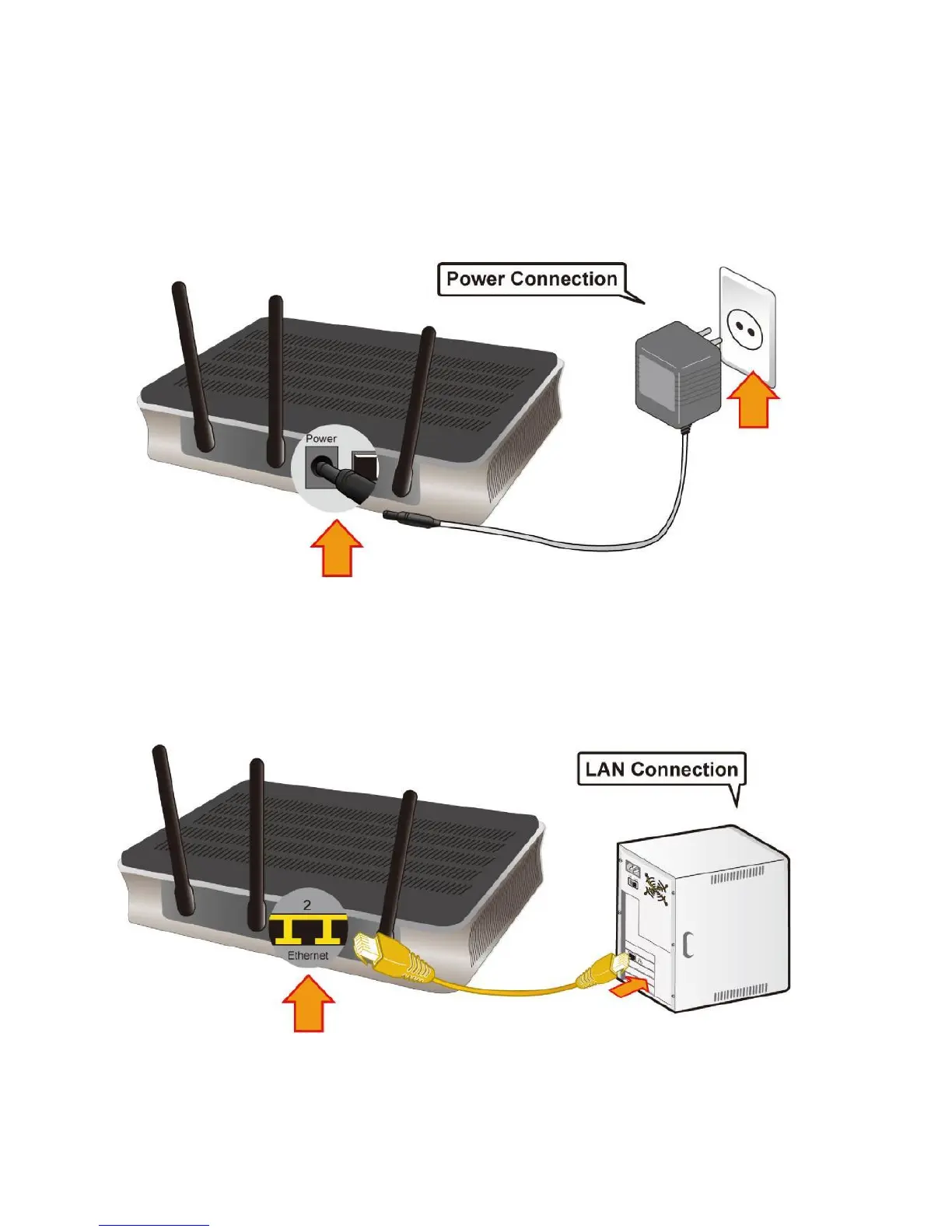
It is easy to connect the Fiber Optical Router simply by performing the following instructions:
Power Connection
Plug the supplied power adapter into the wall jack and the other side to the router. Please note
that the plug type may differ according to country.
LAN Connection
Connect the supplied RJ-45 Ethernet cable to one of the Giga Ethernet ports, and the other side to
the PC’s Ethernet interface.



 To Next Page