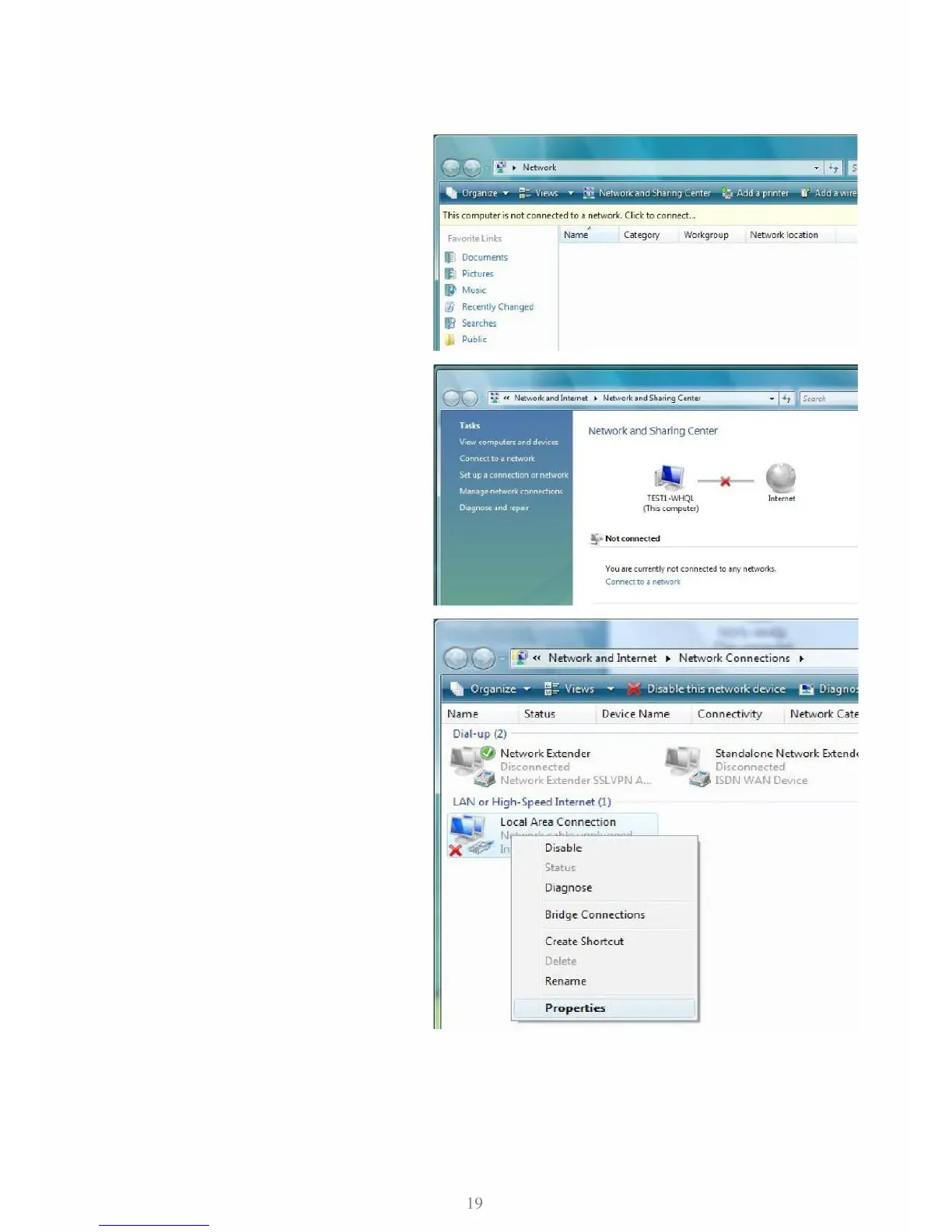
1. Go to Start. Click on Network.
2. Then click on Network and Sharing
Center at the top bar.
3. When the Network and Sharing
Center window pops up, select and
click on Manage network connec-
tions on the left window column.
4. Select the Local Area Connection,
and right click the icon to select
Properties.



 To Next Page