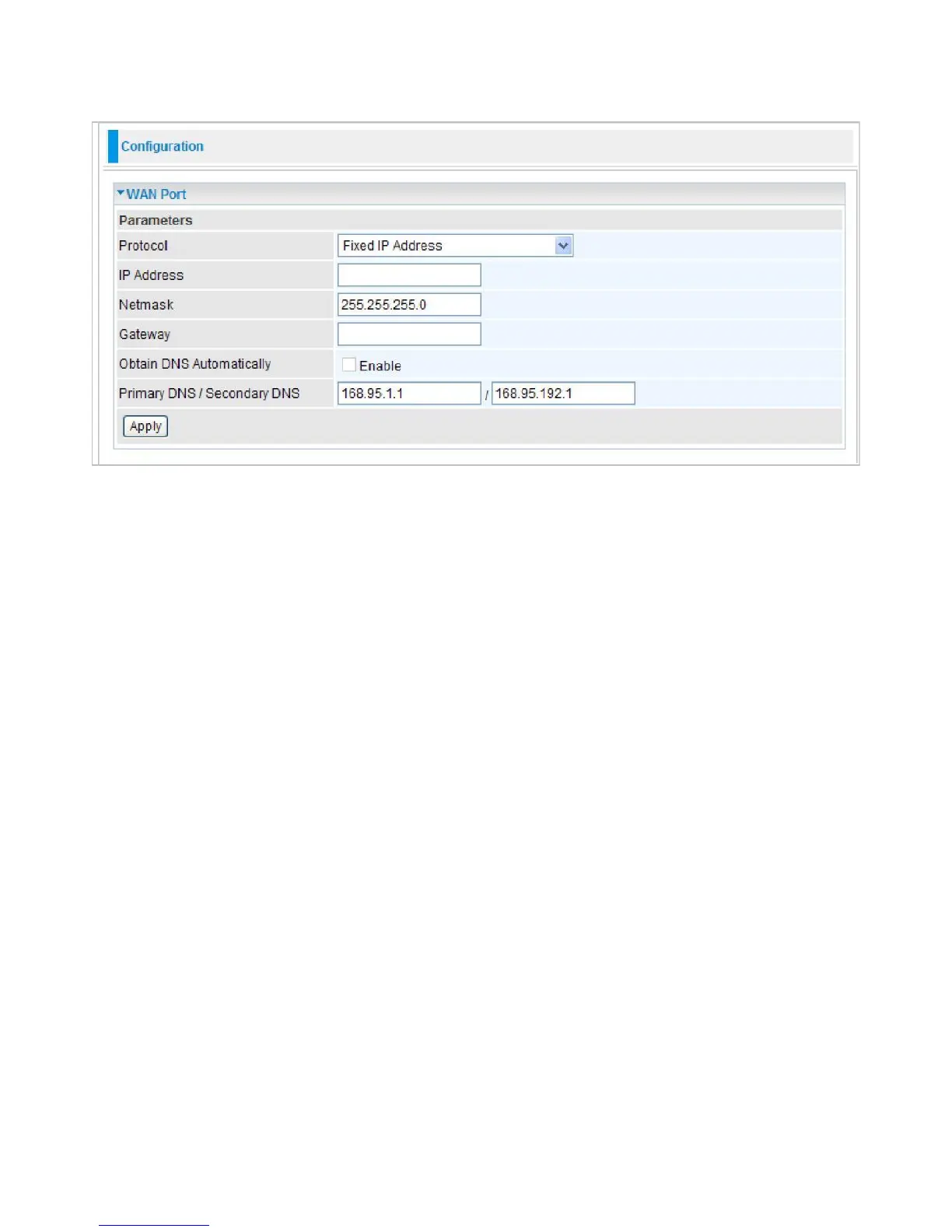
Fixed IP Address
A Static WAN connection will be configured according to the IP properties defined by your ISP.
IP Address:
Enter your fixed IP address.
Net mask:
User can change it to others such as 255.255.255.128. Type the netmask assigned to
you by your ISP (if given).
Gateway:
Enter the IP address of the default gateway (if given).
Obtain DNS automatically:
Click to activate DNS and to enable the system to automatically
detect DNS.
Primary DNS / Secondary DNS:
Available when
Obtain DNS automatically
is disable. Enter the
IP addresses of the DNS servers. The DNS servers are passed to the DHCP clients along with the
IP address and the netmask.
Click Apply to confirm the settings.



 To Next Page