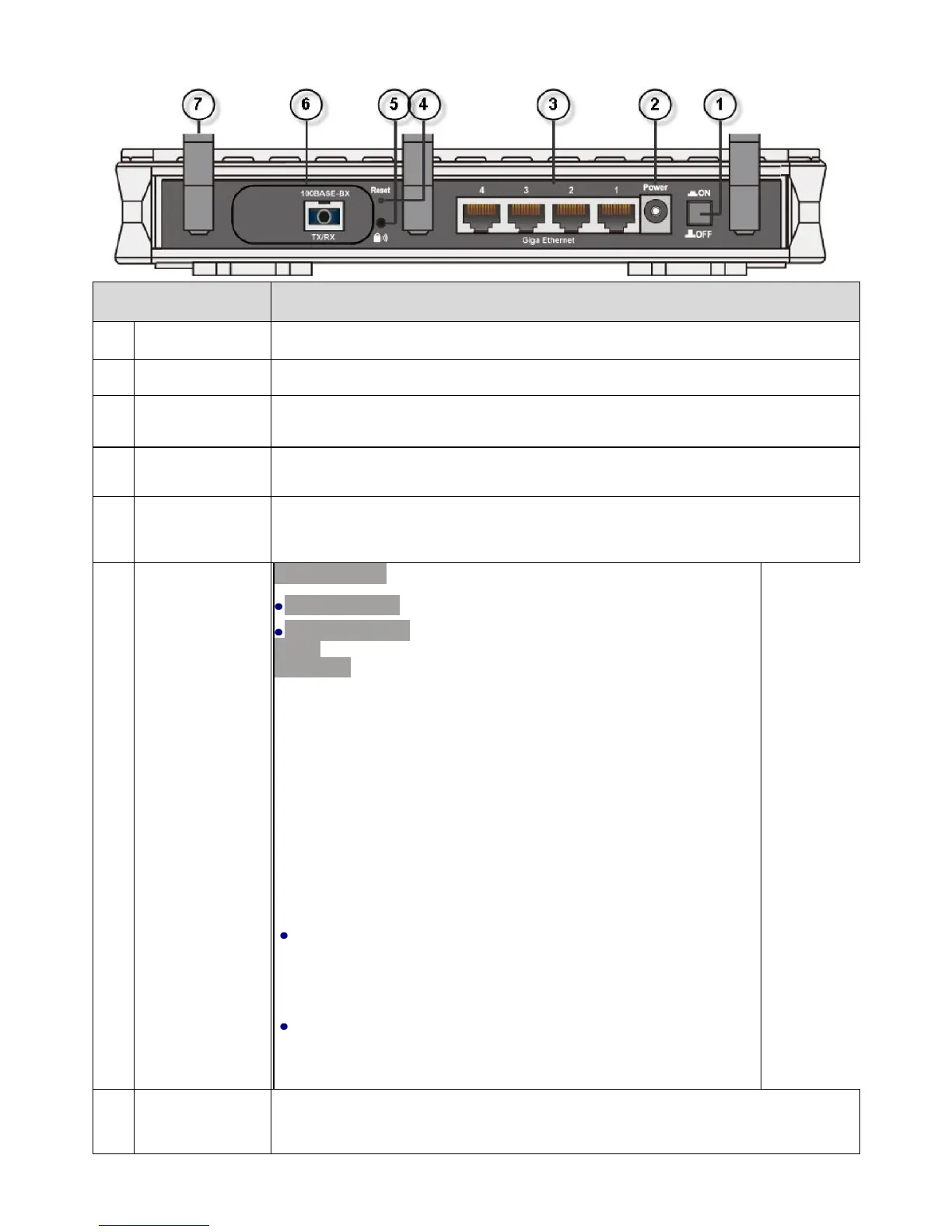
specification
100BASE-BX
:
1000BASE-BX
:
Ports:
100BASE
Several options for fiber WAN interface and they do not coexist.
Refer to the instructions on the label of the outer box
to of your device.
Port:
A single strand of optical fiber. Single-mode fiber
used (Tx1310nm/Rx1550nm). It supports SC connector.
A single strand of optical fiber. Single-mode
is used (Tx1310nm/Rx1490nm). It supports SC connector.
According to transmission method, the dual fiber
WANS separated into single mode and multi mode.
100BASE-LX/SMF
&
1000BASE-LX/SMF
: Two
strands of optical fiber, one for receive (RX) and the
other for transmit (TX). Single-mode fiber is used
(Tx/Rx1310nm). It supports SC connector.
100BASE-FX/MMF
: Two strands of optical fiber, one for
receive (RX) and the other for transmit (TX). Multimode fiber
is used (Tx/Rx1310nm). It supports SC connector.
A cage for SFP (Small Form-Factor Pluggable) transceiver
or 1000BASE optical convector.



 To Next Page