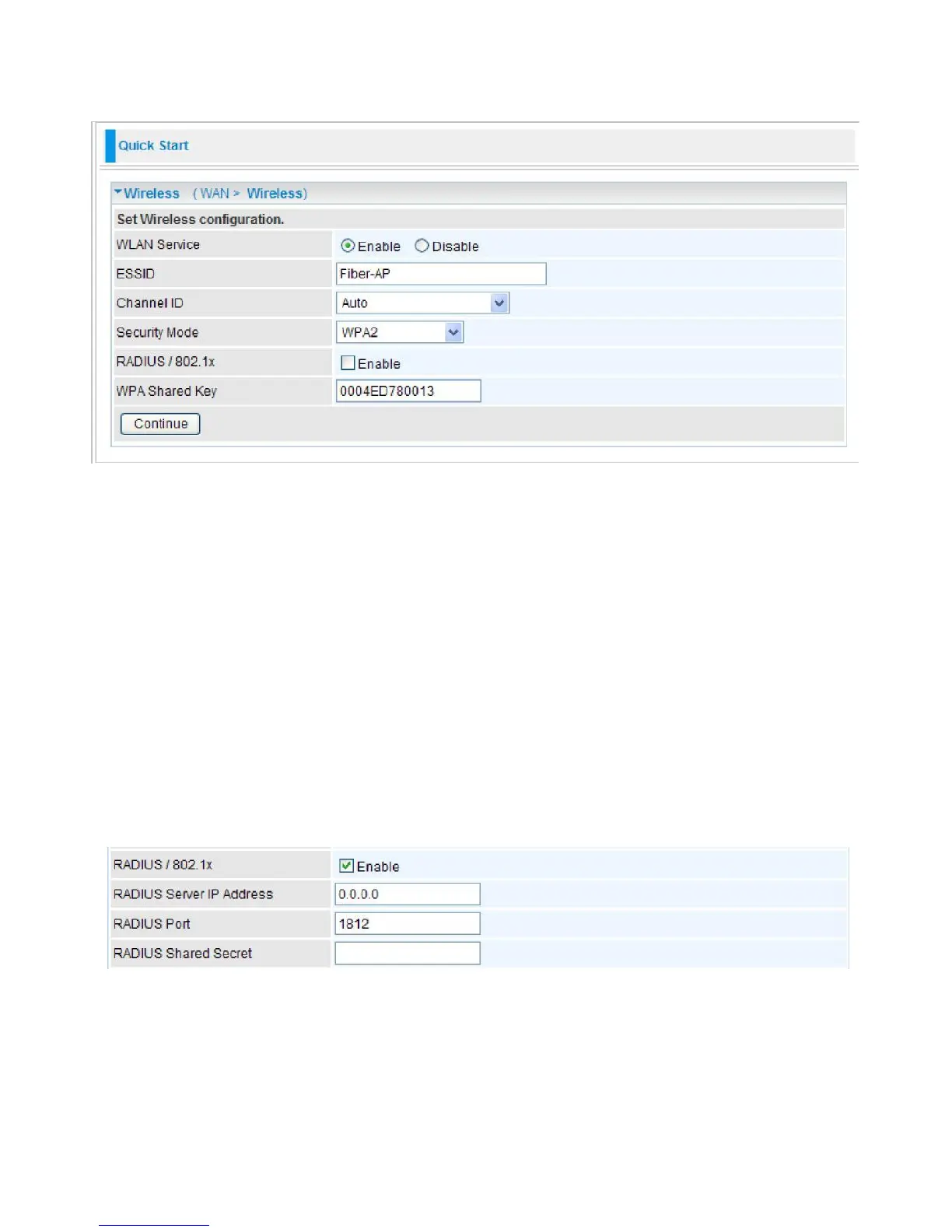
Wireless Setting Mode
WPA / WPA2
WLAN Service:
Default setting is Enable. If you want to use wireless, you can select Enable.
ESSID:
The ESSID is the unique name of a wireless access point (AP) used to distinguish one
from another. For security propose, change to a unique ID name which is already built into the
router wireless interface. It is case sensitive and must not exceed 32 characters. Make sure your
wireless clients have exactly the ESSID as the device in order to connect to your network.
Channel ID:
Select the channel ID that you would like to use.
Security Mode:
You can disable or enable with WPA or WEP to protect wireless network.
RADIUS/802.1x:
You can enable or disable the RADIUS service.
WPA Shared Key:
The key for network authentication. The input format is in character style and
key size should be in the range between 8 and 63 characters.
If you want to enable the RADIUS functionality, check Enable and then do the following settings.
RADIUS Server IP Address:
The IP address of RADIUS authentication server.
RADIUS Server Port:
The port number of RADIUS authentication server here. Default value is
1812.
RADIUS Shared Secret:
The password of RADIUS authentication server.



 To Next Page