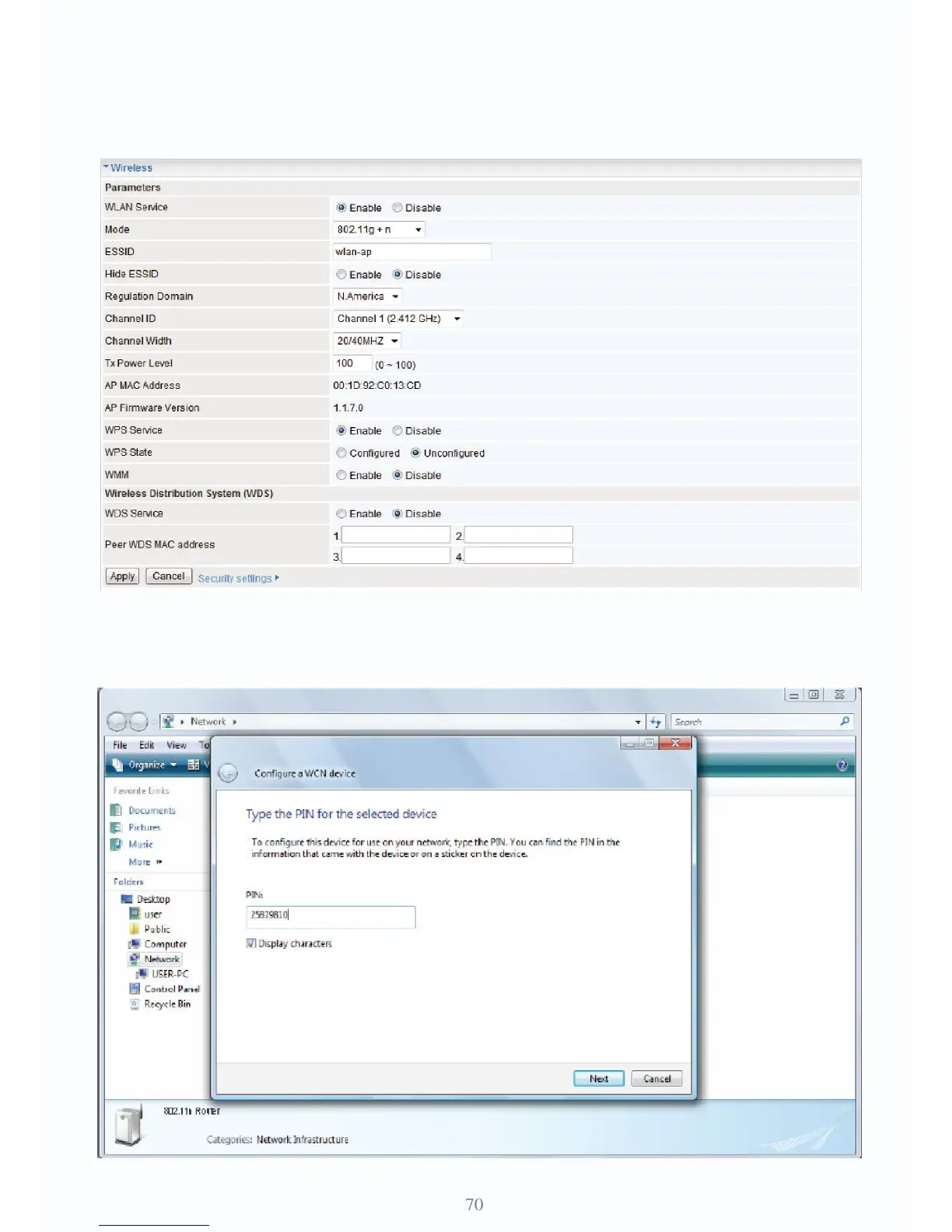
Wi-Fi Network Setup with Windows Vista WCN:
1. Jot down the AP PIN from the Web (e.g. 25879810).
2. Access the Wireless configuration of the web GUI. Enable WPS service, set the WPS State to
Unconfigured and then click Apply.
3. In your Vista operating system, access the Control Panel page, then select Network and Inter-
net > View Network Computers and Devices. Double click on the Fiber Optical Router icon and
enter the AP PIN in the column provided then press next.



 To Next Page