9
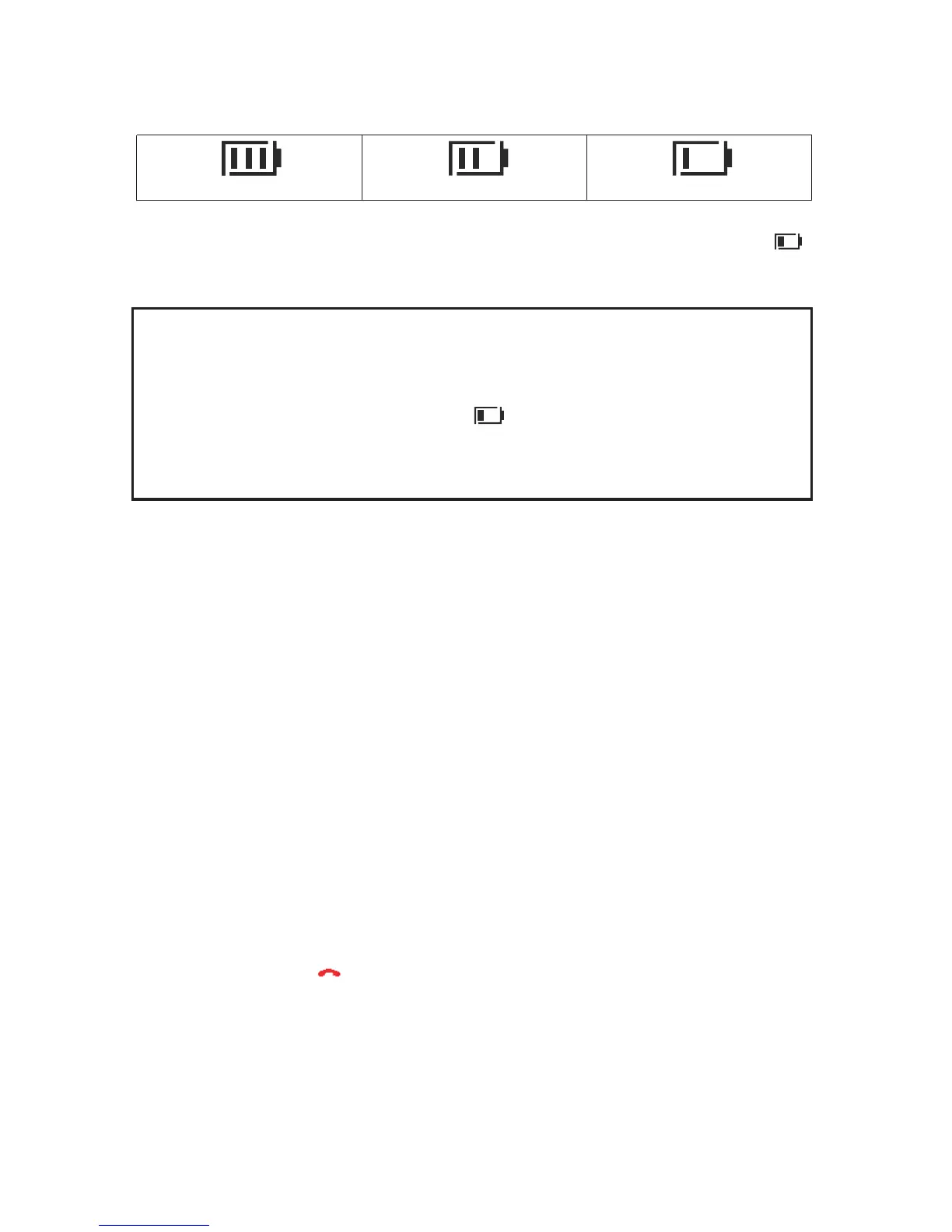
The actual condition of the batteries are shown on the LCD display with
the battery capacity symbol shown below :
Full
Half
Low
If the remaining charge in the batteries is too low, the symbol on the
display will blink.
NOTICE: Like your car battery, the rechargeable batteries suffer from a
certain, unavoidable ageing effect. You can, however, minimize this by
exercising the batteries correctly. As you use your telephone, always
start with the fully charged batteries and continue using it until they are
“empty” as indicated by the blinking symbol on the display. Then
recharge them fully. This will maintain maximum battery capacity for as
long as possible. Repeated partial charging and discharging will cause a
“memory effect” which will result in reduced capacity.
2.6 Tone dialling
Your telephone makes use of tone dialling.
2.7 Setting the day and time
1. Press the MENU button.
2. Use the p and q buttons to select CLOCK/ALARM. Press
the MENU button.
3. The display shows DATE & TIME. Press the MENU button.
4. Enter the date, e.g. 16 04 for 16th April. Press the MENU
button.
5. Enter the time, e.g. 09 30 for 9:30am. Press the MENU button.
6. You can then select further menu functions or exit by holding
down the button.



 To Next Page