16
Counting - Ending a Count
Ending a Count
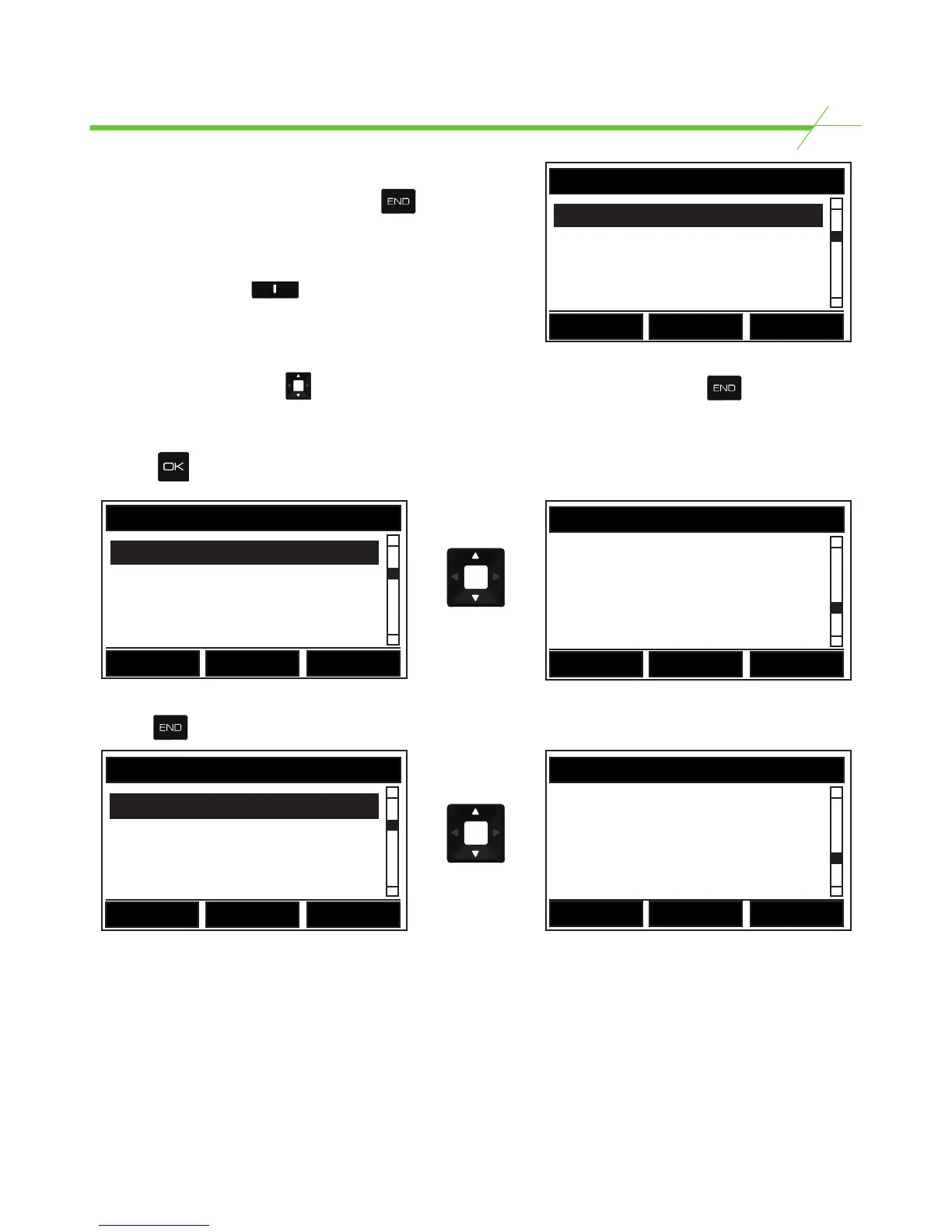
When all items have been counted press the key.
This ends the current count and displays the Count
Summary screen (see illustration). To view a count
summary of another currency that has been counted
simply press the middle key for currency.
Reviewing & Amending the Count
Scroll up and down using the key to review the count. If the summary is satisfactory press
to move on to COUNT REVIEW (See below).
If an error has been made or an amendment is needed, scroll to the item that needs to be amended
and press to confirm. A screen will then display the item to be edited.
End of Count Options
Pressing from the Count Review screen above will then display the End of Count Options.
Summary of End of Count options:*
Next Register - Starts a new register of the current counting task. When using a multi till unit,
current register data will be saved to memory.
Print Register - Prints count results from current register.
Send Register - Sends current data to PC.
Clear Register - Clears the current data and returns to the Home Page.
End/Home - Ends current count and returns to the Home Page.
*Options are model specific, not all options may be available in your model.
COUNT SUMMARY
1c (437) $4.37
5c (117) $5.85
10c (89) $8.90
Back
Currency
COUNT REVIEW
Total $1234.56
Reference Numbers
Bank $50.00
Back
COUNT REVIEW
Balance $1240.00
Under by $-5.44
Back
END OF COUNT OPTIONS
Next Register
Print Register
Send Register
Back
END OF COUNT OPTIONS
Clear Register
END/Home
Back



 To Next Page