EasyManua.ls Logo

Tellermate T-iX 2000 - Installation; Ports

Default Icon
28 pages
Print Icon
To Next Page IconTo Next Page
To Previous Page IconTo Previous Page
Loading...
5
Installation
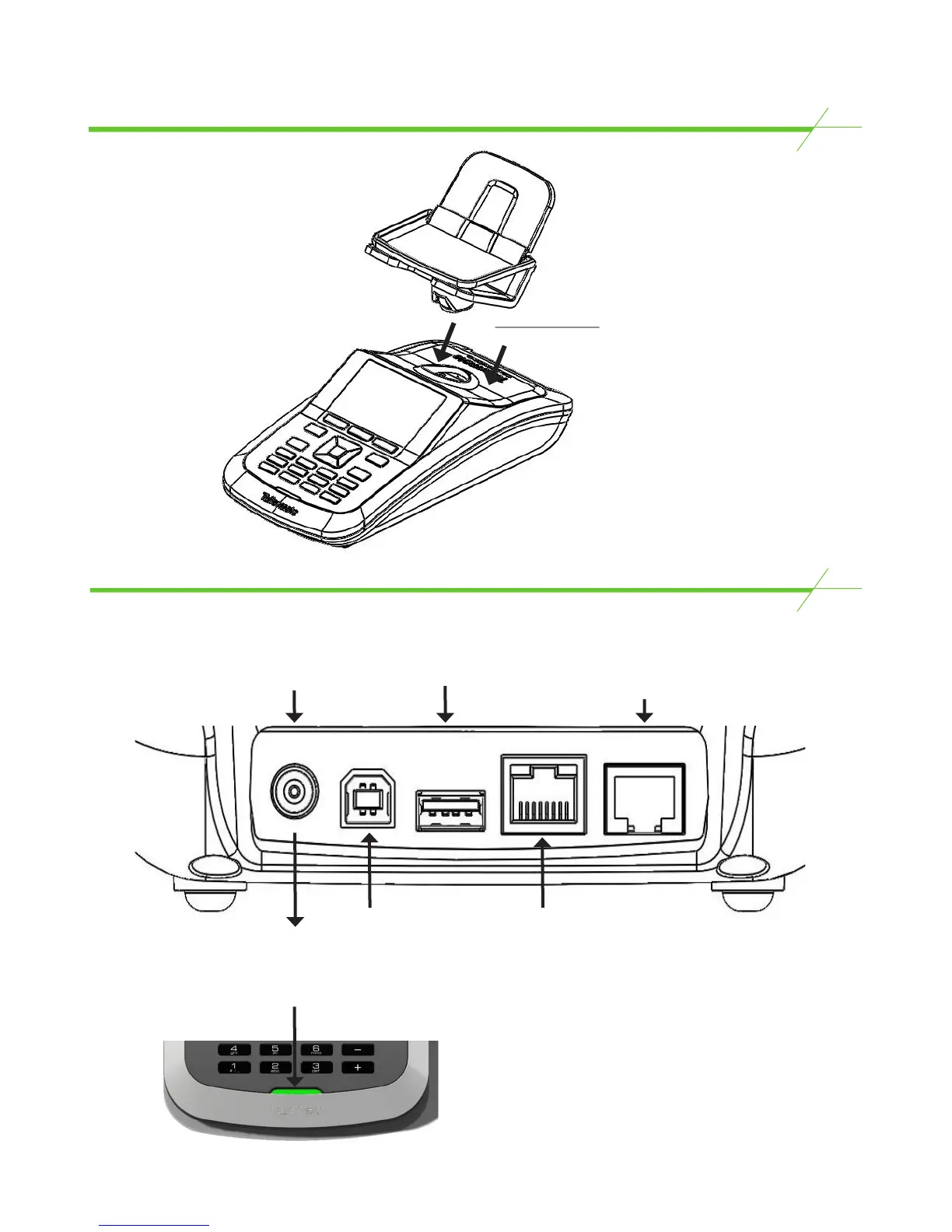
Rear Ports
To fit, lower the
Money Platform
down until the
magnetic connector
slots into position. To
release, twist and lift.
PWR USB-B USB-A
Network
Serial
PWR - Connect the
power cable in
here
USB-A - Is used for
software upgrades
only
Serial - Plug the printer in here.
If T-i
X
is configured to connect
to a PC via serial, serial cable is
connected here.
Green LED will
light up when
mains power is
connected
USB-B - If the T-i
X
is configured to
connect to a PC
via USB, connect
the B connector of
the cable here
Network - If the T-i
X
is
configured to connect
to a PC Network, plug
the network cable in
here
5

Related product manuals