18
Counting - Multi Till
Tasks and Multiple Transactions
T-i
X
multi-till has four additional tasks which assist the management of count information in
a multi-till environment. These tasks can be accessed from the Home Page.
HOME
Print/Clear/Send
View Grandtotals
Amend Other Media
View & Amend Registers
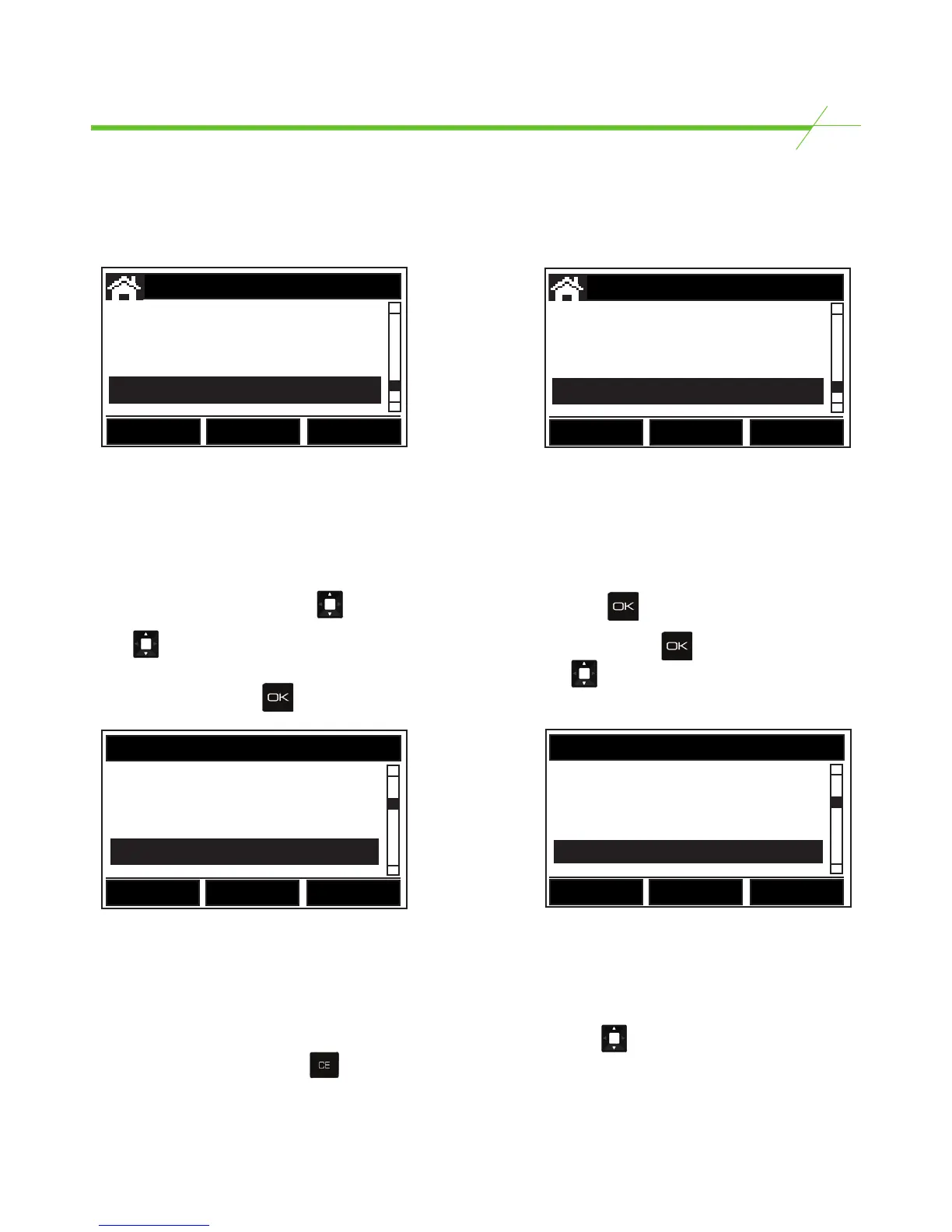
VIEW & AMEND REGISTERS displays a list of drawer totals in addition to the current Grand Total for
all registers counted. VIEW & AMEND REGISTERS also allows Amend, Print, Delete or Send data to a
PC for individual registers.
Start at the Home Page. Using the key, scroll to VIEW & AMEND REGS. Press .
Using , scroll through the list of registers to highlight the required register and press . Four
options are displayed: Amend, Print, Delete & Send (data to a PC). Use the key to select the
required option and press .
G.Total 3089.58
#1 1249.73
#2 1790.12
#3 49.23
Back
Amend Registers
Amend allows amendment of any reference numbers, bank values, cash, coupons, tokens or other
media items by using the keypad to manually enter the change. If a mistake has been made that
requires a re-count of a particular denomination, return to the counting task where the mistake was
made (closeout or pickup) and re-enter the relevant drawer number. Using the key, scroll to the
relevant denomination. Press the key to clear the value counted for that denomination and then
re-count the money for that denomination only. All totals & grand totals affected by this amendment
will be updated, and a print out will automatically be generated.
HOME
View Grand Totals
View + Amend Register
Print/Clear/Send
Register #3
Amend
Print/Send
Delete
Back



 To Next Page