21
Settings
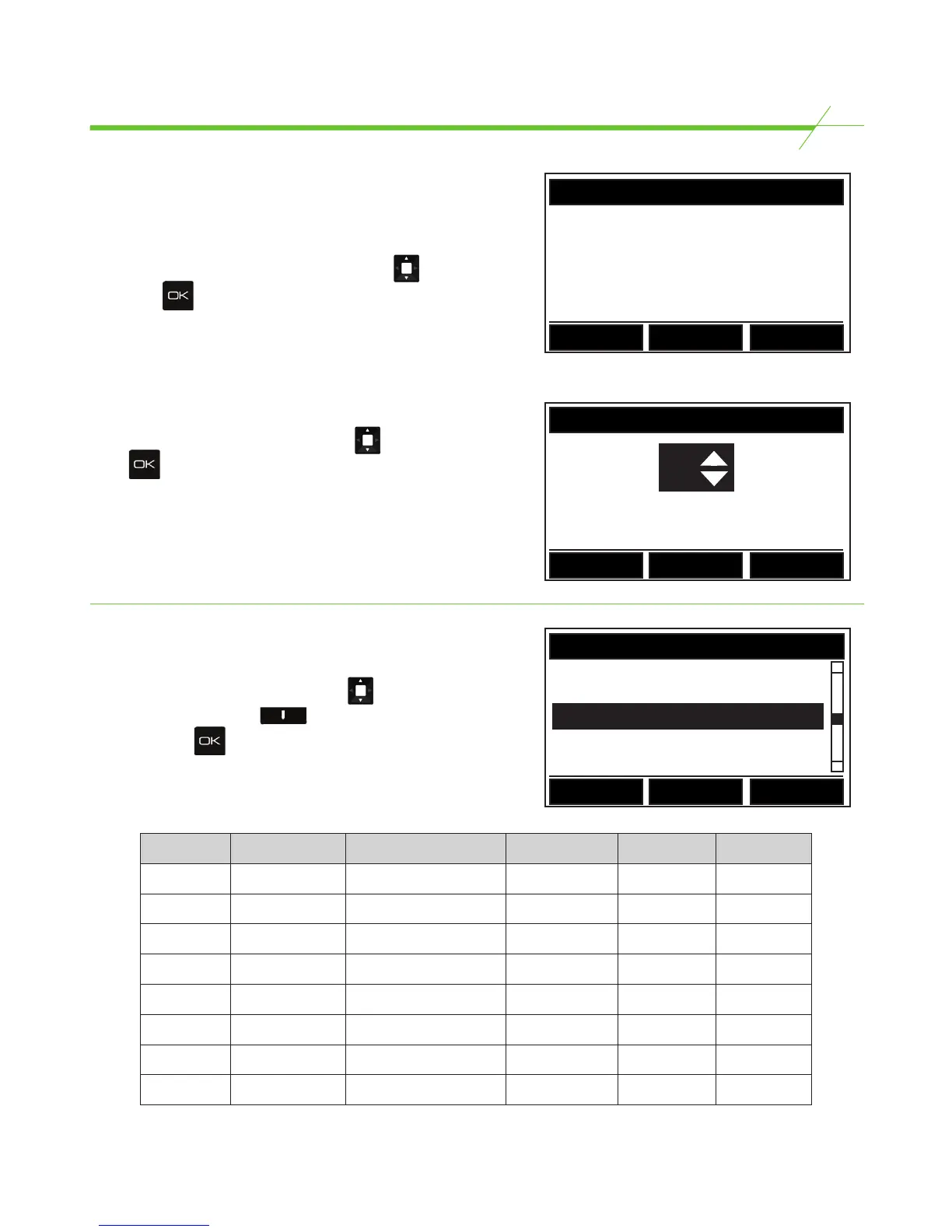
BACKLIGHT STATUS
ON
Press Change to amend and OK to
conrm
Back Change
CONTRAST LEVEL
25
Press OK to conrm
Back Change
Display Settings
Backlight
To switch the Backlight ON or OFF highlight “Backlight”
in the “DISPLAY SETTINGS” screen by using the key,
then press .
Then follow on screen instructions as seen in the
illustration.
Contrast
To change the display contrast highlight contrast in the
“DISPLAY SETTINGS” screen by using the key, then
press .
Then follow on screen instructions as seen in the
illustration.
Serial
X
Printer
PORT SETTINGS
USB
X
Back Change
Edit
Port Settings
To enable/disable one of the available* ports select the
port to be enabled / disabled using the key
then press the right hand key to toggle between
X and
. Press to save changes.
*Available ports will be different by model. Please see
the table below
Model USB A Port Printer/Serial Port USB B Port Ethernet Wi-Fi
1000 •
2000 • •
3000 • • •
3500 • • •
3550 • • •
4500 • • • •
4550 • • • •
5500 • • • •



 To Next Page