LTE Outdoor CPE | User Manual P. 19
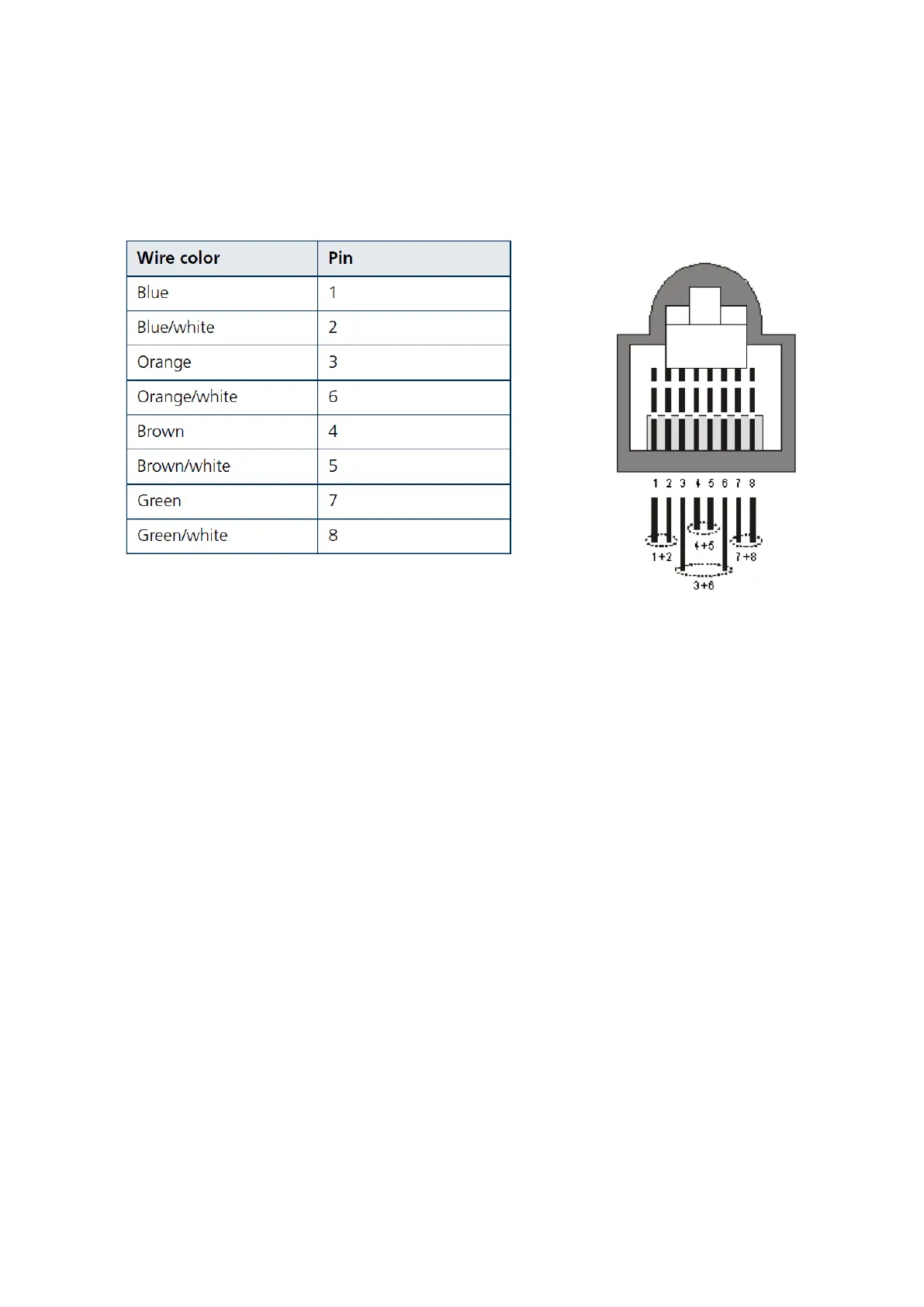
in standard cables supplied by the manufacturer are as listed in the table.
2. Connect the cable
• Remove the sealing cable gland plug from the gland nut.
• Open the sealing gland nut and remove it. Don not disassembles the gland base
from the bracket.
• Insert the cable into the sealing gland base and connect it to the RJ-45 connector
at the bottom of the CPE. Make sure the connector is completely inserted and
tightened.
• Insert the rubber bushing on the cable into the gland base.


 To Next Page