LTE Outdoor CPE | User Manual P. 40
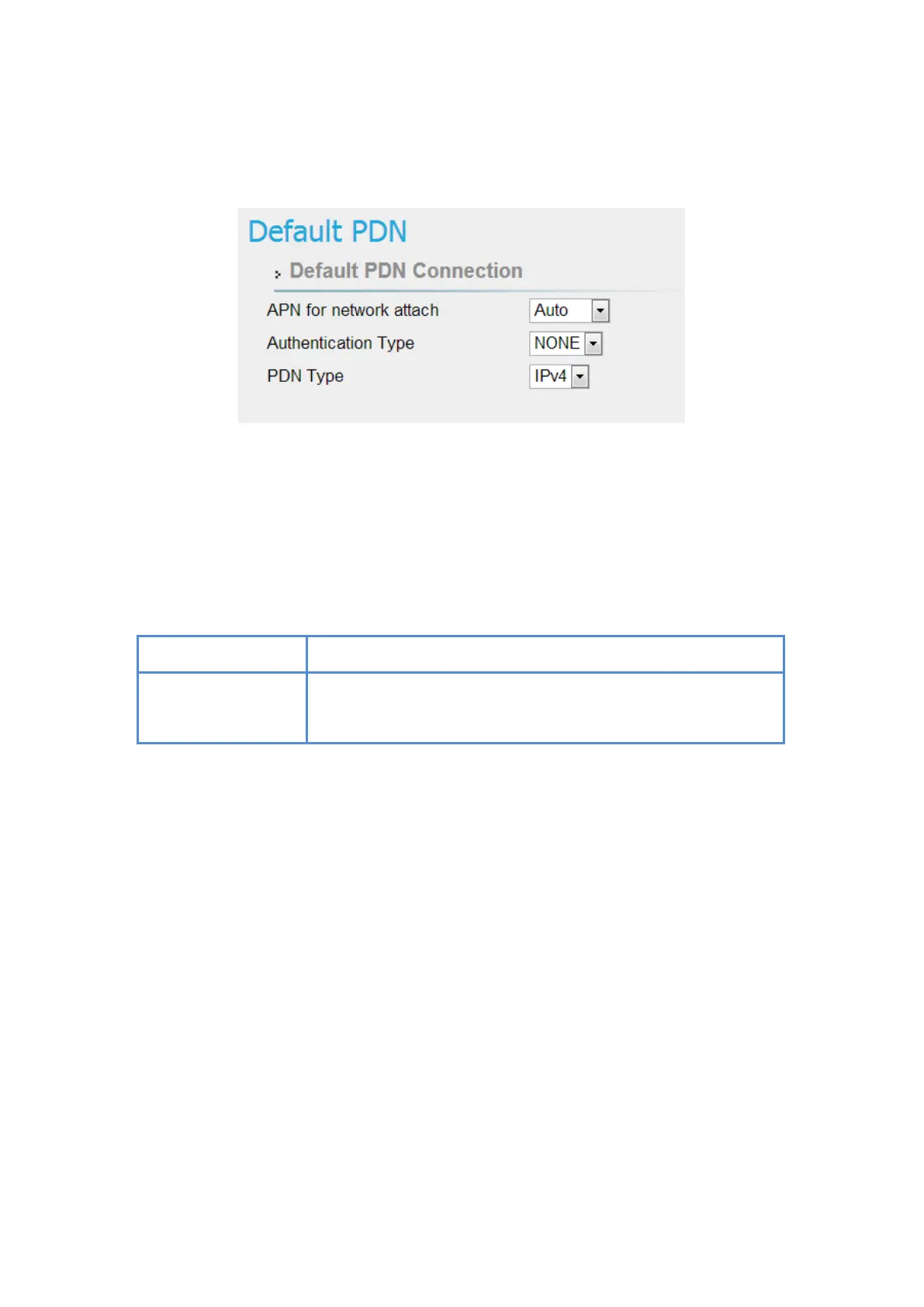
LTE | Default PDN
LTE > Default PDN
● APN for network attach: Users can choose Auto or Manual. If choosing Manual, users
need to specify an APN Name.
●
Authentication Type: There are None, PAP and CHAP to choose from. If choosing PAP
or CHAP, users need to specify the username and password.
●
PDN Type: Only support IPv4 right now.
Reset fields to the last saved values.
Apply button
Commit the changes made and save to the CPE device, some
services will be reloaded.


 To Next Page