LTE Outdoor CPE | User Manual P. 85
Firewall | Access Restriction
Firewall > Access Restriction
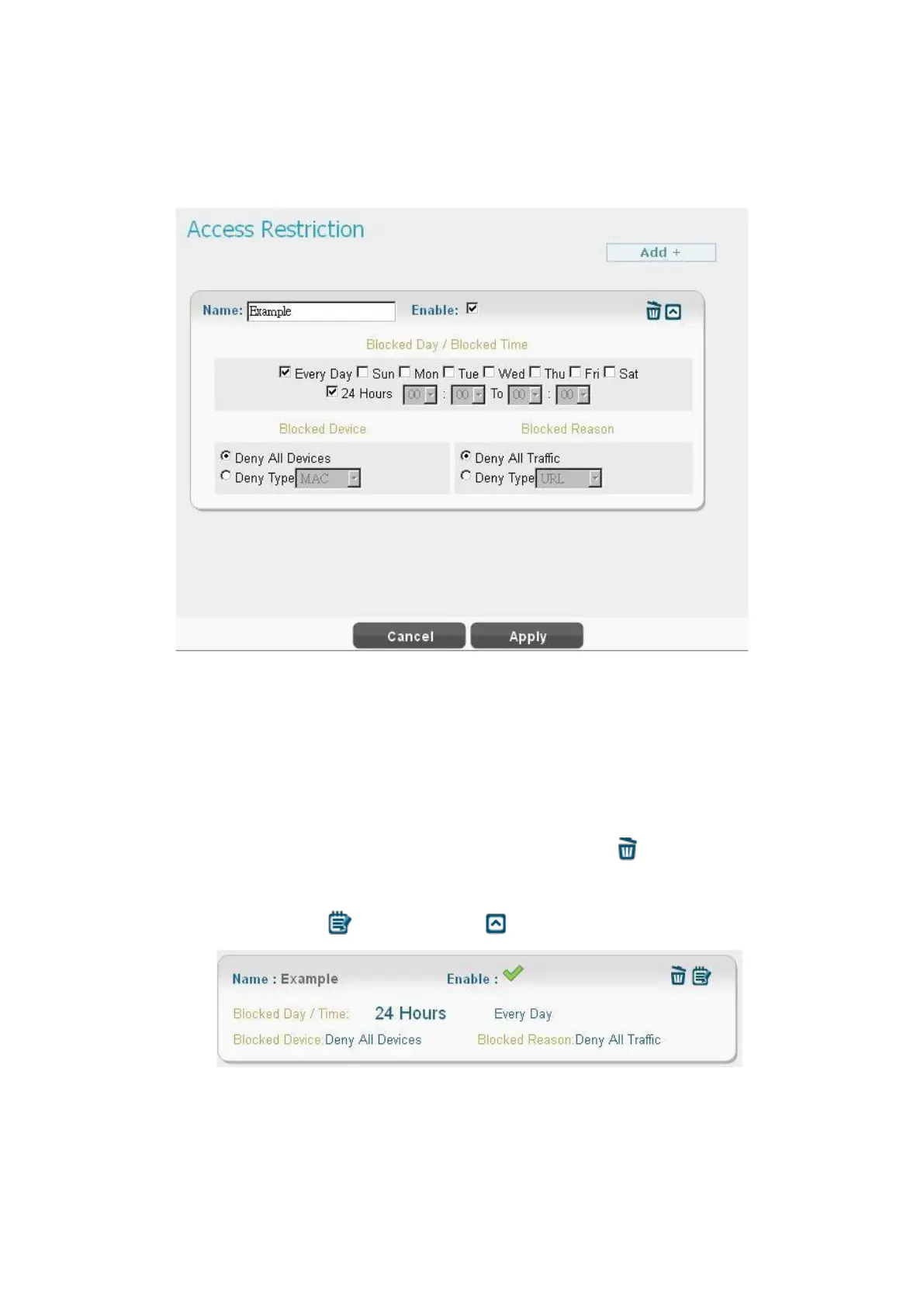
Access Restriction provides a comprehensive way to control the network. First, users can block
all the network traffic at certain time. For example, deny all the traffic from 10:00 to 12:00.
Second, users can deny devices with certain MAC address accessing the network. Third, users
can deny clients accessing certain URL.
● Click “Add +” button to add a new rule, clicking “Delete” icon ) to delete the rule.
●
After pressing “Apply” button, the access restriction rule is graphically presented in the
following manner. Click to edit, and click to fix it.
Firewall > Access Restriction (Digest)
●
Name: The name of the rule.


 To Next Page