LTE Outdoor CPE | User Manual P. 90
Management | Device Setting
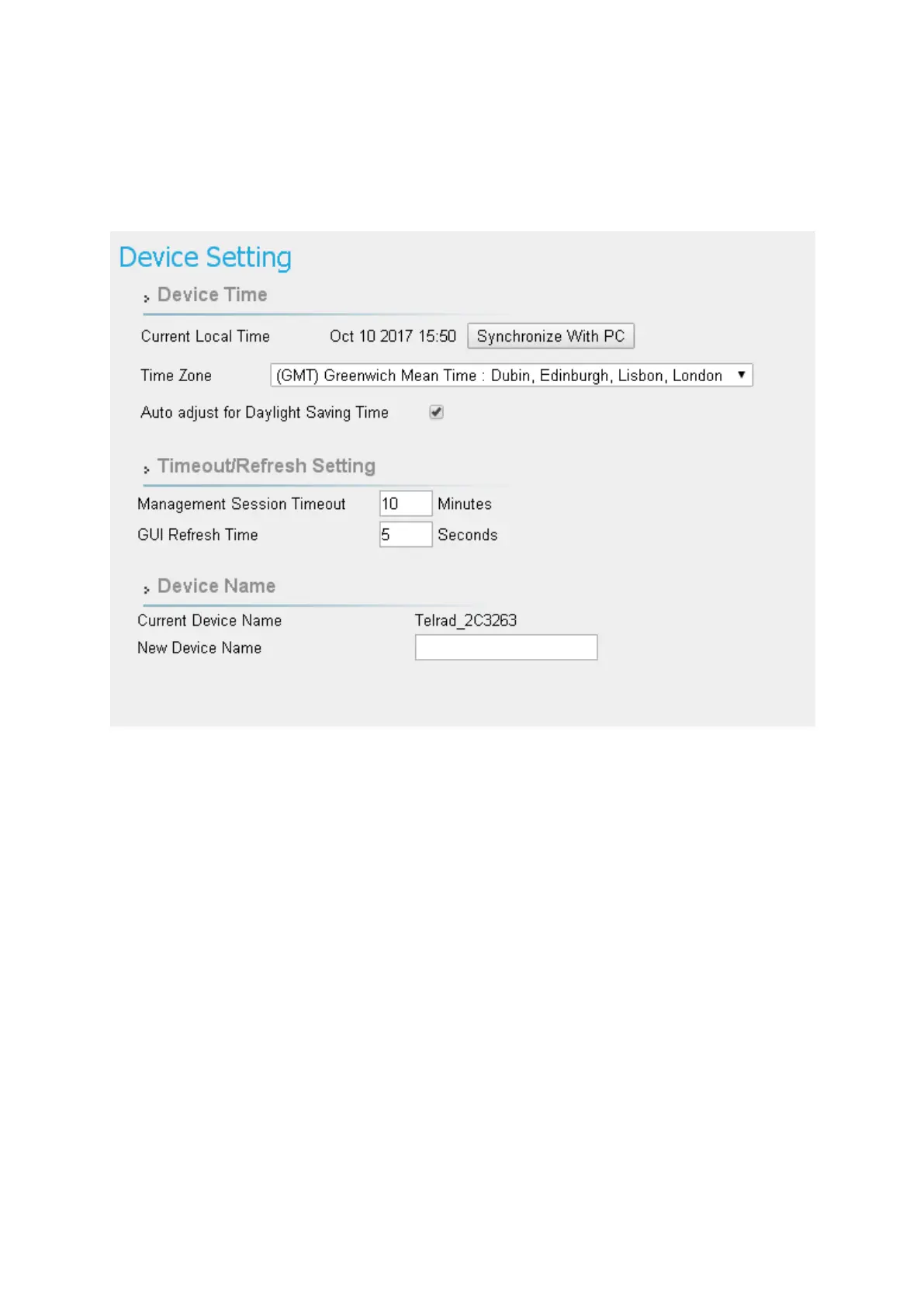
Management > Device Setting
● Device Time
➢ Current Local Time: Display current local time; or click “Synchronize with PC”
button to synchronize the time of CPE with PC.
➢ Time Zone: as titled.
➢ Auto Adjust for Daylight Saving Time: Enable this option if your location observes
Daylight Savings Time.
● Timeout/Refresh Setting
➢ Management Session Timeout: Automatic logout after the period. (Range: 0-10
Minutes; 0 means never expired)
➢ GUI Refresh Time: When users press “auto” button in any page, the page refresh


 To Next Page