LTE Outdoor CPE | User Manual P. 77
Firewall | Basic
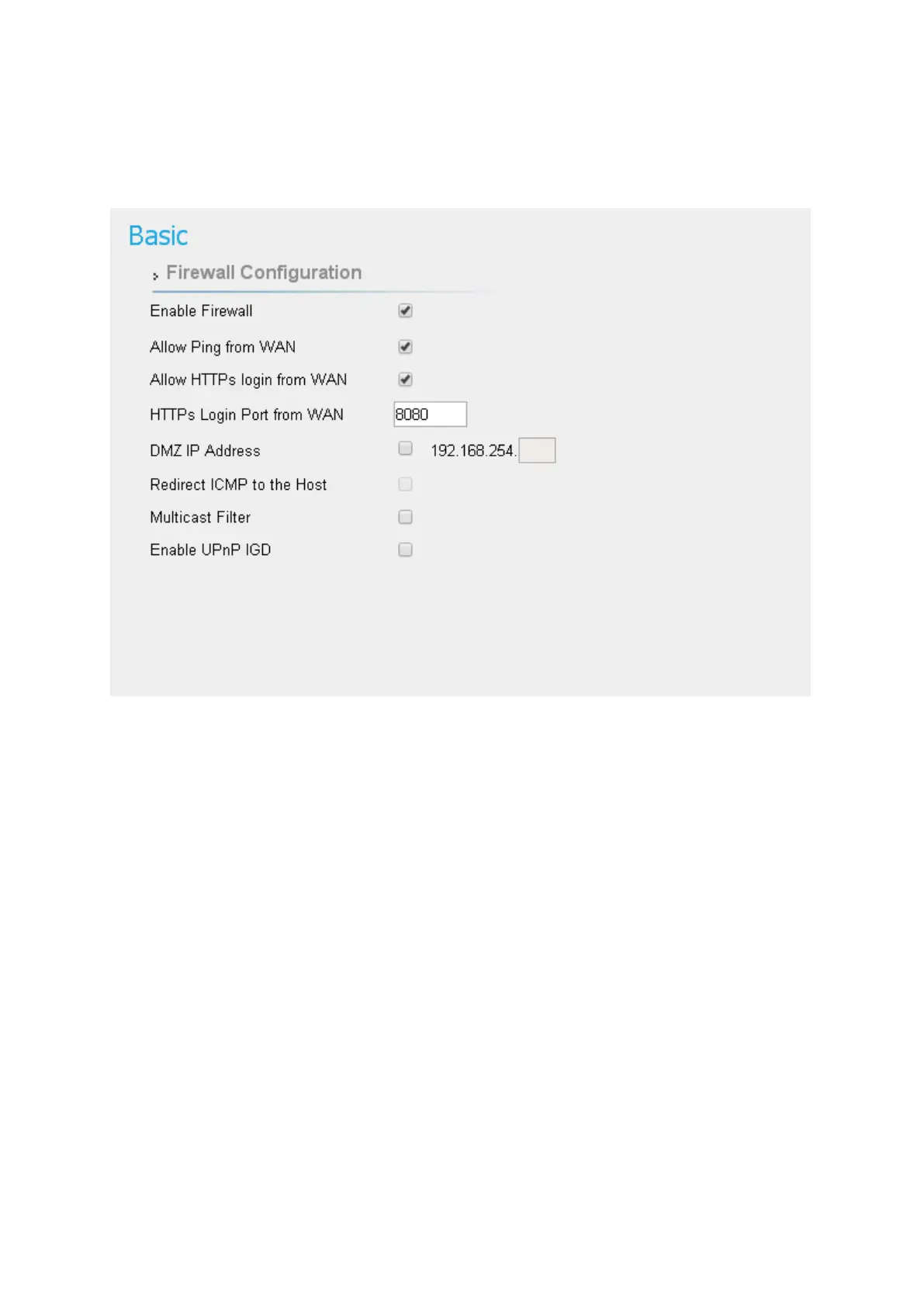
Firewall > Basic
● Enable Firewall: Enable/Disable firewall.
●
Allow ping from WAN: As titled.
●
Allow HTTPs login from WAN: It is available only when HTTPs Service is enabled in
Network | MGMT Service.
●
HTTPs Login Port from WAN: As titled.
●
DMZ IP Address: All network traffic from WAN is forwarded to this IP address in LAN.
●
Redirect ICMP to the host: The function will be activated if DMZ is enabled. Tick the
checkbox to have CPE pass ICMP messages to hosts, or un-tick the checkbox to let the
CPE reply ICMP messages.
●
Multicast Filter: If the checkbox is ticked, multicast packets would be dropped; otherwise,


 To Next Page