LTE Outdoor CPE | User Manual P. 50
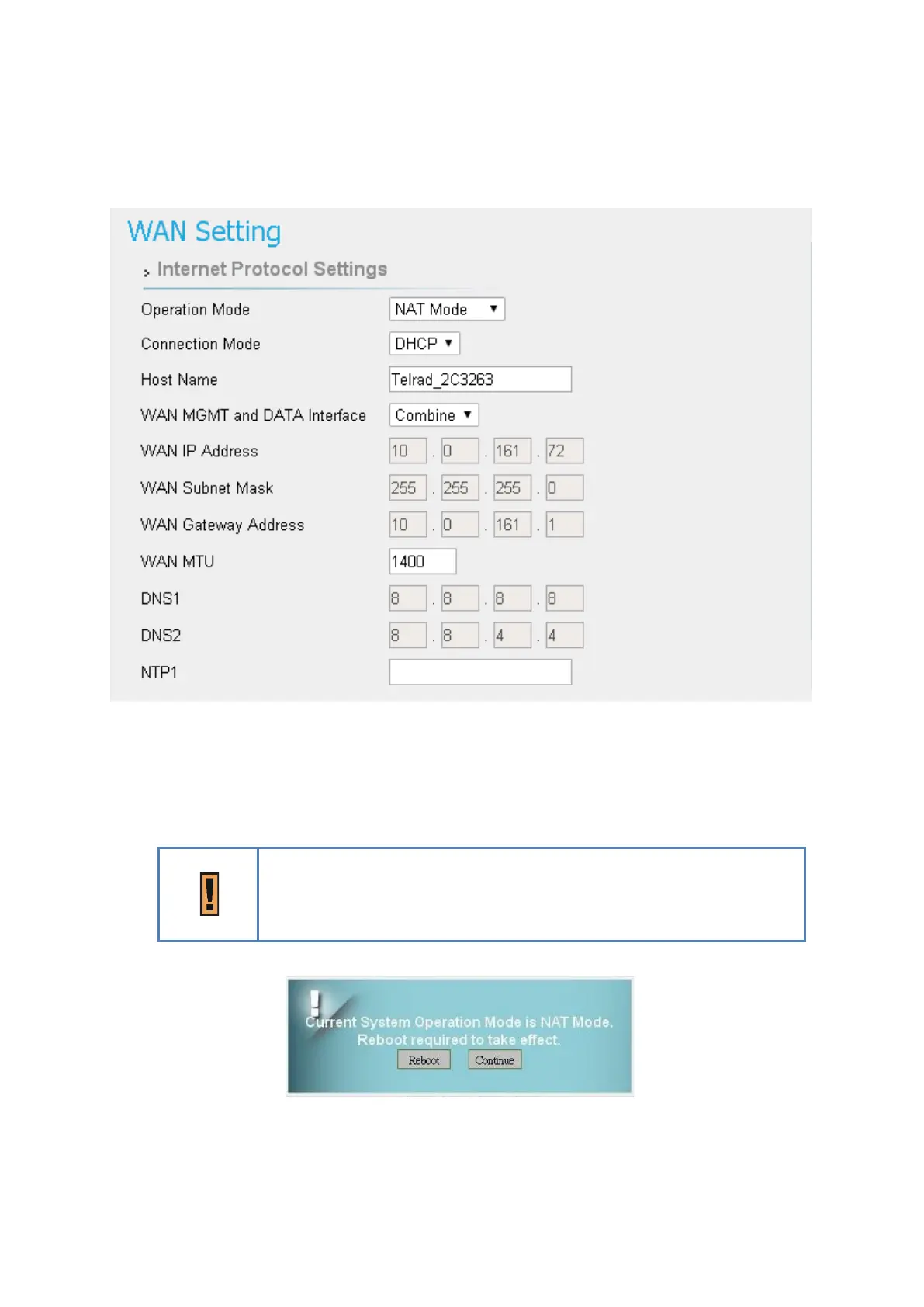
Network | WAN Setting (NAT Mode)
Network > WAN Setting
●
Operation Mode: The mode includes NAT, Tunnel, Bridge and Router Mode. The
following pages will show how to configure “NAT mode”.
Changing the “Operation Mode” needs reboot to take effect. A pop-
up window will ask users to “Reboot” or “Continue”. If you select
“Reboot”, CPE would reboot right away. If you select “Continue”, CPE
would not reboot automatically, you need to reboot it manually.



 To Next Page