LTE Outdoor CPE | User Manual P. 59
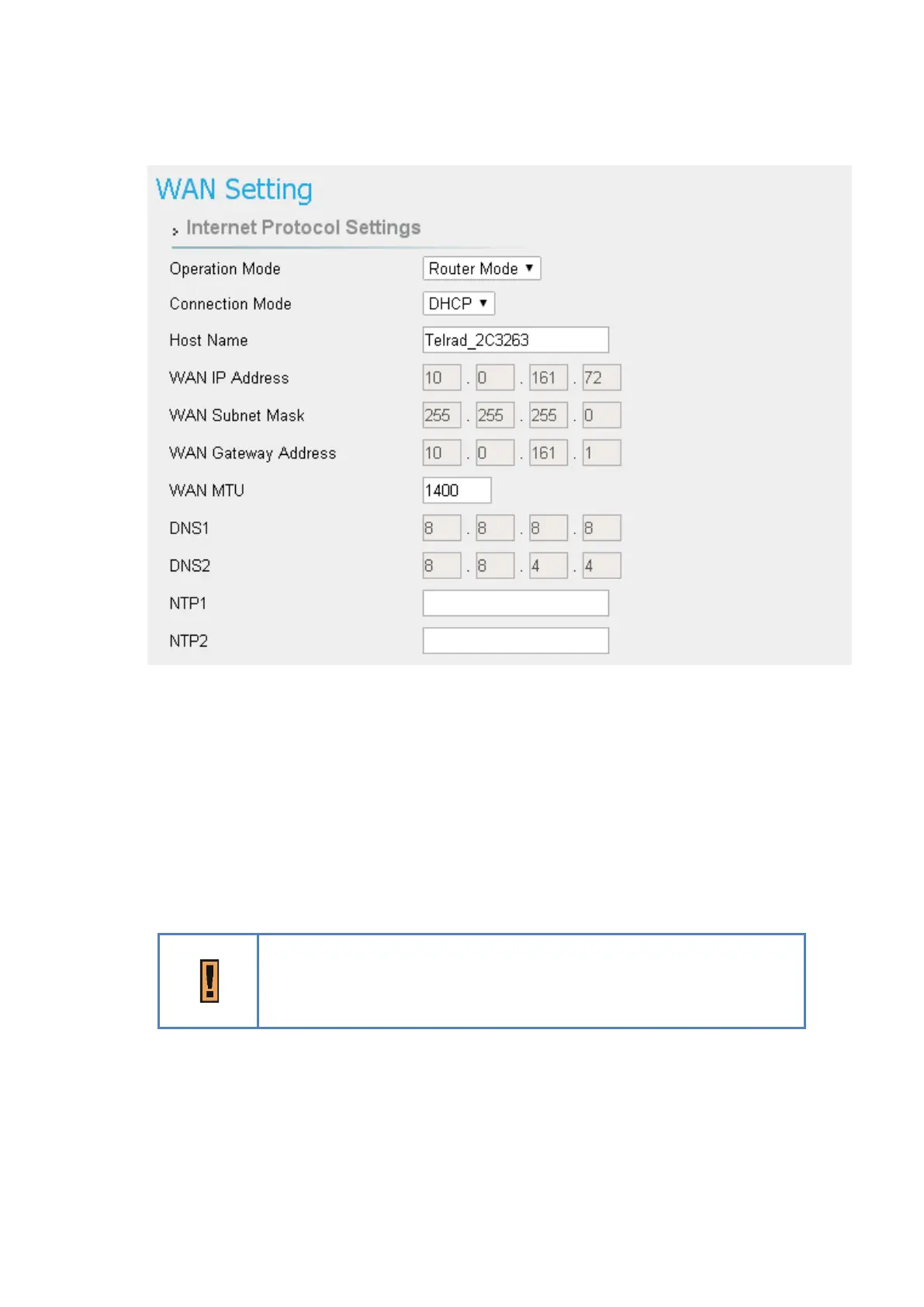
Network > WAN Setting
●
Connection Mode: “DHCP” or “Static”.
➢ If “DHCP” mode is selected, CPE would automatically acquire configuration
information from a DHCP server.
➢ if “Static” mode is selected, users have to manually enter the required
information in below fields.
●
Host Name: Currently no function.
Just an example here, in general, it will be like XXXXX_YYYYYY
(XXXXX = Service Provider)
(YYYYYY = Last six words of WAN MAC.)
●
WAN IP Address/ Subnet Mask/ Gateway Address: These values are un-editable when
“Connection mode” is “DHCP” and editable when “Connection mode” is “Static”.


 To Next Page