LTE Outdoor CPE | User Manual P. 68
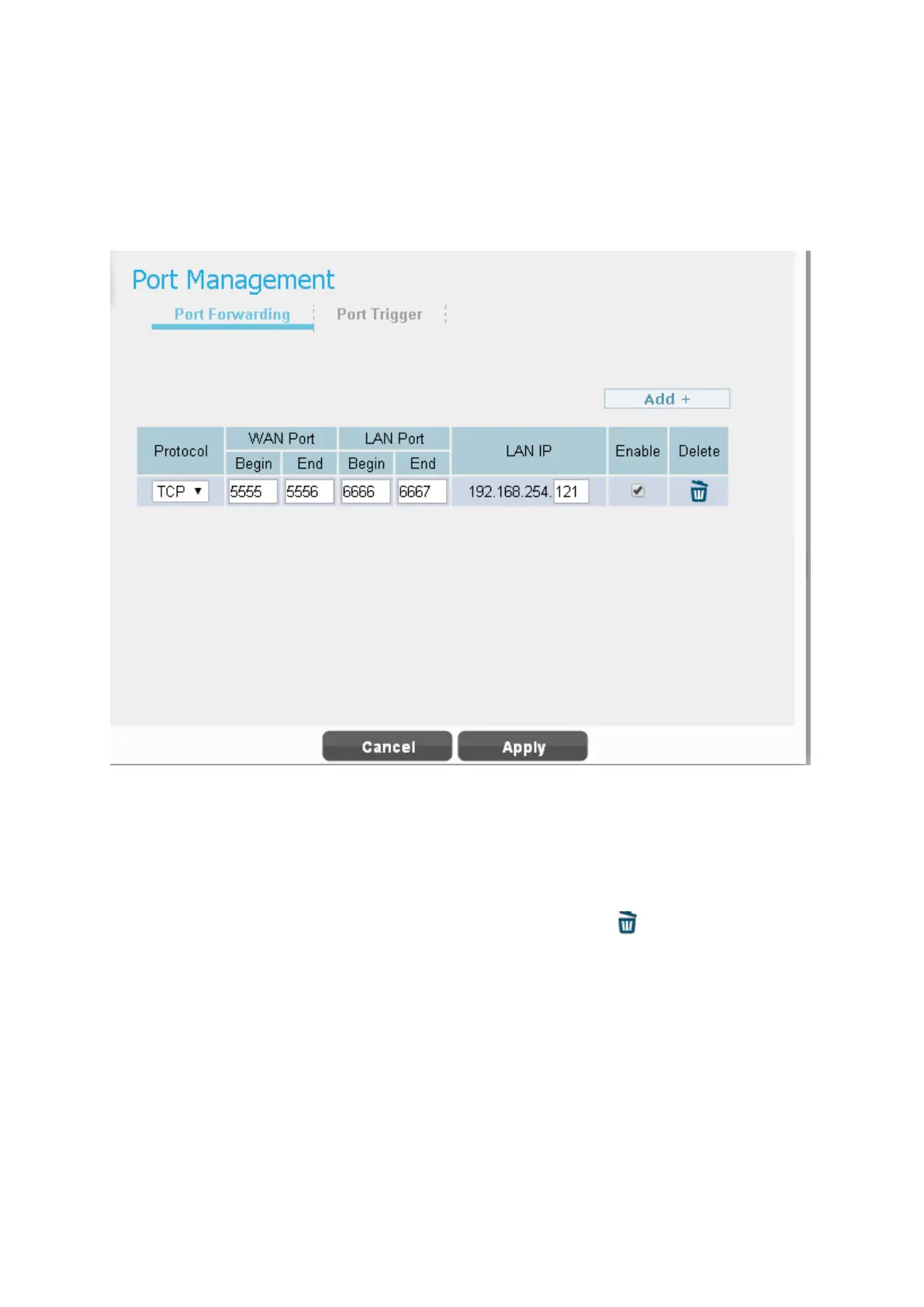
Network | Port Management | Port Forwarding (Available in NAT,
Tunnel Mode)
Network > Port Management > Port Forwarding
Port forwarding forwards the packet according to the port setting in this page. If packets with
the port number in these ranges, packets will be forwarded to the designated LAN IP and LAN
Port. This function is very useful when a server is set up in LAN side like FTP server.
● Click “Add +” button to add a new rule, clicking “Delete” icon ) to delete the rule.
●
Protocol: TCP or UDP.
●
WAN Port: The range of WAN port.
●
LAN Port: The range of LAN port.
●
LAN IP: Enter the IP which desires to receive forwarded packets.
●
Enable: Enable/Disable the rule


 To Next Page