16
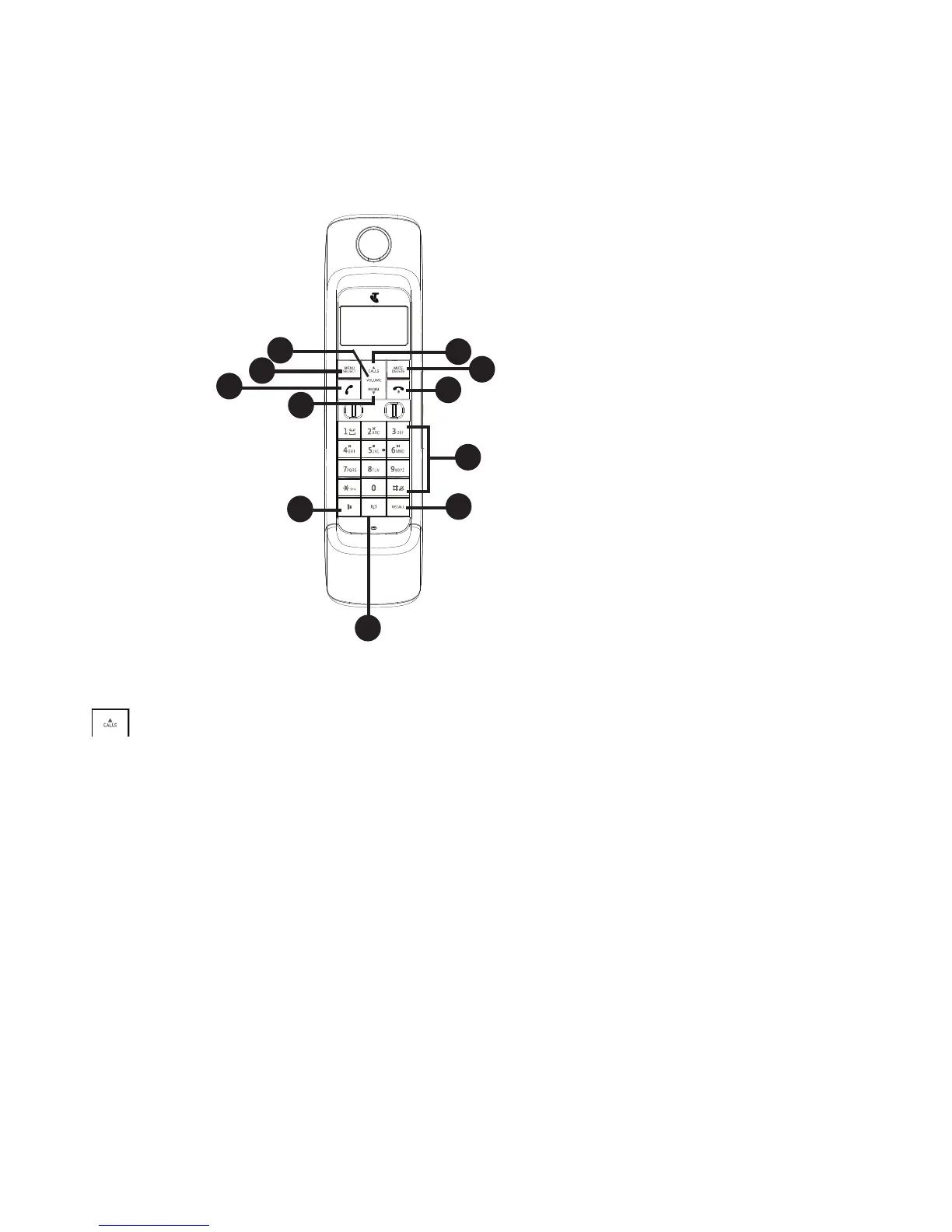
HANDSET BUTTONS
/CALLS
Press to review the call list when the phone is not in use.
Press to increase the listening volume during a call or message playback.
Press to scroll up while in a menu, or reviewing the phonebook, call list or redial
list.
Press to move the cursor to the left while entering numbers or names in the
phonebook.
MENU/SELECT
Press to show the menu.
Press to choose an item, or save an entry or setting while in a menu.
1.
•
•
•
•
2.
•
•
GETTING TO kNOw YOUR PHONE
Texture / FinishPart Description ColorP/N
Telstra 13150 BK / HS
80-9472-00-00
28Aug,2013
1:1
1 of 1
A3
Z.G. CHEN
R0
1a
ABS/ White(Vtech 2.4 analog)
Front cabinet
30-014236-xxx-100
Front cabinet
30-014236-xxx-100
1b
4c
ABS/ White(Vtech 2.4 analog)
Rmax-150
High Glossy
P+R KEYPAD Bracket
39-008742-xxx-400
ABS/
White(Vtech 2.4 analog)
Rmax-150
4a
3
LENS
30-014239-010-100
PMMA/ Transparency
High Glossy
6
SPK Cover
30-014249-xxx-100
ABS/ Pantone Process Black C
High Glossy
Rear cabinet
30-014237-000-100
ABS/ Pantone Process Black C
High Glossy
2
P+R KEYPAD Key
39-008742-xxx-400
PMMA/ Transparency
High Glossy
5
Battery Door
30-014238-xxx-100
ABS/ White(Vtech 2.4 analog)
Rmax-150
4b
P+R KEYPAD Bracket
39-008742-xxx-400
ABS/
White(Vtech 2.4 analog)
High Glossy
Front Silkscreen Color :
Silver Pantone Metallic 8401 C
Keypad Silkscreen Color :
Background Color :
White(Vtech 2.4 analog)
(Rear silkscreen)
Pantone 347C
Pantone 200C



 To Next Page