11
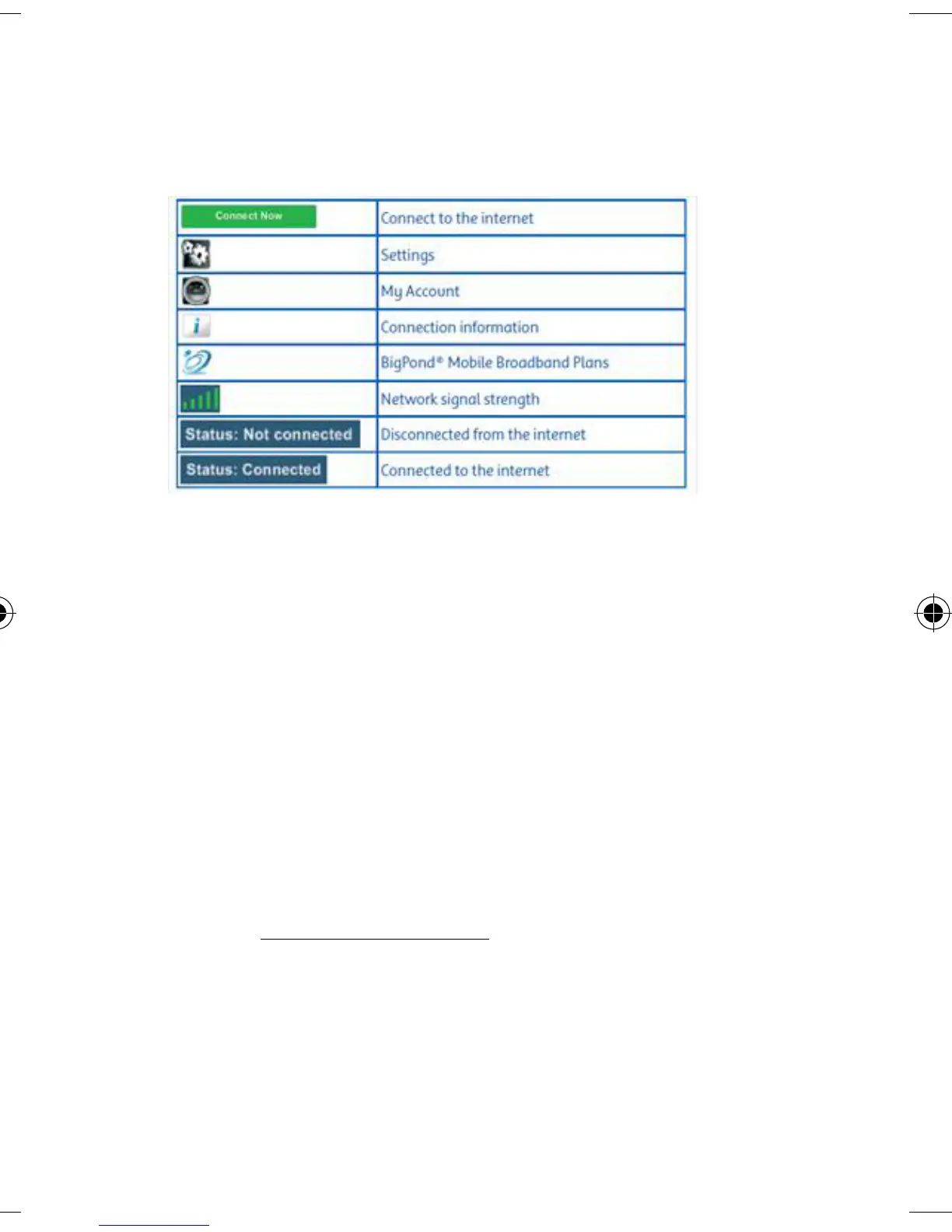
CONNECTION MANAGER ICONS
CONNECTION MANAGER UPDATES
Your Connection Manager will automatically check
for software updates periodically. Alternatively,
you can click on Tools in the Connection Manager,
and select Check for Updates menu item, to
manually download the latest software.
Alternatively you may visit the Support & Updates
page at telstra.com/ppmbb













 To Next Page