Page 3 of 14
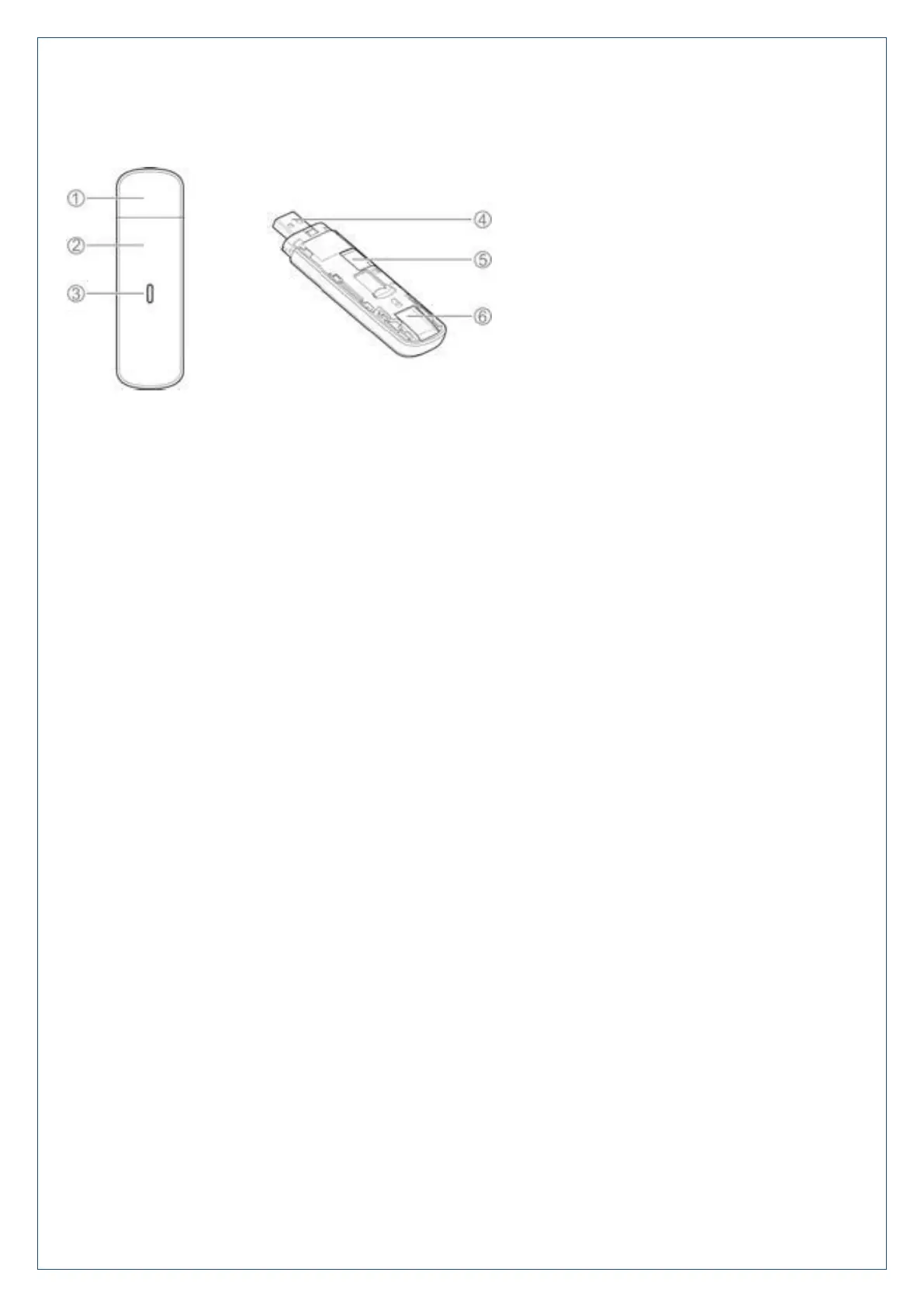
6. Modem Overview and LED Indicators
1. Modem cap
2. Front cover
3. Indicator LED’s:
Red: No Network
The device is not registered to the mobile network.
There is no micro-SIM card inserted.
There is no network service available.
Green: 3G Connection
Solid: The device is registered to the 3G network.
Flashing: Active data on the 3G network.
Blue: 4G Connection
Solid: The device is registered to the 4G network.
Flashing: Active data on the 4G network
Green / Blue alternate flashing: The software is upgrading.
4. USB connector
5. microSDHC™ card slot
6. micro-SIM card slot












 To Next Page