Page 5 of 14
Open the modem homepage to check your configuration
Connect any device to the modem and open a browser.
Enter m.home or 192.168.0.1 in the browser address bar to open the modem homepage.
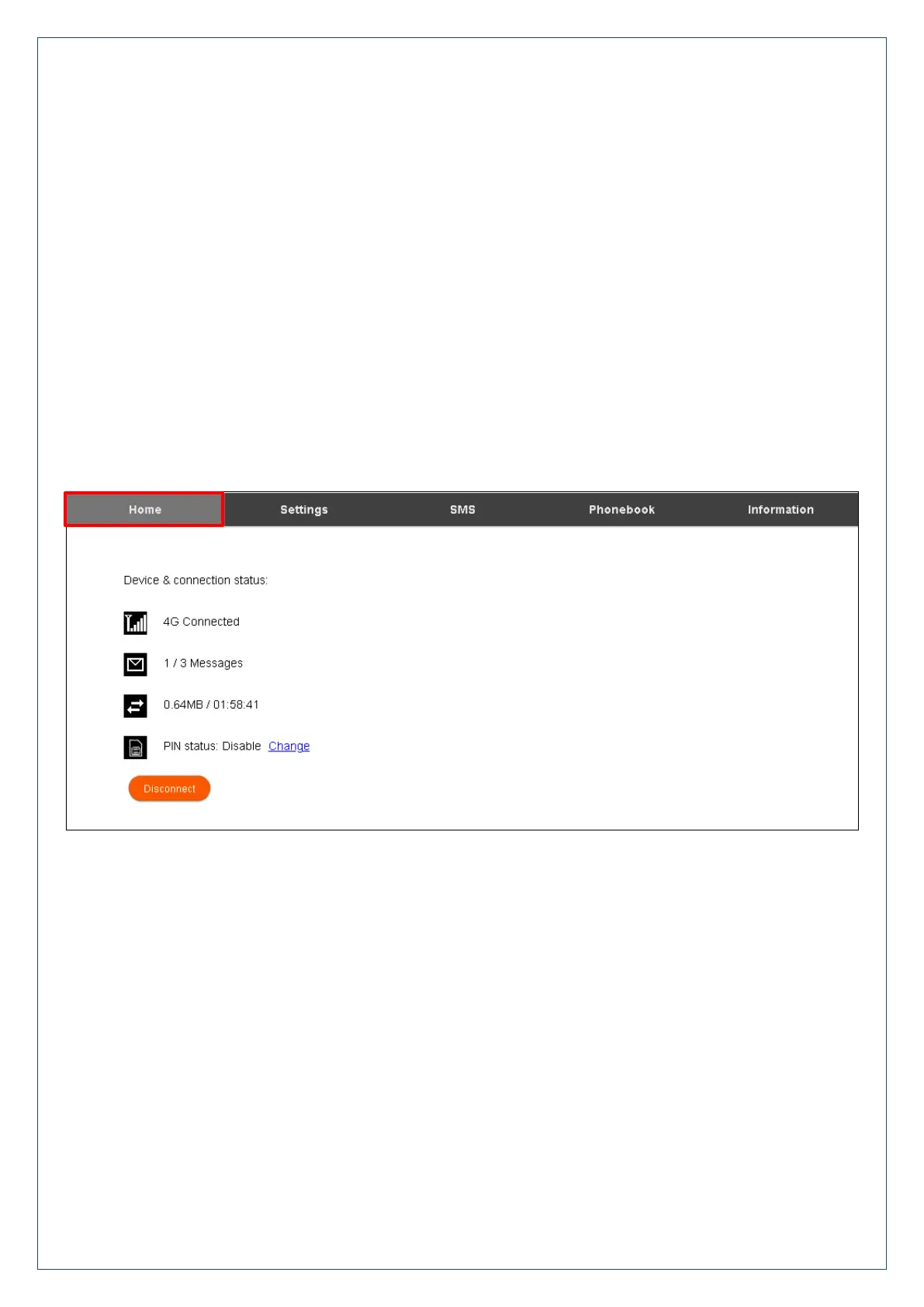
The home page shows a brief summary of the device status and your remaining data from Telstra.
Software update notifications (if applicable) will be shown on this page
Installation / Uninstall
Windows users: Start > All Programs > TELSTRA 4G USB > Uninstall
MAC Users:
Double click the Telstra Modem CDROM on the desktop to install the modem.
To uninstall, go to Applications and run Uninstall TELSTRA 4G USB
Web Interface
Home Tab
The home tab shows your network connection state and data usage summary.
The device will automatically connect to the 4G, and 3G networks. Some settings can only be changed when
the device is disconnected. Press Disconnect to terminate the network connection.
To change to manual connection press Disconnect first, then go to Settings > Network Settings > WAN
Connection Mode, and select Manual.












 To Next Page