Page 6 of 14
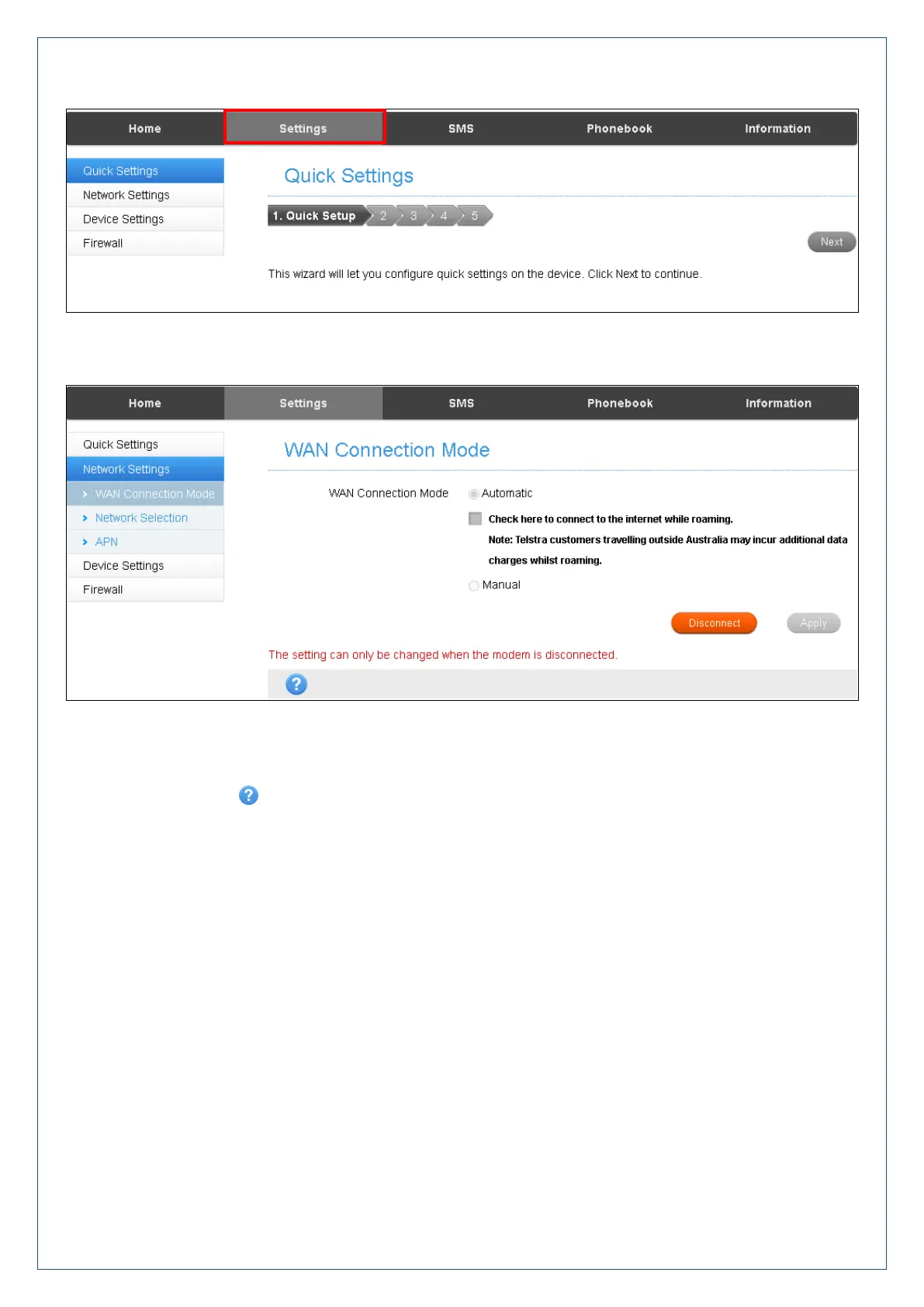
Settings > Quick Settings
Step through the Quick Settings wizard to quickly review your current default settings.
Settings > Network Settings > WAN Connection Mode:
The default connection setting will automatically connect to the network. The setting is greyed out if you are
connected.
Press the Disconnect button to change this setting and to enable International Roaming if required.
If you make any changes, press Apply to save the change
Press the Help icon to get in context tips.












 To Next Page