12
Using your Optik TV service
Using the onscreen guide
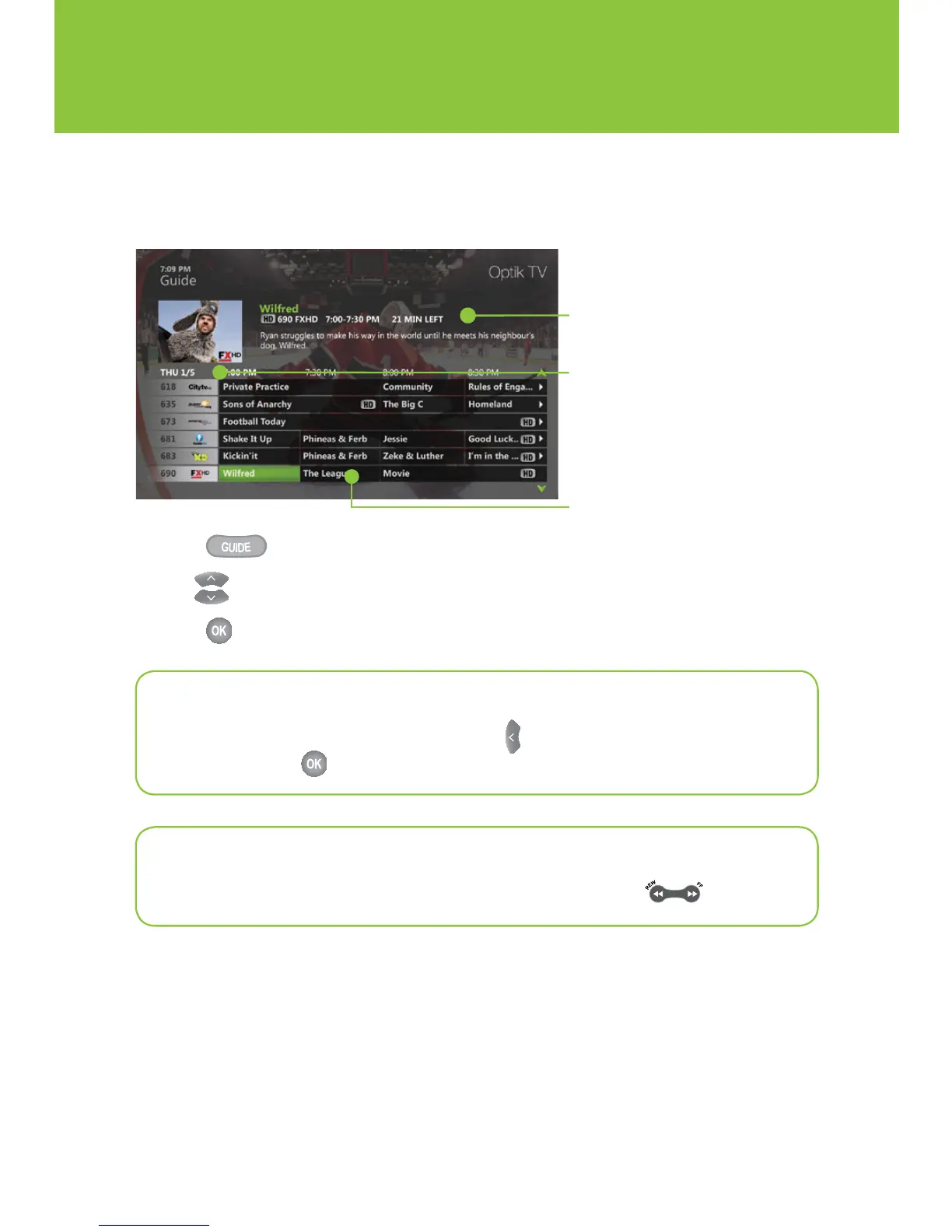
Use the guide to find out which shows are on and which ones are coming up.
1 Press .
2 Use to scroll through and highlight a program.
3 Press to change the channel to that program.
Information
Provides details about a highlighted
program including the title, time, rating,
description and cast information if
available.
Guide
Displays program listings by time and
channel.
Programming view
Displays 2 hours of program listings.
Quick tip
To view a list of all programs on a channel, use to highlight the channel logo and
number and press
.
Quick tip
To go forward or backward in the guide in 24-hour intervals, press .


 To Next Page