22
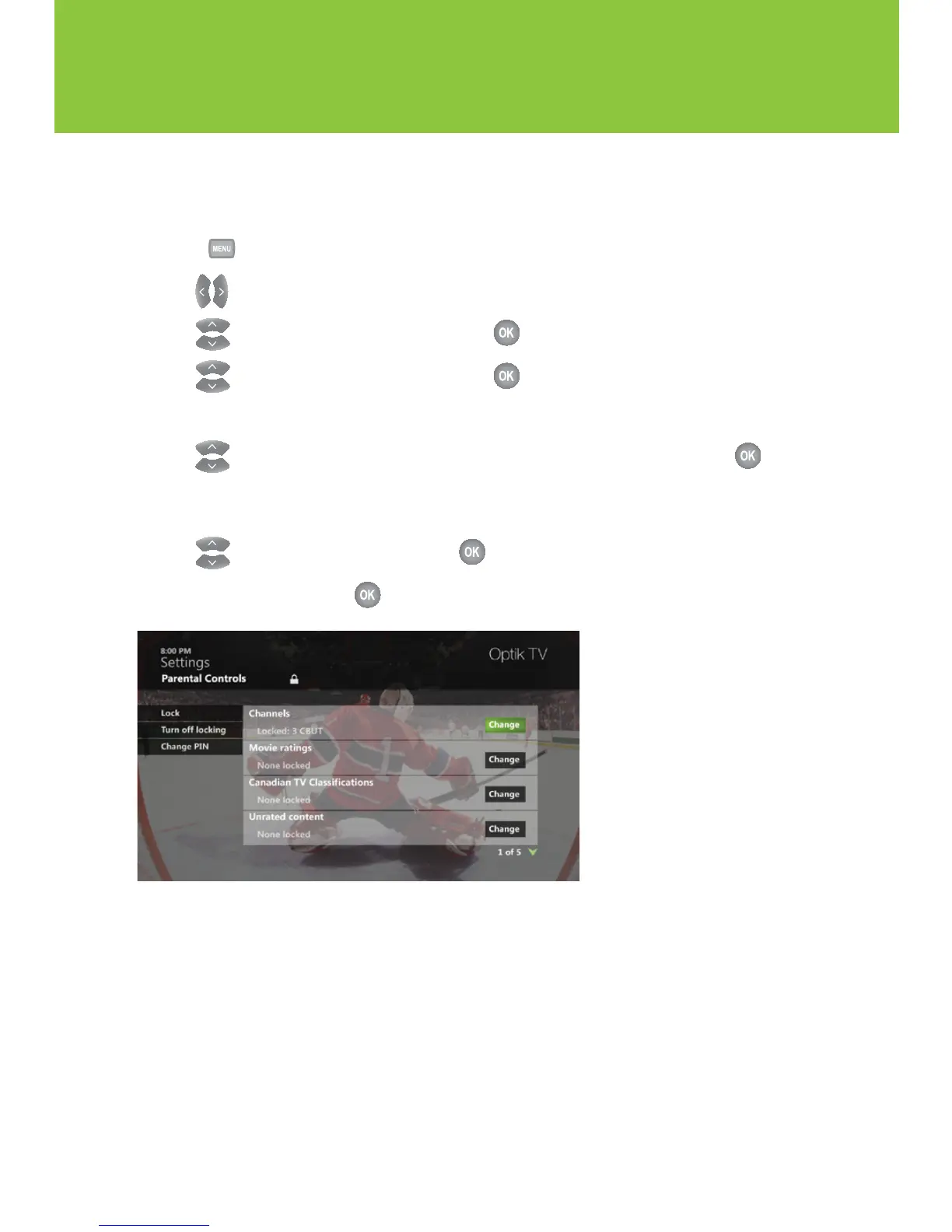
Blocking and unblocking programs
Block or unblock programs by channel or content rating.
1 Press .
2 Use to select Settings.
3 Use to select Parental Controls and press .
4 Use to select Parental Controls and press .
5 Enter your 4-digit Parental Control PIN with the number pad on your remote control.
6 Use to highlight Change next to the blocking option you want to use and press .
Refer to the blocking option table on page 23 to choose your preferred blocking option(s).
You must lock the Adult programs option to block adult rated content.
7 Use to make you selection and press .
8 Navigate to Save and press .
Using your Optik TV service


 To Next Page