4
Your Optik TV digital box
LINK HD RECORD MENU OKPOWER
1
3
4
5
6
7 8
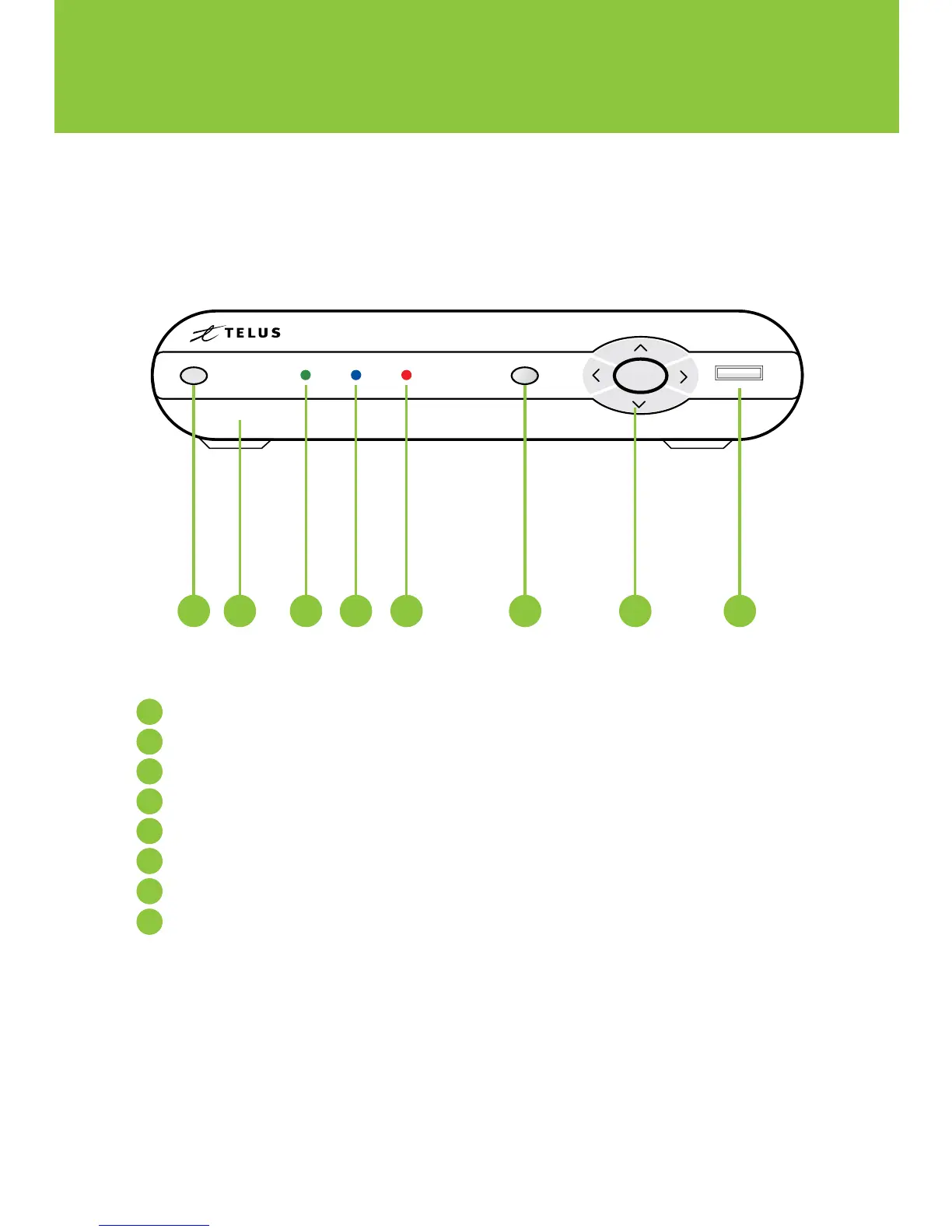
Power – Turns your digital box on or off and is lit when power is on
Model number – Identifies hardware model
Link – Lit when the digital box is connected to the TELUS network
HD – Lit when the digital box is configured to display HD content
Record – Lit on all digital boxes when a PVR recording is in progress
Menu – Displays onscreen menu
Navigation – Moves selection up, down, left or right
USB – Not currently enabled
6
7
5
4
3
2
1
8
2
The following illustrations outline your digital box (HD or HD PVR) functions and connections.
Digital boxes may not be exactly as shown below.
Front view


 To Next Page