19
Pay Per View (PPV)
Invite your friends and family over for a live PPV event and give everyone a front row seat to the action.
From great events to live sports, like WWE
®
and UFC
®
events. TELUS PPV has entertainment for
everyone.
To prevent unauthorized purchases of PPV events, create a rental locking PIN. Refer to page 21 to
learn how.
Purchasing a PPV event
PPV events in standard definition are ordered through channels 135 and 136 and HD events through
channels 675 and 676. Charges will appear on your next month's bill.
1 Press .
2 Navigate to highlight the PPV event that you want to purchase and press .
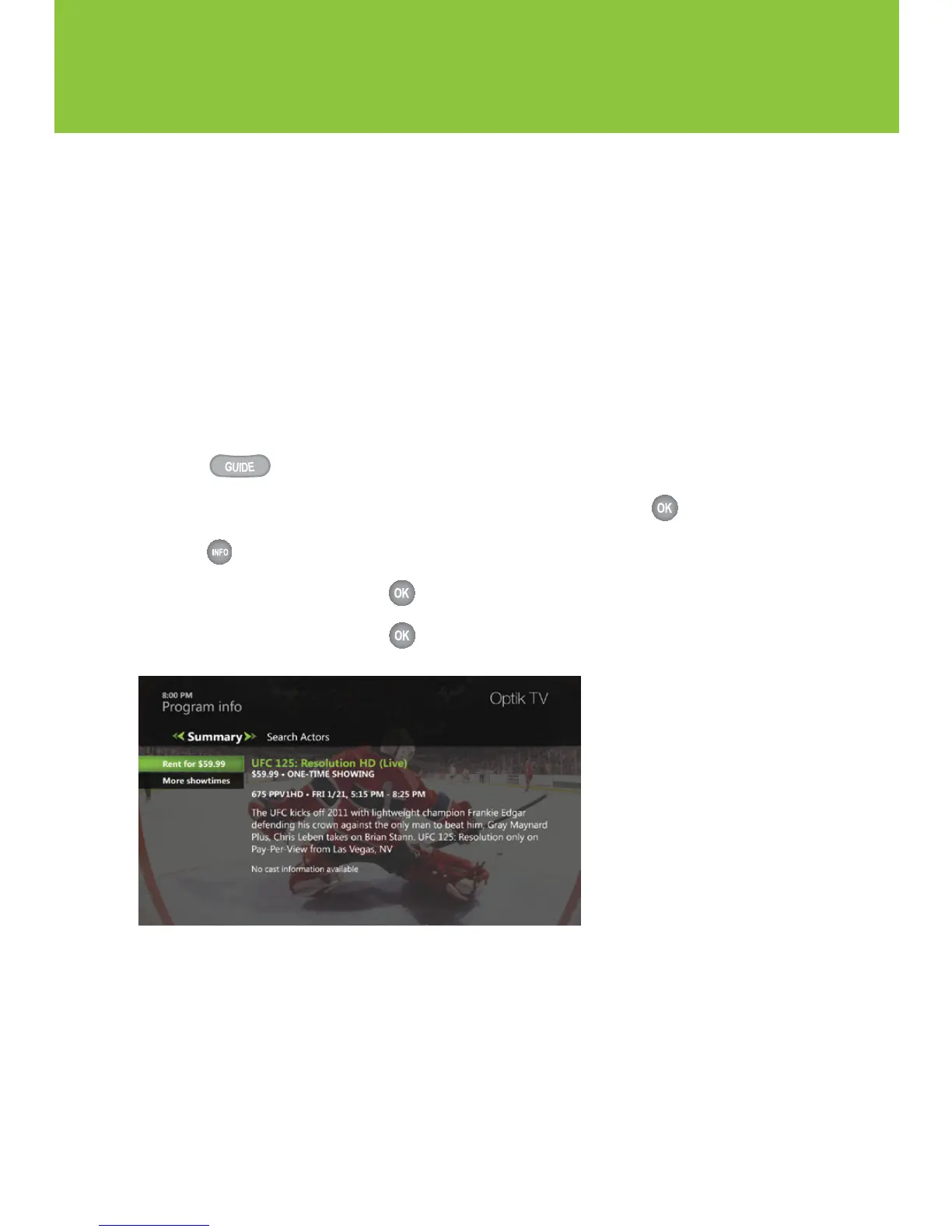
3 Press to display the Program info screen for that event.
4 Navigate to Rent for $ and press .
5 Navigate to Rent for $ and press . A rental confirmation message will appear on your screen.
Cancelling a PPV purchase
To cancel your PPV purchase, please do so before the event starts by calling 310-MYTV(6988).
Once the event starts, you will not be able to cancel the purchase.
Recording a PPV event
If you have a PVR you can record a PPV event once it has been purchased. See Recording a single
episode on page 25 to learn how.


 To Next Page
 Loading...