39
How to contact TELUS
Have questions? Just call 310-MYTV (6988)
Check out our Optik TV tutorial videos through the help centre in the On Demand menu or online
at telus.com/helpcentre
Or if you’d like to tell us how we’re doing, please email tvfeedback@telus.com
For the most up-to-date information on Optik TV, visit telus.com/optiktv
Service and maintenance
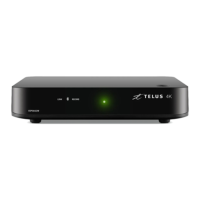
Your Optik TV digital box doesn’t contain any user-serviceable parts, and removing the cover may
expose you to dangerous voltage and other electrical hazards.
You will also want to avoid connecting any equipment to the USB ports on the back of your Optik TV
digital box. They’re for future use only and you could potentially damage both the equipment and the
digital box.
Cleaning
Wipe with a damp cloth when necessary. Do not use liquid or aerosol cleaners.
Remote control codes
TV model # code:
DVD model # code:
A/V model # code:
VCR model # code:
other model # code:
other model # code:
For information on how to program your remote watch the tutorial on the On Demand help centre
or online at telus.com/helpcentre


 To Next Page