5
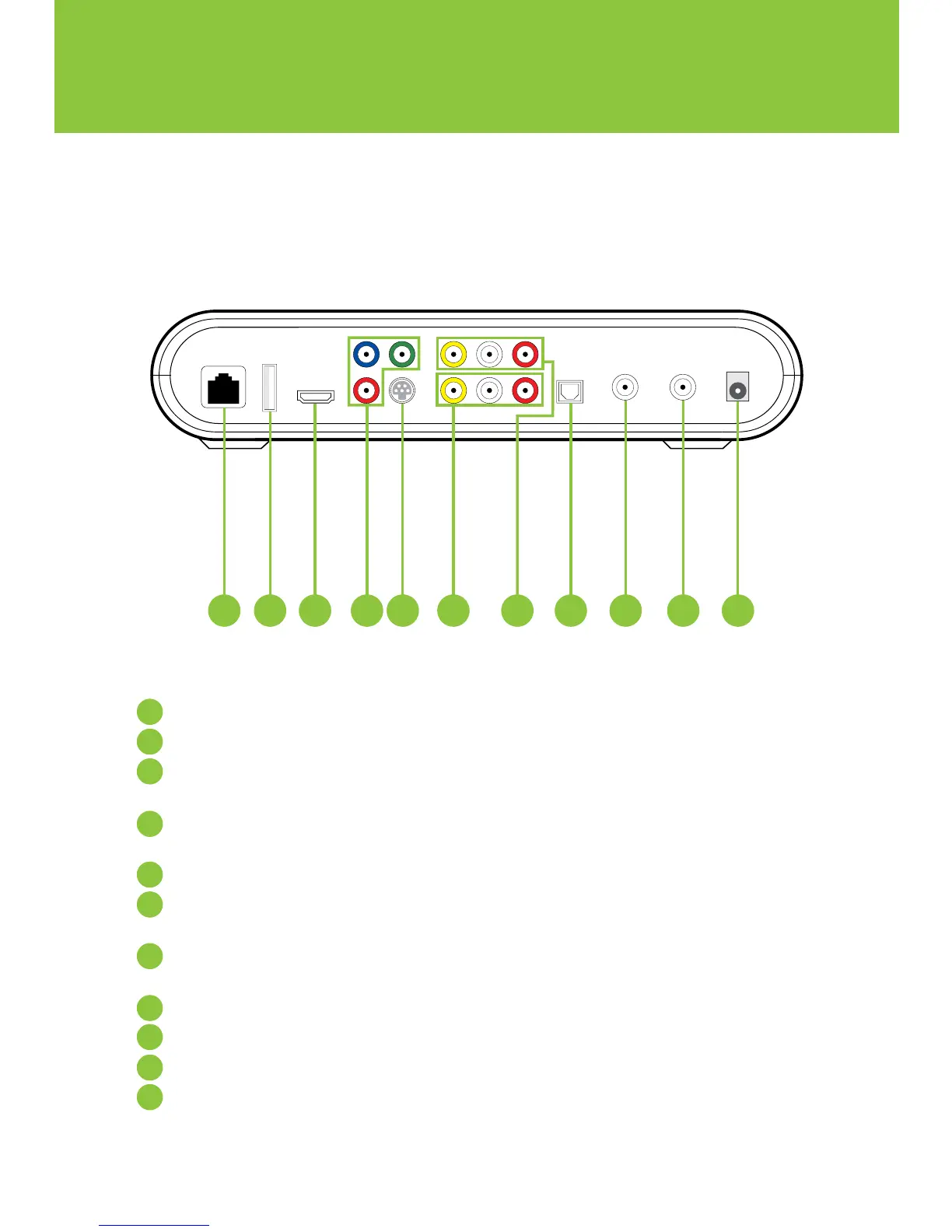
Network In – Connects the network cable from your home network or modem
USB – Not currently enabled
HDMI (Out) – HDMI is the HD connection that contains both audio and video signals.
Use for HDTVs
Component Video Out – Component video cables can be used for high quality signals
to either HD or non-HDTVs
S-Video Out – S-Video is preferred for older TVs
RCA Video / Audio 1 Out – These connections are ideal for VCRs and older TVs
The audio ports can be used independently if other video connections have been used
RCA Video / Audio 2 Out – These duplicate connections are available for users with
multiple devices
Optical – This is an all digital audio connection. It is ideal for audio receivers
Video Out – Connects to the antenna jack on the TV
Video In – For TELUS installer use only
Power In – Connects to the supplied adapter to power the unit
7
8
9
10
11
5
6
4
3
2
1
model numbers: SA430, SA330, Cis430 and Cis330


 To Next Page