34
Frequently Asked Questions
Please visit telus.com/tvhelp and
look under the FAQ section for a
complete list of frequently asked
questions.
Are all Optik TV channels digital?
Yes. Optik TV is a 100% digital television service.
Will Optik TV affect my home phone service?
No, your home phone will not be affected.
Will I be able to watch digital TV on my
existing TV?
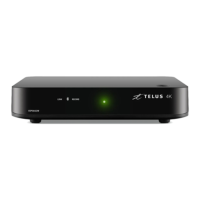
Yes. A Optik TV digital box receives the digital TV
signal and converts it into a format that works with
your existing TV. This allows you to enjoy digital
picture and sound on all channels.
How many TVs can I watch Optik TV on?
Optik TV supports up to 6 TVs. At any one time you
can watch live TV on 3 TVs. If you have a PVR, you
can watch your recordings on the rest of your TVs.
How many favourites lists can I create?
You can create separate favourites list on each digital
box. Please see page 15 to learn how to create your
favourites list.
How can I control what my children are
watching?
Parental Controls allows you to block programs by
title, rating or content. Please refer to Parental Control
section on pages 21 to 23.
Why does my digital box turn off after 4 hours?
Optik TV HD PVR is ENERGY STAR
®
qualified.
When not in use for 4 hours the PVR will
automatically enter standby mode to conserve
energy. But don't worry your scheduled recordings
will not be interrupted.
What is the difference between On Demand and
Pay Per View?
On Demand offers a selection of movies and TV
shows that you can rent at any time and watch as
many times as you want within the rental period.
PPV events are usually live events and start at a
specific time set by the content provider. If you have
a PVR, a PPV event can be recorded, unlike a
On Demand rental.
How do I return to watching a On Demand rental
after I’ve turned to another channel?
You can press the previous button on your remote
if your On Demand rental is the last program you
watched. Alternatively, turn to channel 235 or press
the Video On Demand button on your remote control.
What should I do if I have problems with my Optik
TV service?
Please see Troubleshooting your Optik TV system
on pages 35 to 36 first, as there may be an easy fix. If
you are still unable to solve the problem, contact us at
310-MYTV (310-6988).
How can I order another remote control?
You can order another Optik TV remote control by
calling 310-MYTV (310-6988). A new remote control
will be shipped to you within a few days. Charges may
apply.


 To Next Page