13
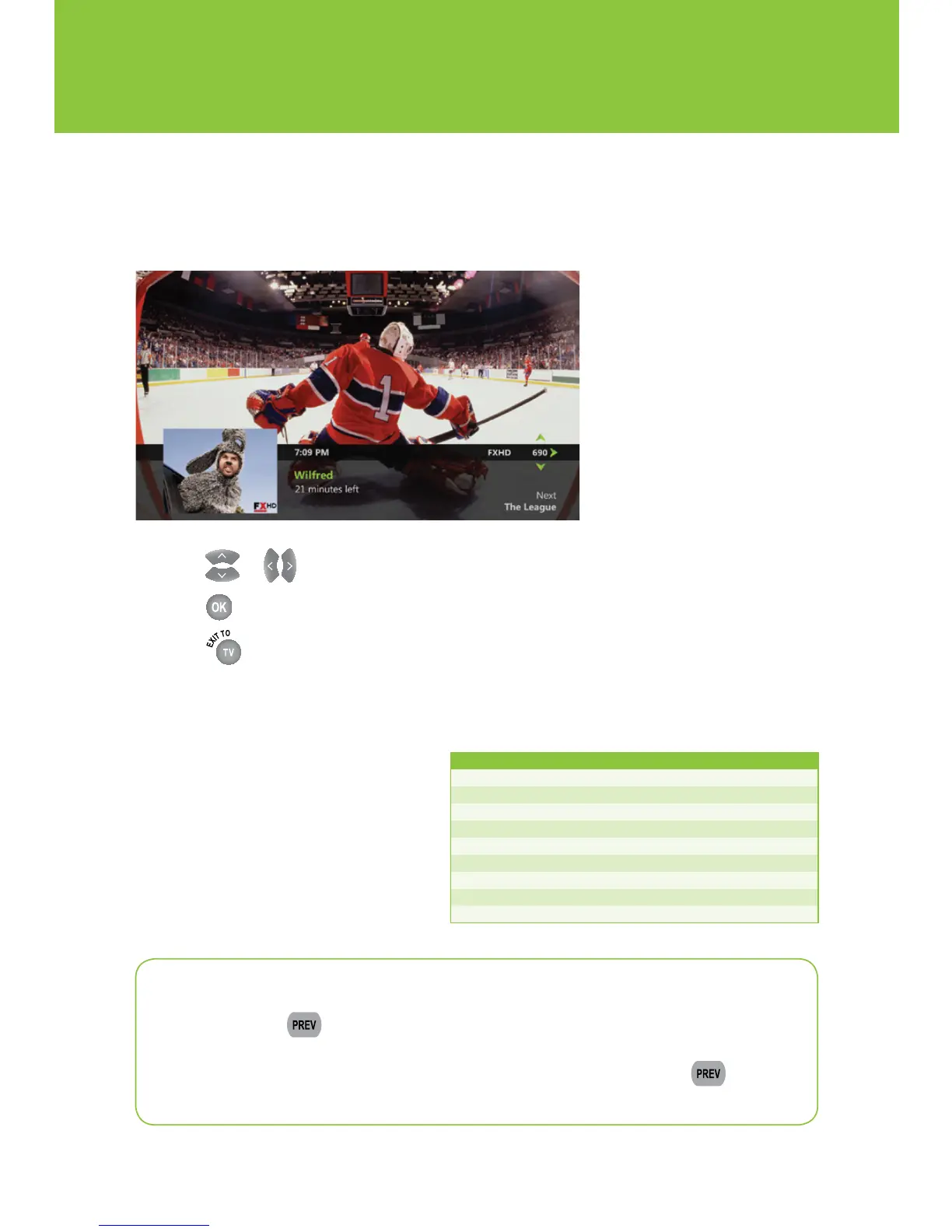
Picture-in-Picture browsing
Find out what's playing on other channels without missing a moment of what you are currently
watching.
1 Press or to scroll through the program listings while watching live TV.
2 Press to select a program or to get more information about an upcoming program.
3 Press to close the browse panel.
Surf zones
Optik
TV
channels are organized by
surf zones in the guide. That way,
similar channels like sports, news or
lifestyle are all grouped together so
you can easily surf through your
favourite channels.
Surf zone Channels Surf zone Channels
Recorded TV
1 Movies 220–249
Local
2–18 Music 250–399
Networks
19–68 French 400–498
Family
69–89 International 500–597
News
90–105 High Definition 598–899
Sports
106–133 Mature 900–959
Lifestyle
140–169 Premium Sports 1001–1049
Variety 170–199 Radio stations 3696–3898
Learning 200–218
Quick tip
When you press on your remote Optik will change channels to the last channel
you were watching. You will also see a pop up of the last 5 channels you viewed with
picture-in-picture. This pop up will disappear after 10 seconds or press again
to exit this screen immediately.


 To Next Page