23
Watching a blocked program
You can access blocked programs temporarily with your Parental Control PIN.
1 Tune to the blocked program and press .
2 Enter your Parental Control PIN in the text box.
3 Use to select one of the following options and press .
n Don't unlock
n Unlock this program – The program will be automatically locked again after 2 hours
n Unlock all TV for 2 hours – All blocked programs on this TV will be unlocked for 2 hours
(option not available if there is blocked adult content).
If rental locking is enabled for an On Demand or PPV program, you must first enter your rental locking
PIN to access the program. You will then need to enter your Parental Control PIN to watch the
blocked program.
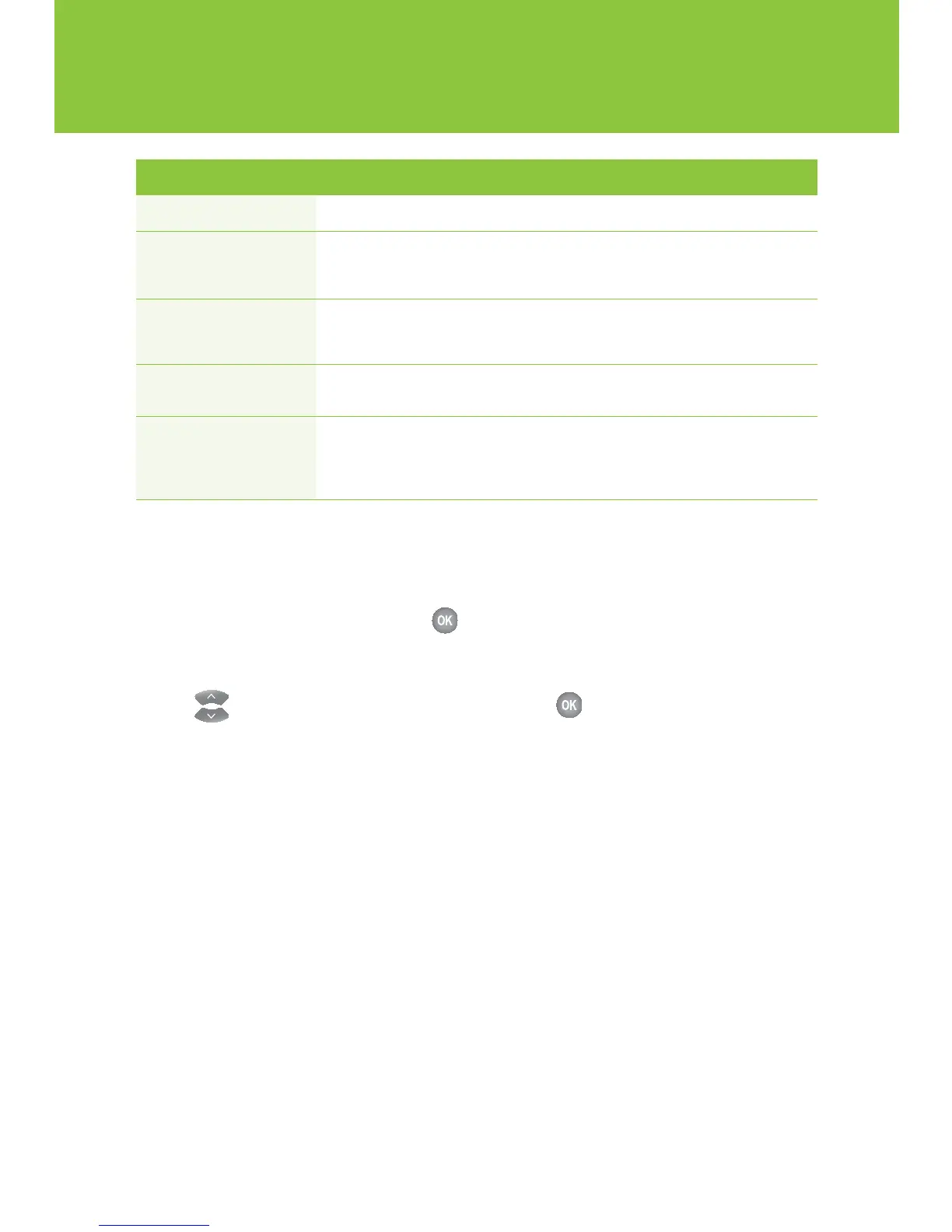
Channels
Allows you to block selected channels
Movie ratings
Allows you to block programs rated G, PG, 14A, 18A, R or A
When you choose to block by rating, all programs with higher ratings will also
be blocked. To block Adult Movies you must set the adult program to locked.
Canadian TV Allows you to block programs rated E, C, C8+, G, PG, 14+ or 18+
classifications
When you choose to block by rating, all programs with higher ratings will also be
blocked. To block Adult TV programs you must set the adult programs to locked.
Unrated content
Allows you to block programs that are not rated
e.g. educational programs and movies released before 1960
s
Allows you to block programs rated A or AO
Adult programs
When you choose to block adult programs, the program title and information
will be blocked from appearing in the guide. Other blocking options will not hide
the adult titles or program information unless this setting is set to locked.
BLOCKING OPTION DESCRIPTION


 To Next Page