37
problem possible solution
No audio or poor audio quality
Check to ensure that the audio output cables from the
Optik TV digital box to the TV are firmly connected.
Change the Digital audio output setting from Surround
sound back to Stereo.
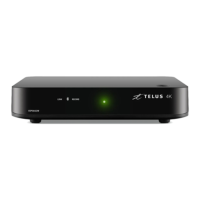
The power light on the Optik TV digital box
is on, but I have a snowy screen on my TV
If your TELUS remote control is programmed to control
your TV, press the TV button, and then press the
TV/Video button to cycle through your video inputs.
Refer to your TV’s remote control setup guide to change
inputs on your TV.
If you are unable to switch between video inputs by
using your remote(s), refer to your TV’s user guide for
further instructions.
Check to ensure that your cables are firmly attached.
Some programs have black bars on
the side of the screen
The black bars appear when you watch standard
definition programming on your HDTV. You can minimize
or remove the black bars on the side of your screen by
pressing OPTIONS on your remote control and navigate
to select the optimum setting for your TV.
The Optik TV digital box seems to be
stuck or frozen on a screen
Try pressing the MENU button on your remote control.
If the MENU page is not displayed, initiate the reset
procedure as described below.
If you’re still unable to solve the problem, try resetting the digital box by unplugging it from the
power outlet for at least 10 seconds and plugging it back in. This resets the device and usually
resolves most problems related to the box. If the problem persists, please visit telus.com/tvhelp
or call 310-MYTV (6988).


 To Next Page