- 10 -
APPENDIX I
CONTROLS SET-UP : IP ADDRESS
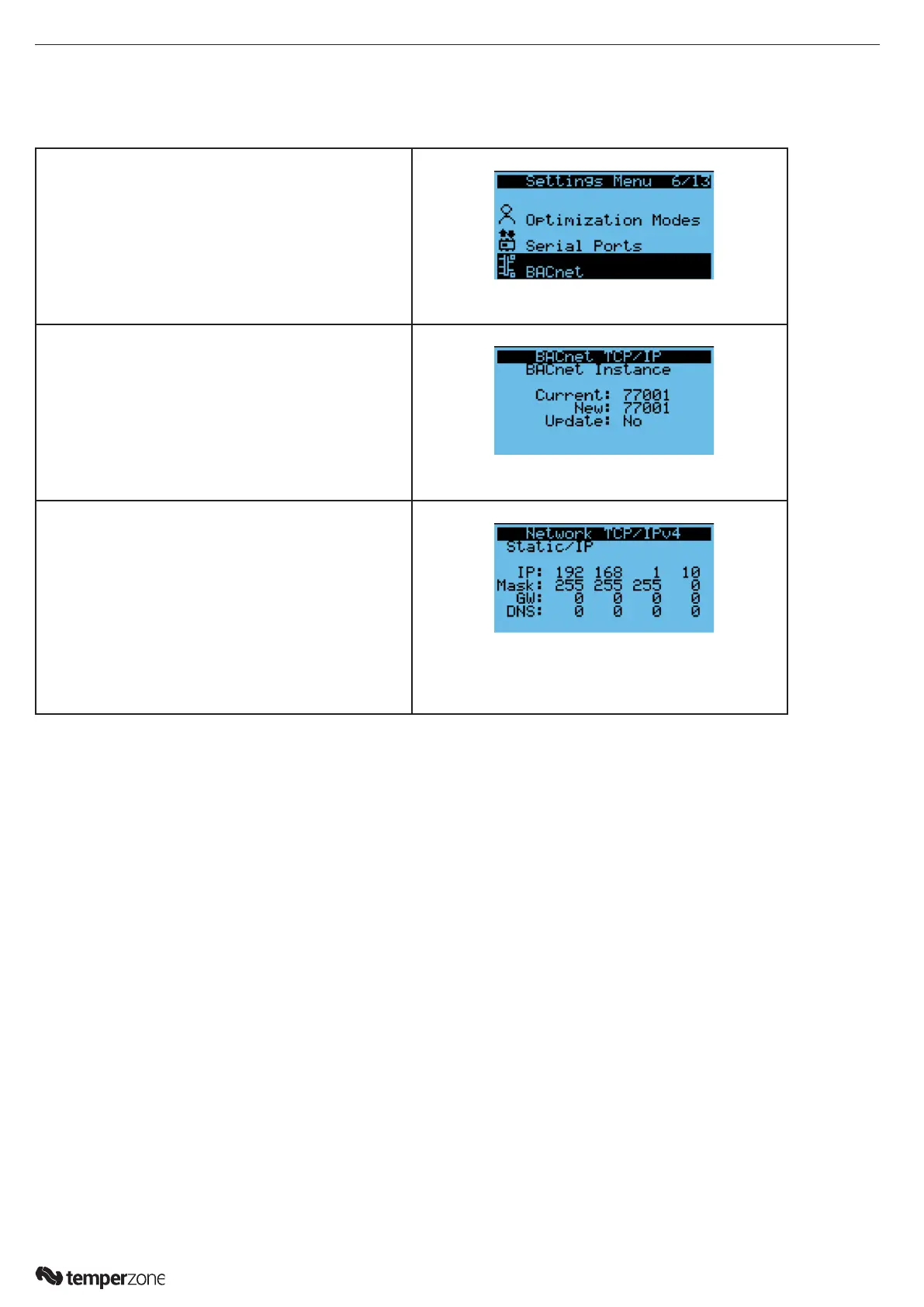
The default IP address of the controller is ‘192.168.1.10’. To change follow the below instructions.
1. Press Alarm and Enter together for 3 seconds to
access the system menu. Scroll to ‘Settings’ and
press Enter button
2. Scroll to ‘TCP/IP settings’ and press Enter button
3. Select Settings:
Default: Static (refer Temperzone for a change to
DHCP)
IP: Enter an address in the same subnet set on the
PC, for example:
IP: 192.168.1.1
MASK: 255.255.255.0
GW: Enter as required, must start with rst 3 parts
identical to IP as set by mask.
DNS: Enter as required
Select Update conguration --> Yes



 To Next Page