Rev. 00 / 10.02.14
2.3.2 Instrument Panel
Ifthereisamalfunctiononasys-
temanexclamationmarkappears
againstthesystemname.
Use warning panel buttons and
choosefaultysystemnametosee
diagnosemalfunctioncode.
Pressbutton2toshiftnextmalfunc-
tion.
Holdbutton“4”afewsecondsto
reachdiagnosescreen.
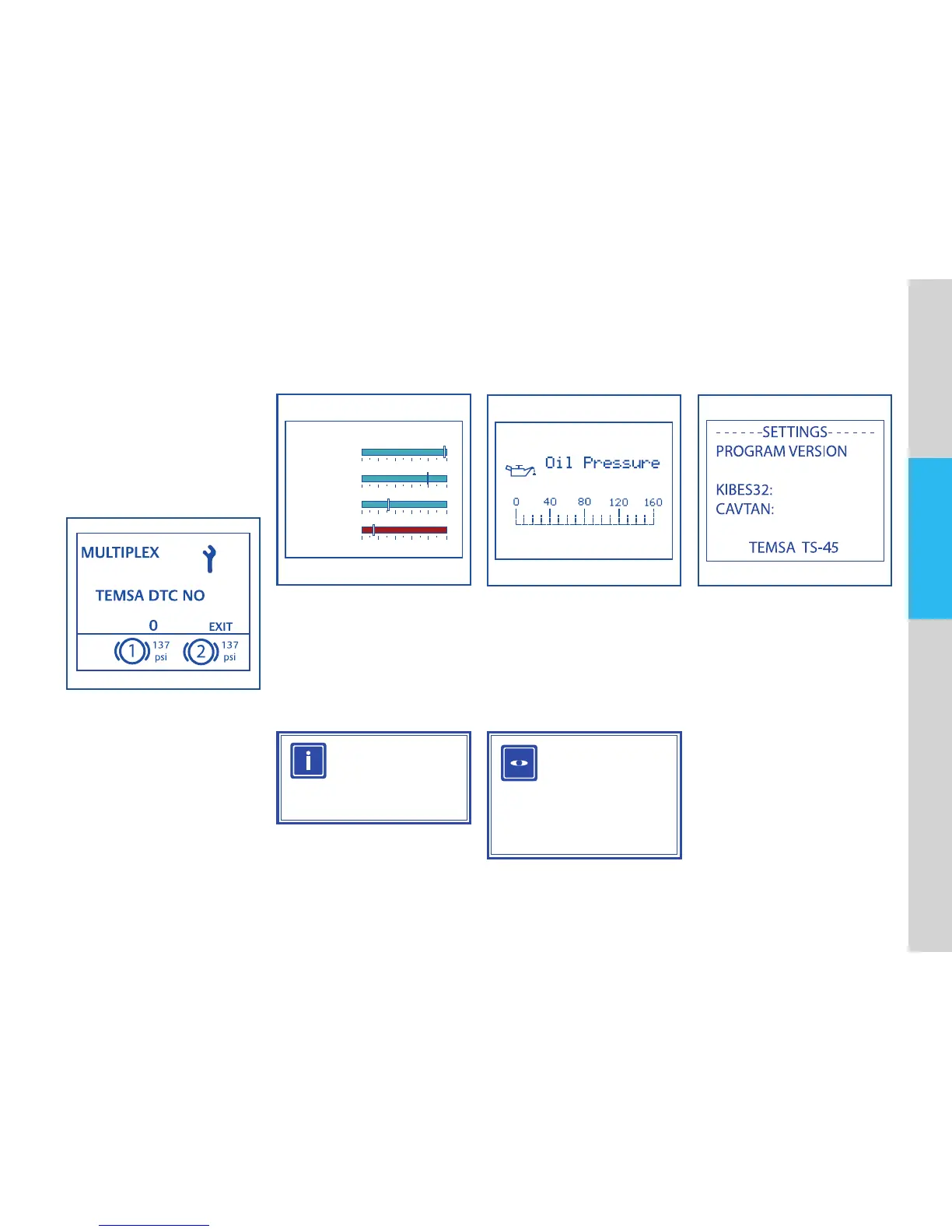
Frontleft,frontright,rearleftand
rear right brake lining levels dis-
playedinthismenu.
0 20
FRONT LEFT
BRAKE LINING LEVELS
FRONT RIGHT
REAR LEFT
REAR RIGHT
40 60 80 100
0 20 40 60 80 100
0 20 40 60 80 100
0 20 40 60 80 100
Brake Lining Screen
INFORMATION
Accuracyratingofbrakelining
sensoris%5.
Holdbutton“5”afewsecondsto
reachoilpressureindicator.
Displayscurrentengineoilpressure.
Thecurrentengineoilpressureis
displayedintheelectronicmenuof
thewarningpanel.
Oil Pressure Indicator
VISUAL
INSPECTION
Check oil pressure regularly
duringdriving.Stopthevehi-
cleifthewarninglamplights
up.
Information Menu
Holdbutton“6”todisplayinforma-
tionaboutthevehicle.


 To Next Page