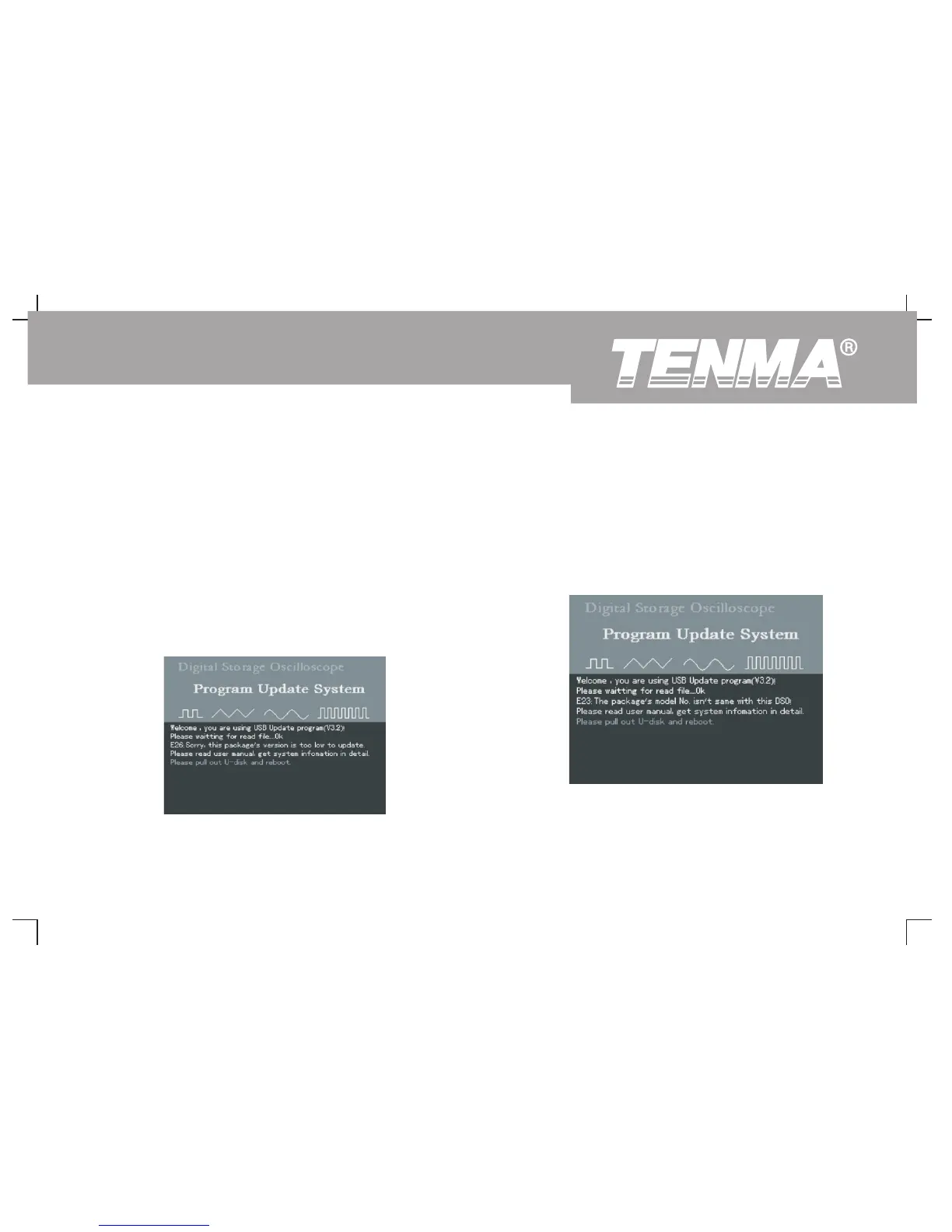
6. Low software version 7. Software document incompatible with product model
If the USB update document is incompatible with the oscilloscope
If the version of USB document is lower than that of the
model, update will fail. You will be prompted that, “Software and
oscilloscope, update will fail. You will be prompted that,
product model incompatible. Please read the user manual for
“ Software version too low. Please read the user manual for
further instructions.” You should download an update
further instructions.” This indicates that the software version
document which corresponds with your oscilloscope model,
you have saved on to the USB device is lower than the
e.g. 72-8710, then repeat the USB update steps.
existing one on the oscilloscope. You should acquire the
correct version either online or through our after-sales service
department. To see version information, press [UTILITY]
[SYSTEM CONFIGURATION] [SYSTEM INFORMATION].
Please download the suitable update document.
Figure 3-20 Low software version
Figure 3-21 Incompatible software document and
product model
77
DSO Series User Manual



 To Next Page