menu.
Chapter 3 Practical Example
② Press [F1] to enter the measurement type selection menu.
Illustrations
③ Press [F3] to select voltage.
④ Press [F5] to go to page 2/4, then press [F3] to select
Illustration 1 : Measuring simple signals
measurement type : peak-to-peak value.
To observe and measure an unknown circuit signal, and to quickly
⑤ Press [F2] to enter the measurement type selection menu,
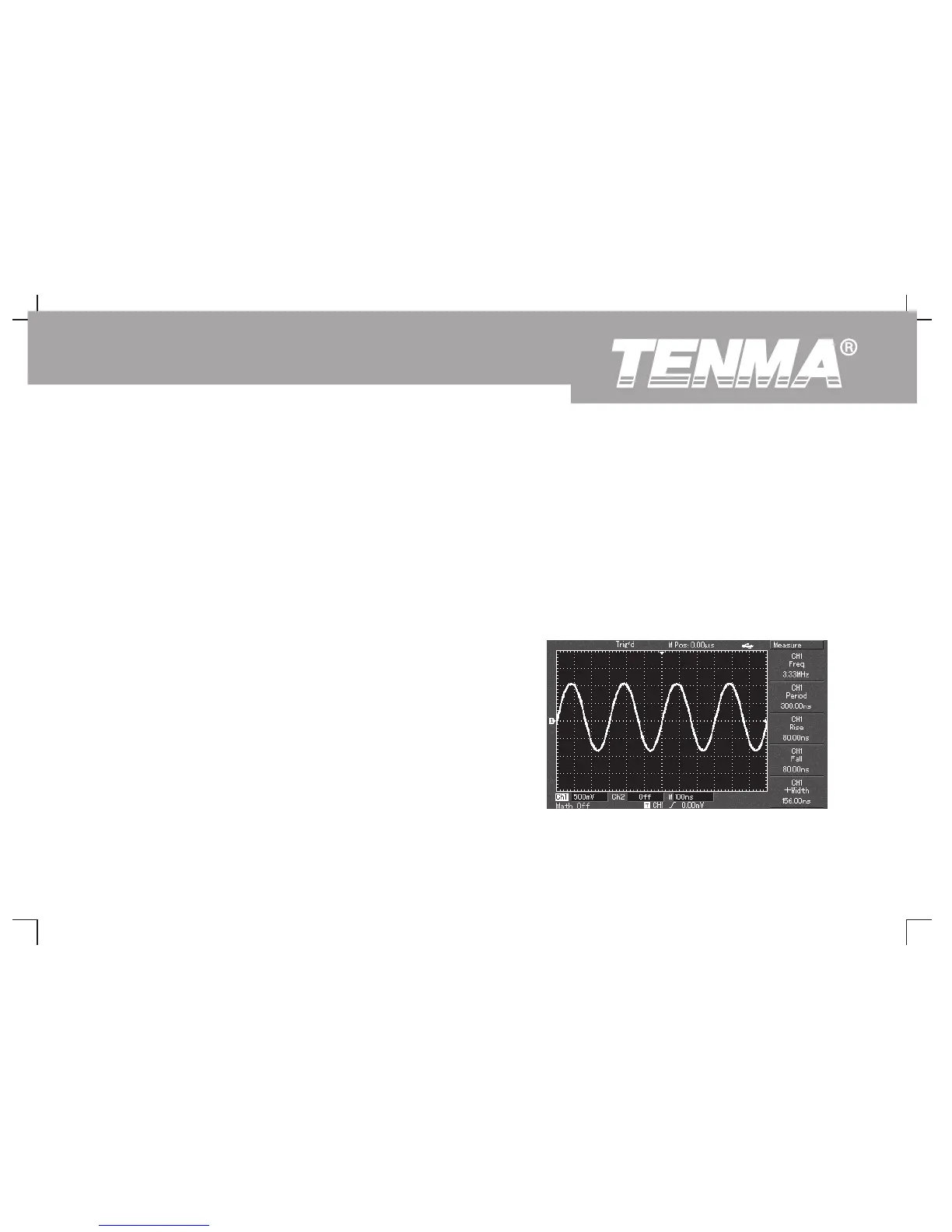
display and measure the signal's frequency and peak-to-peak value.
then press [F4] to select time.
1. To quickly display this signal, follow the steps below :
⑥ Press [F2] to select measurement type : frequency.
① In the probe menu, set the attenuation factor to 10X and set
Peak-to-peak value and frequency measurement value are
the switch on the probe to 10X.
now displayed in positions [F1] and [F2] respectively.
② Connect the CH1 probe to the circuitry point to be measured.
Press [AUTO].
③ The oscilloscope will carry out auto setup to optimise
waveform display. In this status, you can further adjust the
vertical and horizontal range until you get the desired
waveform display.
2. Voltage and time parameters for automatic measurement
Your oscilloscope can automatically measure most display
signals. To measure signal frequency and peak-to-peak value,
follow the steps below :
① Press [MEASURE] to display the automatic measurement
Figure 3-1 Automatic measurement
63
DSO Series User Manual



 To Next Page