EasyManua.ls Logo

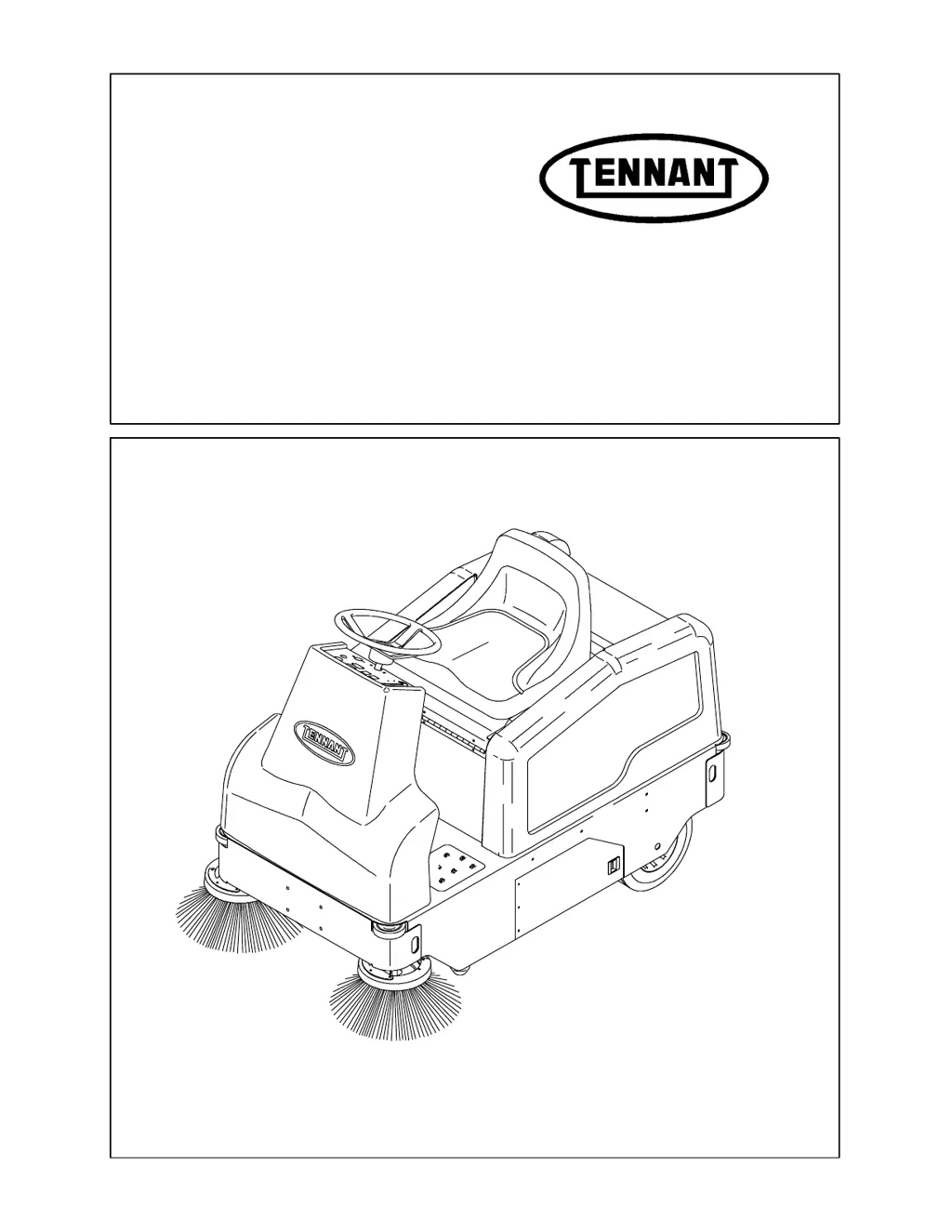
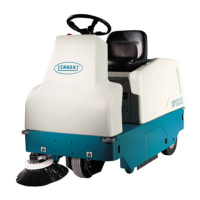
Tennant 6100E - User Manual

Tennant 6100E
228 pages
Print Icon
To Next Page IconTo Next Page
Loading...
330255
Rev. 02 (6--01)
Service Manual
6100E

Table of Contents

Other manuals for Tennant 6100E

Questions and Answers

  • R
    rfosterAug 2, 2025
    What to do if my Tennant 6100E has no power?
    • D
      davidsummersAug 3, 2025
      If your Tennant Floor Machine isn't turning on, first ensure the power kill switch is disengaged by turning it clockwise until it pops up, then cycle the machine off and on. Also, check the battery power and charge if necessary. A clogged hopper dust filter can also cause this issue, so shake, clean, or replace the filter.
  • J
    josephleachAug 7, 2025
    Why is my Tennant 6100E Floor Machine's sweeping performance so poor?
    • V
      Veronica OlsonAug 7, 2025
      If your Tennant Floor Machine is experiencing poor sweeping performance, several factors could be at play. Start by checking the brushes for wear and replace them if needed. Ensure the main and side brushes are properly adjusted. Remove any debris caught in the main brush drive mechanism. Also, make sure the hopper isn't full and that the hopper lip skirts are in good condition. If the large debris trap is damaged, repair or replace it.
  • C
    Cynthia GarciaAug 12, 2025
    What to do if my Tennant 6100E Floor Machine does not propel?
    • T
      tammie23Aug 12, 2025
      If your Tennant Floor Machine isn't moving, make sure the power kill switch is disengaged by turning it clockwise until it pops up, then cycle the machine off and on. Check and charge the batteries if they are low or dead. Ensure the operator is seated properly.
  • F
    Frank ParkerAug 17, 2025
    How to stop excessive dusting from my Tennant 6100E Floor Machine?
    • S
      Sean GuzmanAug 17, 2025
      If your Tennant Floor Machine is producing excessive dust, start by ensuring the vacuum fan is on by pressing the main brush, vacuum, and filter shaker switch to the on position. Check the brush skirts and dust seals for wear, damage, or misalignment, and replace or adjust them as needed. Clean or replace the hopper dust filter if it's clogged. Inspect the vacuum hose for damage and replace if necessary.
  • S
    Sandra TorresAug 23, 2025
    Why does my Tennant Floor Machine have low power?
    • C
      Crystal Durham MDAug 23, 2025
      If your Tennant Floor Machine has low power, the most likely cause is low battery power. Check the batteries and charge them as needed.
  • A
    Alexander MoralesAug 27, 2025
    What to do if the vacuum wand does not come on in my Tennant 6100E Floor Machine?
    • R
      Rhonda WalkerAug 28, 2025
      If the vacuum wand on your Tennant Floor Machine isn't working, first adjust the auto switch. If that doesn't resolve the issue, check the battery power and charge if necessary. Also, inspect the wand holding bracket and straighten it if it's bent.

Summary

General Information

Safety Precautions

Details essential safety measures and warnings for operating and servicing the machine.

Specifications

Provides key technical data including machine dimensions, capacities, and performance metrics.

Power Type

Outlines the power source, including battery specifications and motor details.

Steering System

Describes the steering mechanism and its operational components.

Braking System

Details the types of brakes used and their operational characteristics.

Tires

Specifies the type and size of tires used on the machine.

Machine Dimensions

Illustrates the overall size and measurements of the machine.

Maintenance

Provides a chart outlining routine maintenance tasks and intervals.

Pushing, Towing, and Transporting

Instructions for safely moving the machine when it's not operational.

Machine Jacking

Guidelines for safely lifting the machine for service or repair.

Storing Machine

Procedures for proper storage of the machine for extended periods.

Hardware Information

Details on bolt torque specifications and identification for assembly.

Chassis

Introduction to Chassis

Overview of main chassis-related components like steering, brakes, and tires.

Brakes and Tires

Covers the service brakes, parking brake, and tire assemblies.

Service Brakes Adjustment

Step-by-step guide to adjusting the service brake for proper function.

Rear Tires and Wheels

Procedures for removing and installing rear tire assemblies.

Front Drive Wheel Assembly

Details on the front drive wheel, housing, and support for maintenance.

Replacing Front Wheel Drive Chain

Procedure for replacing the drive chain on the front wheel assembly.

Replacing Front Wheel Hub Bearings

Instructions for replacing the bearings in the front wheel hub assembly.

Gearbox Assembly Procedures

Guides for removing and replacing the gearbox assembly.

Steering Chain Adjustment and Replacement

Procedures for adjusting and replacing the steering chain.

Steering Component Replacement

Instructions for replacing steering housing bearings, U-joints, and sprockets.

Front Wheel Housing Bearing Replacement

Procedures for replacing needle, thrust, and cone bearings in the front wheel housing.

Sweeping System

Introduction to Sweeping

Explains the function of the sweeping system components.

Debris Hopper

Information on the location, function, and handling of the debris hopper.

Hopper Dust Filter

Details on the dust filter, its cleaning, and replacement procedures.

Main Brush Maintenance

Guidance on checking, adjusting, rotating, and replacing the main brush.

Main Brush Belt

Instructions for checking, replacing, and tensioning the main brush drive belt.

Side Brush Maintenance

Information on checking, adjusting, and replacing the side brush.

Skirts and Seals

Details on rear and side skirts, their adjustment, and maintenance.

Hopper Seals

Information regarding the inspection and maintenance of hopper seals.

Vacuum Fan

Description of the vacuum fan system and its belt maintenance.

Machine Troubleshooting

Lists common problems and their solutions for the sweeping system.

Electrical System

Introduction to Electrical System

Overview of the machine's electrical components and their functions.

Electrical System Overview

Details on the battery-powered electrical system and its main parts.

Batteries

Information on battery care, charging, and electrolyte level checks.

Charging Batteries

Step-by-step instructions for safely charging the machine's batteries.

Replacing Batteries

Procedure for safely removing and installing battery units.

Instrument Panel

Description of the instrument panel and access procedures.

Electrical Panel

Overview of the electrical panel components and access methods.

Circuit Breakers

Information on circuit breaker function, location, and protection.

Fuses

Details on fuse function, location, and replacement.

Directional Pedal

Explanation of the directional pedal's function and replacement procedures.

Electric Motors

Information on the propelling and accessory motors, including brush inspection.

Electrical Schematic

Diagram illustrating the machine's electrical system wiring.

Wire Harness

Diagrams showing the routing and connections of the machine's wire harnesses.

Electrical Troubleshooting

Flowcharts and guidance for diagnosing electrical system issues.

Tennant 6100E Specifications

General IconGeneral
BrandTennant
Model6100E
CategoryFloor Machine
LanguageEnglish

Related product manuals