EasyManua.ls Logo

Tennant T7 - User Manual

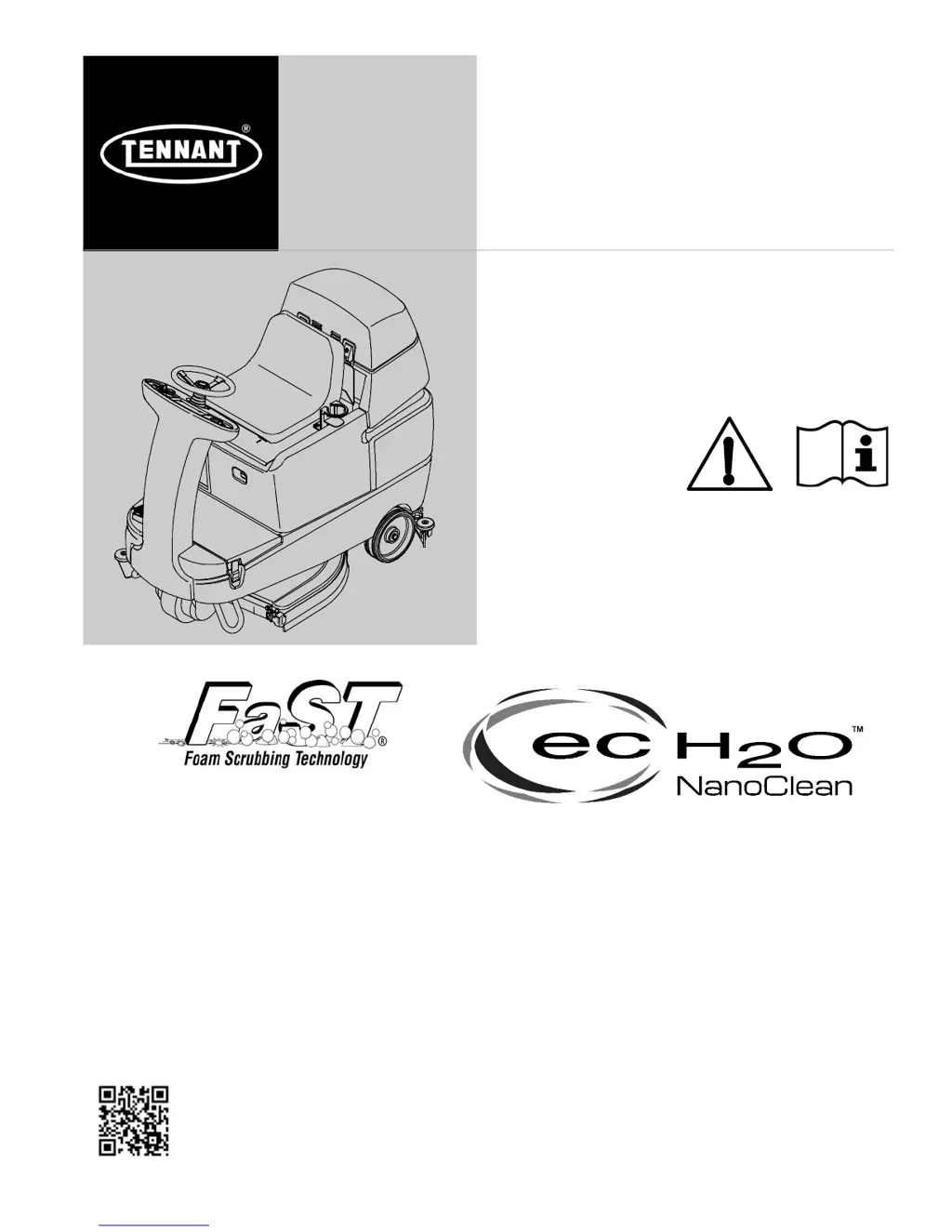
Tennant T7
54 pages
Print Icon
To Next Page IconTo Next Page
Loading...
T7
*331040*
Rider- Scrubber
Operator Manual
331040
Rev. 09 (10-2015)
North America / International
The Safe Scrubbing Alternative
R
(Battery)
Hygenic
Fully Cleanable Tanks
TennantTrue
Parts
IRIS
a Tennant Technology
For the latest Parts manuals and other
language Operator manuals, visit:
www.tennantco.com/manuals

Table of Contents

Other manuals for Tennant T7

Questions and Answers

  • G
    gsmithAug 18, 2025
    How to fix trailing water with Tennant T7?
    • S
      Selena RobertsAug 18, 2025
      If the Tennant Floor Machine leaves water behind, it could be due to several reasons. First, ensure the vacuum fan is turned on. Check the squeegee blades for wear and rotate or replace them if needed. Make sure the squeegee is properly adjusted. Clear any clogs in the vacuum hose and clean the vacuum fan filter. Replace worn vacuum fan cover seals. Remove any debris caught on the squeegee. Reconnect or replace a disconnected or damaged vacuum hose to the squeegee or recovery tank. Finally, check for obstructions and ensure the recovery tank cover is completely closed.
  • B
    Bryan WeaverAug 20, 2025
    What to do if the vacuum fan will not turn on in my Tennant T7 Floor Machine?
    • M
      mcknightlaurenAug 20, 2025
      If the vacuum fan on your Tennant Floor Machine won't turn on, there are several potential causes. First, verify that the vacuum fan switch is turned on. If the recovery tank is full, drain it. If foam is filling the recovery tank, empty it and use less detergent. Lastly, check the recovery tank sensor; if it's dirty or stuck, clean or replace it.
  • J
    jessicaoconnorAug 23, 2025
    Why FaST System does not operate on my Tennant Floor Machine?
    • B
      Brandon KimAug 23, 2025
      If your Tennant Floor Machine's FaST system isn't working, start by ensuring the FaST switch is turned on. Check if the accessory circuit breaker has tripped and reset it if necessary. If the FaST--PAK supply hose and/or connector are clogged, soak them in warm water and clean them. Make sure the FaST--PAK carton isn't empty or disconnected; replace the carton and/or connect the supply hose. Prime the FaST system by operating it for a few minutes. Clean any clogs in the filter screen. If none of these steps work, the solution pump may be faulty and require replacement.
  • J
    Joseph DuncanAug 25, 2025
    What to do if my Tennant T7 Floor Machine has poor scrubbing performance?
    • M
      mariahudsonAug 26, 2025
      If your Tennant Floor Machine isn't scrubbing well, there are several things you can check. Ensure the One Step Scrub button is activated. Remove any debris caught on the scrub brushes or pads. If the scrub brush is worn, replace it. For cylindrical models, inspect the brush drive belt for breakage or looseness, and replace or tighten it as needed. Increase brush pressure if it's set too light. Finally, ensure the batteries are fully charged until the charger automatically turns off. Note that for improper detergent or brushes you should contact Tennant service representative.
  • K
    Katie FullerAug 28, 2025
    What to do if the horn repeatedly beeps 8 times on my Tennant Scrubber?
    • J
      Jessica HoldenAug 28, 2025
      If the horn on your Tennant Scrubber repeatedly beeps eight times, it indicates that the Emergency Stop Button is engaged. To resolve this, reset the Emergency Stop Button.
  • J
    Jason VelazquezAug 30, 2025
    Why does the horn repeatedly beep 9 times on my Tennant Scrubber?
    • M
      Michael GutierrezAug 30, 2025
      The horn on your Tennant Scrubber beeps nine times repeatedly because the ON/OFF key switch was turned on while the battery charger is plugged into the machine. Unplug the battery charger before starting the machine to stop the beeping.
  • R
    Rebecca TuckerSep 1, 2025
    Why does my Tennant Scrubber horn beep 2 times?
    • B
      Blake ReynoldsSep 1, 2025
      The horn beeps twice repeatedly on your Tennant Scrubber because the propel pedal is depressed without the operator sitting in the seat. Make sure to sit in the seat when operating the machine.
  • T
    thartmanSep 4, 2025
    What to do if Tennant Scrubber horn beeps 4 times?
    • J
      Johnny DelgadoSep 4, 2025
      If the horn on your Tennant Scrubber beeps four times repeatedly, it means the ON/OFF key switch is turned on while the propel pedal is engaged. Release the propel pedal before turning the key on.
  • M
    Mr. Travis Foster IIISep 7, 2025
    What to do if the Tennant Floor Machine horn beeps 8 times?
    • A
      Alex MosleySep 7, 2025
      If the horn on your Tennant Floor Machine repeatedly beeps 8 times, it means the Emergency Stop Button is engaged. To resolve this, reset the Emergency Stop Button.
  • C
    Clifford HarveySep 9, 2025
    Why does my Tennant T7 Floor Machine horn beep 9 times?
    • T
      Tracy FosterSep 9, 2025
      If the horn on your Tennant Floor Machine repeatedly beeps 9 times, it indicates that the ON/OFF key switch was turned on while the battery charger was plugged into the machine. Unplug the battery charger before starting the machine to solve this issue.

Summary

SAFETY PRECAUTIONS

IMPORTANT SAFETY INSTRUCTIONS

Key safety guidelines for operating and servicing the machine.

OPERATION

CONTROLS AND INSTRUMENTS

Overview of the machine's control panel and operational indicators.

PROPEL SYSTEM TROUBLESHOOTING

Troubleshooting guide for propulsion system faults indicated by alarms or lights.

MACHINE TROUBLESHOOTING

Common machine problems and their causes and remedies.

MAINTENANCE

MAINTENANCE CHART

Schedule of maintenance tasks, responsible persons, and procedures.

BATTERY MAINTENANCE

Procedures for checking electrolyte levels and cleaning battery connections.

CHARGING THE BATTERIES WITH OFF-BOARD CHARGER

Instructions for charging batteries using the off-board charger.

CHECKING ON-BOARD BATTERY CHARGER SETTINGS

Verifying and setting the on-board charger for correct battery type.

BATTERY SELECT MODE

Reprogramming the control board for different battery types.

CHARGING THE BATTERIES WITH THE ON-BOARD CHARGER

Steps for charging batteries using the on-board charger.

ON-BOARD BATTERY CHARGER ERROR CODES

Table of error codes displayed by the on-board charger and their solutions.

REPLACING DISK BRUSHES OR PAD DRIVER

Step-by-step instructions for replacing disk brushes or pad drivers.

REPLACING DISK PADS

Procedure for removing and replacing disk pads on the pad driver.

REPLACING OR ROTATING CYLINDRICAL BRUSHES

Step-by-step instructions for replacing or rotating cylindrical brushes.

REPLACING SIDE SQUEEGEE BLADES

Instructions for replacing the side squeegee blades.

LEVELING THE REAR SQUEEGEE

Procedure for leveling the rear squeegee for even floor contact.

ADJUSTING REAR SQUEEGEE BLADE DEFLECTION

Method to adjust the curl or deflection of the rear squeegee blade.

Tennant T7 Specifications

General IconGeneral
Cleaning Path26 in / 650 mm
Solution Tank Capacity29 gal / 110 L
Power SourceBattery
Sound Level67 dBA
Machine TypeRide-On Scrubber
Battery Voltage24 V
Tank Capacity Solution29 gal / 110 L
Max Speed4 mph
Tank Capacity29 gal / 110 L

Related product manuals