EasyManua.ls Logo

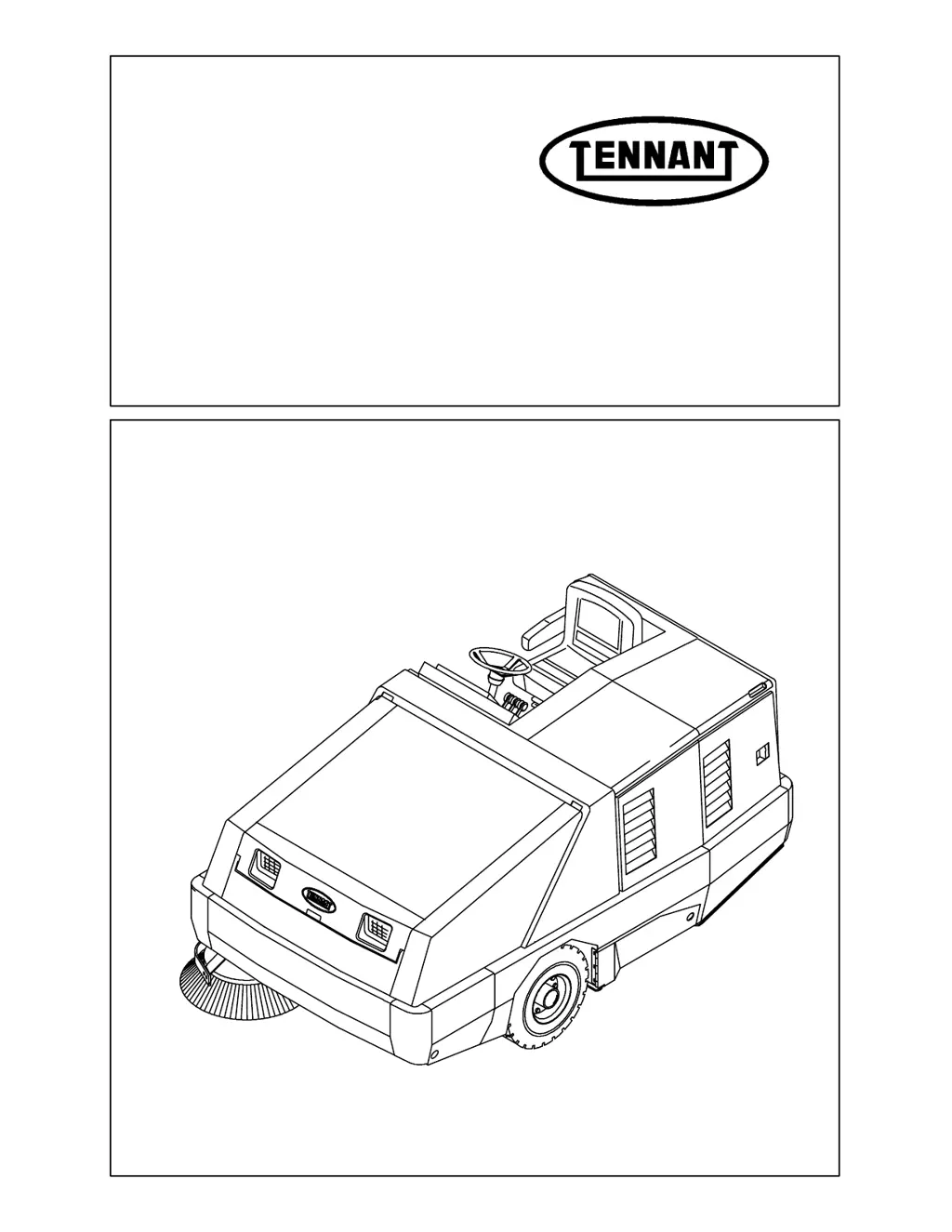
Tennant 800 - Service Manual

Tennant 800
402 pages
Print Icon
To Next Page IconTo Next Page
Loading...
800/810
Service Manual
MM337
Rev. 04 (6--01)
Gas/LP/Diesel

Table of Contents

Other manuals for Tennant 800

Questions and Answers

  • B
    Brad NelsonSep 23, 2025
    What to do if my Tennant Blower is dusting too much?
    • A
      Alex GarciaSep 23, 2025
      If your Tennant Blower is dusting excessively, start by inspecting the hopper dust filter for clogs; shake, clean, or replace it as needed. Also, check the vacuum hose for any damage and replace it if necessary. Make sure that the hopper door is fully open. Verify the brush skirts and dust seals are in good condition and properly adjusted; replace or adjust if necessary. Ensure the main brush is operating at the normal speed. Check the vacuum fan seal for damage and replace if needed. Confirm that the Thermo Sentry hasn't tripped; reset it if necessary. Finally, check if the fabric prescreen is missing on dust filters, clean the filter elements and install a fabric prescreen.
  • R
    renee31Aug 23, 2025
    What to do if Tennant 800 Floor Machine has poor sweeping performance?
    • D
      Darius RossAug 23, 2025
      If your Tennant Floor Machine isn't sweeping well, several factors could be responsible. The brush bristles might be worn and need replacement, or the main and side brushes may not be adjusted properly and require adjustment. Debris caught in the main brush drive mechanism can also hinder performance; clear any obstructions. Ensure the hopper isn't full, and if the hopper floor skirts are worn or damaged, replace them. Make sure the hopper door is fully closed. If the issue persists, it could be due to the wrong sweeping brush being used; contact your TENNANT representative for recommendations. For main or side brush drive failure, contact TENNANT service personnel.
  • A
    Anita MurphyAug 25, 2025
    What to do if my Tennant Blower has poor sweeping performance?
    • K
      Kent MccartyAug 25, 2025
      If your Tennant Blower's sweeping performance is poor, several factors could be the cause. Start by checking the brushes for wear and replace them if needed. Ensure the main and side brushes are properly adjusted. Remove any debris caught in the main brush drive mechanism. Verify that the hopper is not full; empty it if it is. Inspect the hopper floor skirts for wear or damage and replace them if necessary. Make sure the hopper door is fully closed. Contact a Tennant representative to ensure you are using the correct sweeping brush.
  • A
    andersonlaurieAug 27, 2025
    How to improve the sweeping performance of a Tennant Blower?
    • N
      natashanorrisAug 27, 2025
      To enhance the sweeping performance of your Tennant Blower, begin by replacing worn brush bristles. Next, adjust the main and side brushes for optimal contact. Ensure that the hopper is empty. Replace worn or damaged hopper floor skirts. Make sure the hopper door is fully closed. If these steps don't resolve the issue, contact a TENNANT representative for recommendations on the appropriate sweeping brush.
  • U
    uknoxAug 27, 2025
    Why is my Tennant Scrubber excessively dusting?
    • R
      rogersjessicaAug 27, 2025
      Excessive dusting from your Tennant Scrubber can occur for several reasons. It might be due to worn, damaged, or misadjusted brush skirts and dust seals, which require replacement or adjustment. A clogged hopper dust filter can also cause this; try shaking, cleaning, or replacing the filter. Ensure the main brush is operating at Normal speed, not II Speed. Check for a damaged vacuum hose and replace if necessary. A damaged vacuum fan seal also needs replacement. Verify that the hopper door is fully open and that the Thermo Sentry hasn't tripped, needing a reset. Finally, make sure the fabric prescreen is installed on the dust filters after cleaning the filter elements.
  • S
    Shane Cook PhDSep 18, 2025
    Why is the sweeping performance of my Tennant Blower poor?
    • M
      Mary FreySep 18, 2025
      Poor sweeping performance in your Tennant Blower can stem from several issues. Check the brush bristles for wear and replace them if needed. Ensure that the main and side brushes are properly adjusted. Clear any debris caught in the main brush drive mechanism. Verify that the hopper is not full and empty it if necessary. Inspect the hopper floor skirts for wear or damage and replace them if needed. Ensure the hopper door is completely closed. If the issue persists, it may be due to using the wrong sweeping brush.
  • S
    Steve FordSep 15, 2025
    How to clean the dust filter on a Tennant Blower to prevent excessive dusting?
    • C
      Charles MosesSep 16, 2025
      To prevent excessive dusting with your Tennant Blower, clean, shake, or replace the hopper dust filter if it's clogged. Also, make sure that you clean the filter elements and install a fabric prescreen.
  • R
    Robin JohnsonSep 17, 2025
    How to stop excessive dusting from my Tennant Blower?
    • Y
      yduncanSep 18, 2025
      If your Tennant Blower is producing excessive dust, several factors could be the cause. Start by checking the brush skirts and dust seals for wear, damage, or incorrect adjustment; replace or adjust them as needed. Ensure the hopper dust filter isn't clogged by shaking, cleaning, or replacing it. Verify that the main brush is operating at the normal speed. Inspect the vacuum hose and vacuum fan seal for damage and replace if necessary. Also, check if the fabric prescreen is missing on dust filters, clean the filter elements and install a fabric prescreen. Finally, make sure the hopper door is fully open and that the Thermo Sentry hasn't tripped; reset it if it has.
  • B
    bduncanSep 6, 2025
    What to do if Thermo Sentry tripped in Tennant Scrubber?
    • A
      alanwardSep 6, 2025
      If the Thermo Sentry has tripped, resulting in excessive dusting in your Tennant Scrubber, reset the Thermo Sentry.
  • Z
    zachary10Sep 3, 2025
    How to fix hopper door that is partially or completely closed on Tennant Scrubber?
    • A
      Anthony MarshSep 3, 2025
      If the hopper door is partially or completely closed, causing excessive dusting in your Tennant Scrubber, open the hopper door.

Summary

General Information

Safety Precautions

Essential safety guidelines for operating and servicing the machine.

Pushing, Towing, and Transporting

Procedures for safely moving the machine by pushing, towing, or transporting it.

Machine Jacking and Storing

Instructions on how to properly jack up and store the machine.

Specifications

Detailed technical specifications including dimensions, capacities, and performance metrics.

Maintenance

Scheduled maintenance tasks for Gas/LPG and Diesel engines.

Hardware Information

Details on standard bolt torque charts, metric and SAE grades, and identification.

Chassis

Seat

Information on removing, replacing, and adjusting the operator's seat assembly.

Brakes and Tires

Details on service brakes, replacement of brake shoes, and adjustment procedures.

Parking Brake Adjustment

Instructions for adjusting both foot-activated and hand-activated parking brakes.

Front and Rear Wheel Servicing

Procedures for repacking front wheel bearings and servicing rear tires and wheels.

Sweeping

Regenerative Filter System (RFS)

Explanation of the RFS option for filter cleaning and its operational requirements.

Debris Hopper and Dump Door

Procedures for removing, installing, and adjusting the debris hopper and dump door.

Hopper Dust Filter and Thermo Sentry

Details on servicing the hopper dust filter and replacing the Thermo Sentry.

Main Brush Servicing

Steps for replacing, checking, and adjusting the main brush pattern and bearings.

Side Brush Servicing

Procedures for replacing and adjusting the side brush tip angle and ride height.

Skirts and Seals

Information on replacing and adjusting brush compartment and rear skirts.

Electrical System

Battery Servicing and Replacement

Guidelines for cleaning, checking, and replacing the machine's battery.

Instrument Panel Servicing

Procedures for replacing, disassembling, and reassembling the instrument panel.

Relays and Circuit Breakers

Instructions for locating and replacing machine relays and circuit breakers.

Schematics

Wiring diagrams and schematics for various machine systems and engine types.

Hydraulics

Hydraulic Fluid and Reservoir Servicing

Steps for draining, filling, and maintaining the hydraulic fluid reservoir and filter.

Directional Control System

Details on the directional pedal, cable, and control adjustment procedures.

Component Replacement

Procedures for replacing major hydraulic components like pumps, cylinders, and motors.

Vacuum Fan Hydraulic Motor

Step-by-step instructions for replacing the vacuum fan hydraulic motor.

Troubleshooting

Guidance on diagnosing and resolving hydraulic system issues through flow charts.

Engine - G;LPG

Engine Removal and Installation

Procedures for removing and installing the Ford 2.3 Liter engine.

Engine Lubrication, Cooling, and Belts

Maintenance guidelines for engine oil, cooling system, and fan belts.

Air Intake and Fuel Systems

Servicing the air filter system and gasoline/LPG fuel systems.

Governor and Ignition Systems

Information on governor actuators, troubleshooting, and ignition system maintenance.

Engine Electrical Components

Procedures for replacing engine starter and alternator.

LPG Fuel System Troubleshooting

Troubleshooting common issues related to the LPG fuel system.

Engine - D - Perkins 200 Series

Engine Removal and Installation

Procedures for removing and installing the Perkins 200 Series engine.

Lubrication and Cooling System

Maintenance guidelines for engine oil, cooling system, and radiator.

Air Filter Servicing

Steps for servicing the air filter indicator and replacing the air filter element.

Diesel Fuel System Maintenance

Details on diesel fuel system components, filters, and priming procedures.

Priming Fuel System

Instructions for priming the diesel fuel system after maintenance.

Engine Electrical Components

Procedures for replacing engine starter and alternator.

Engine - D - Perkins 700 Series

Engine Removal and Installation

Procedures for removing and installing the Perkins 700 Series engine.

Lubrication and Cooling System

Maintenance guidelines for engine oil, cooling system, and radiator.

Air Filter Servicing

Steps for servicing the air filter indicator and replacing the air filter element.

Diesel Fuel System Maintenance

Details on diesel fuel system components, filters, and priming procedures.

Priming Fuel System

Instructions for priming the diesel fuel system after maintenance.

Engine Electrical Components

Procedures for replacing engine starter and alternator.

Tennant 800 Specifications

General IconGeneral
BrandTennant
Model800
CategoryFloor Machine
LanguageEnglish

Related product manuals