TENVIS Technology Co., Ltd.
14
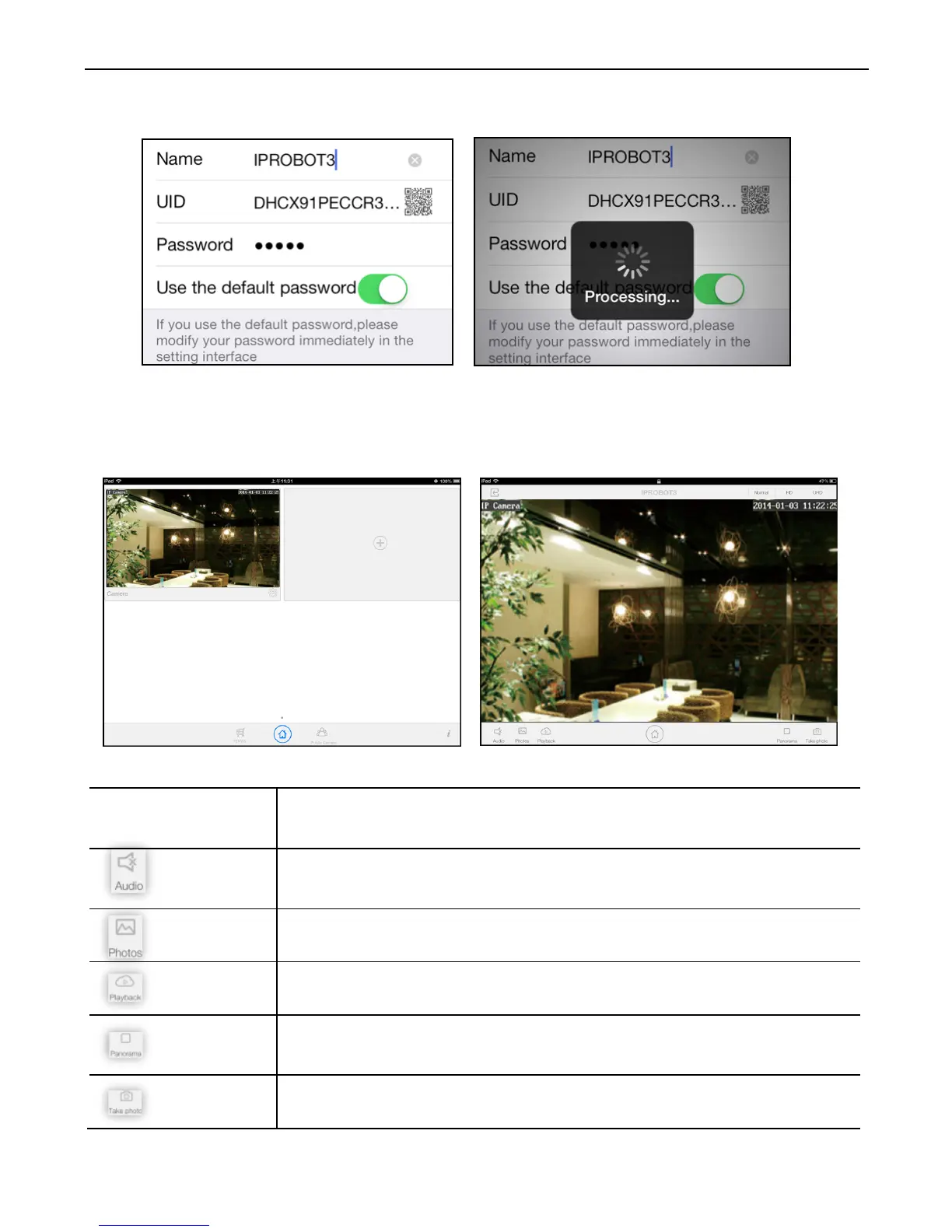
7. Select the camera you've just added to start viewing live video.
Instructions for the icons and buttons on live video page:
Pan/tilt control
Tap on the button on the video to pan or tilt the
Allows User to listen to the camera’s audio feed and
talk to the camera from NEW TENVIS App.
View the snapshots taken.
Playback recorded files in micro SD card.
Enable panorama mode. Then you could pan/tilt your
iPad to pan/tilt your camera.
Take a snapshot picture from current camera feed.



 To Next Page