TENVIS Technology Co., Ltd.
36
Wi-Fi Protected Setup (WPS) is a standard for easy and secure wireless
network set up and connections. WPS can automatically set up a random
network name (SSID) and strong WPA wireless security for wireless
routers, access points, computers, adapters, Wi-Fi phones, and other
electronic devices. If you want to set up camera’s Wi-Fi by WPS, please
make sure your router support WPS function.
1. C
onnect the power cable and wait for the camera to initialize itself.
Please make sure the camera and the router are within 2 meters
when you push Wi-Fi WPS button.
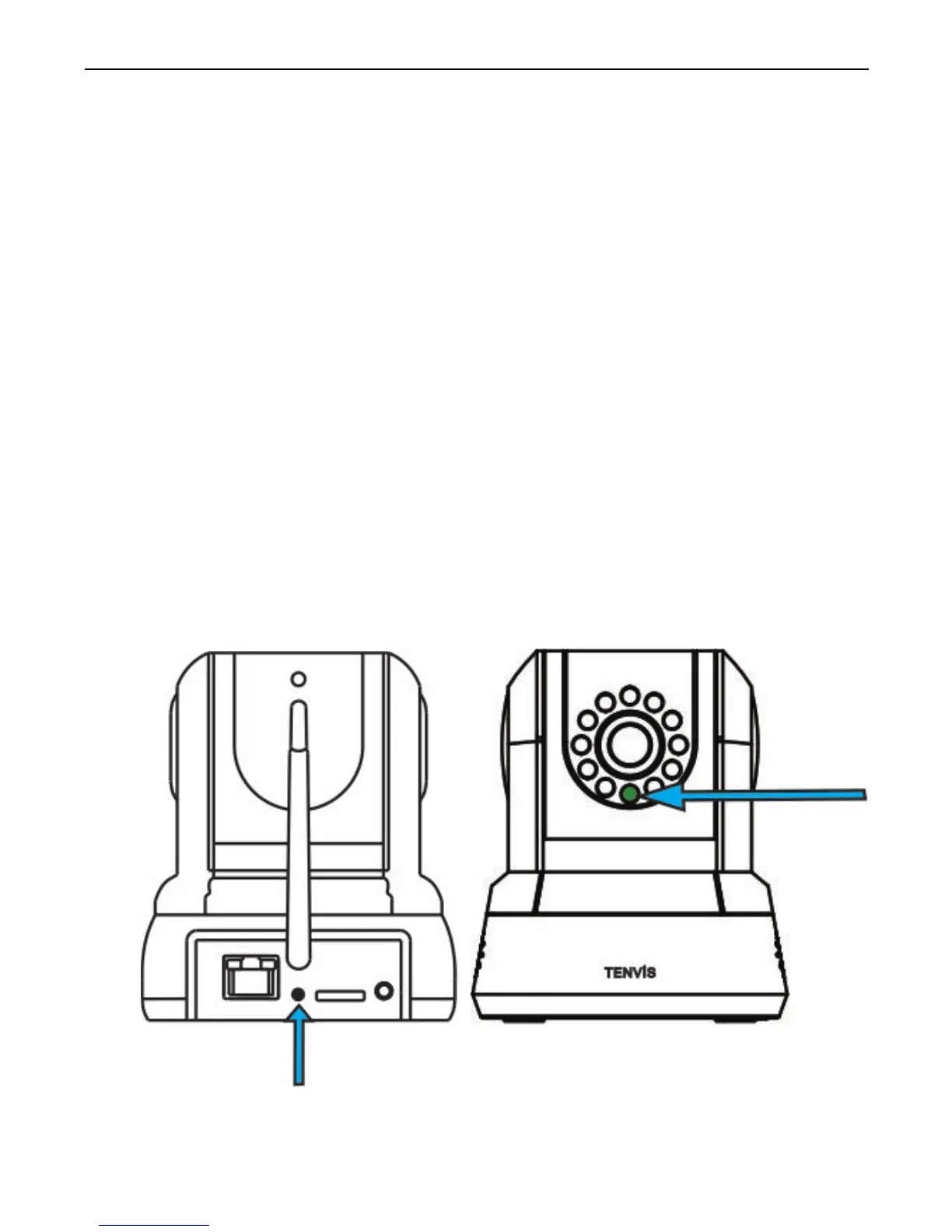
2. Press the WPS button on the back of the camera for about 3 seconds,
then the green light (front) will flash, the camera will be in WPS mode.
Setup Wi-Fi using WPS
What is WPS?
Set up Wi-Fi using WPS



 To Next Page