TENVIS Technology Co., Ltd.
33
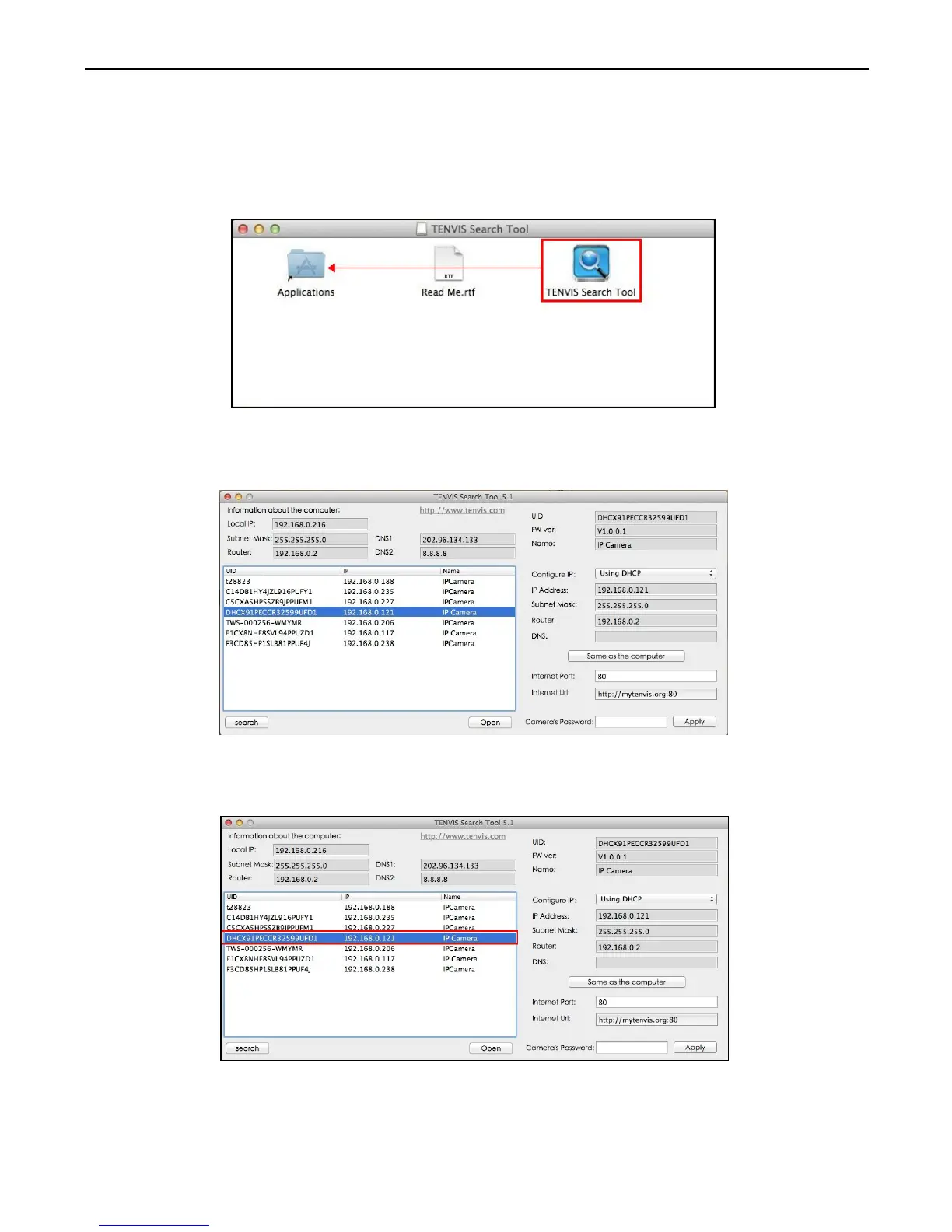
1. Open your CD and run TENVIS Search Tool.dmg. Drag TENVIS
Search Tool into Applications to install the search tool in Apple PC.
2. Run TENVIS Search Tool in Launchpad, click search to search
cameras in LAN.
3. Select the camera listed in LAN by its UID code, double click the
highlight the camera in the list.
Operationn Guide for Mac Web Browser



 To Next Page