TENVIS Technology Co., Ltd.
15
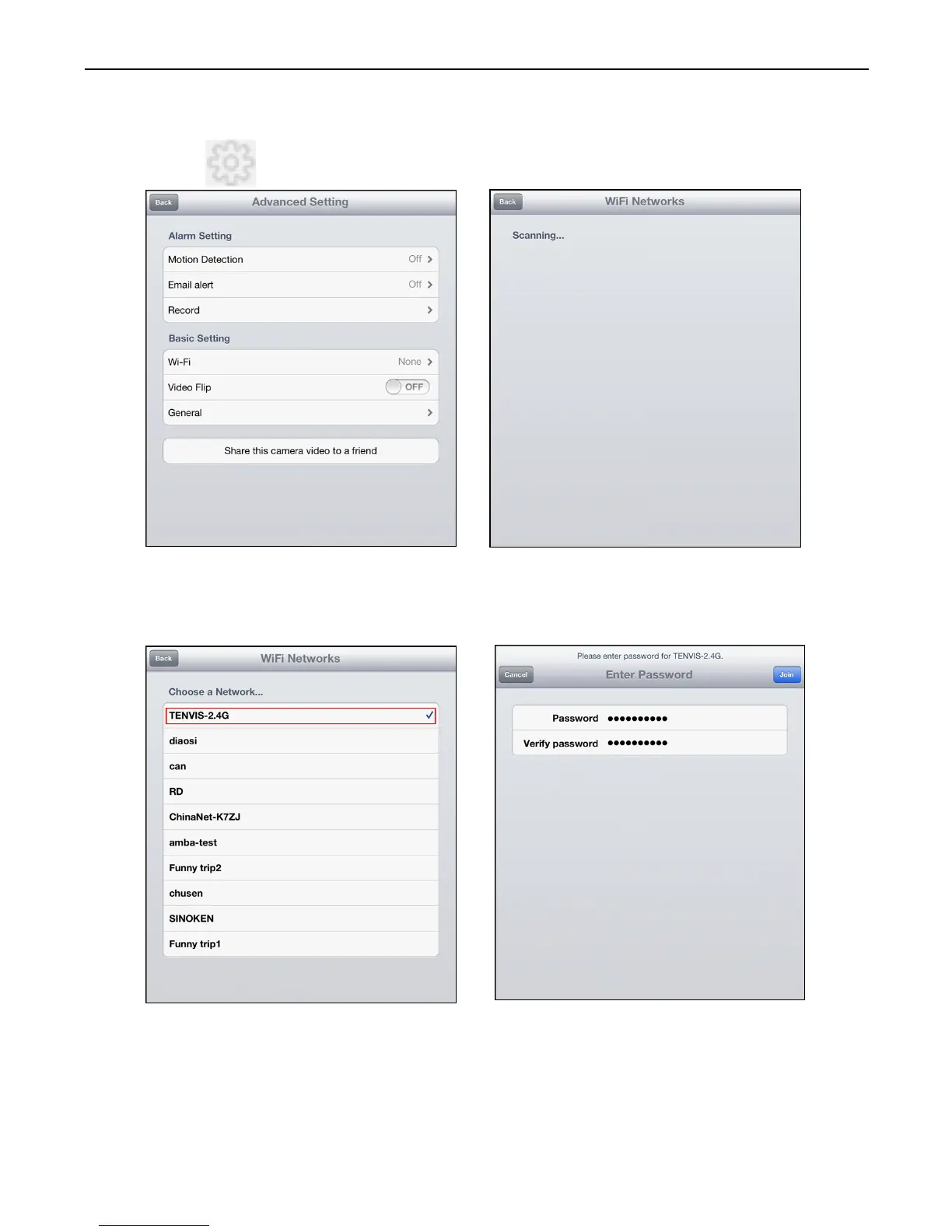
1. Click to start configuring your camera for wireless operation.
2.
The camera will start scanning for Wi-Fi connections. Select your
Wi-Fi connection or network ID (SSID). Enter the password for your
Wi-Fi connection.
3. When the Wi-Fi is successfully configured, you can now disconnect
the network cable from your camera and start using your camera as a
wireless device.
*Notice: Please wait for 30 sec to 1 min for camera to switch to Wi-Fi
mode;
Wi-Fi Setup



 To Next Page