TENVIS Technology Co., Ltd.
35
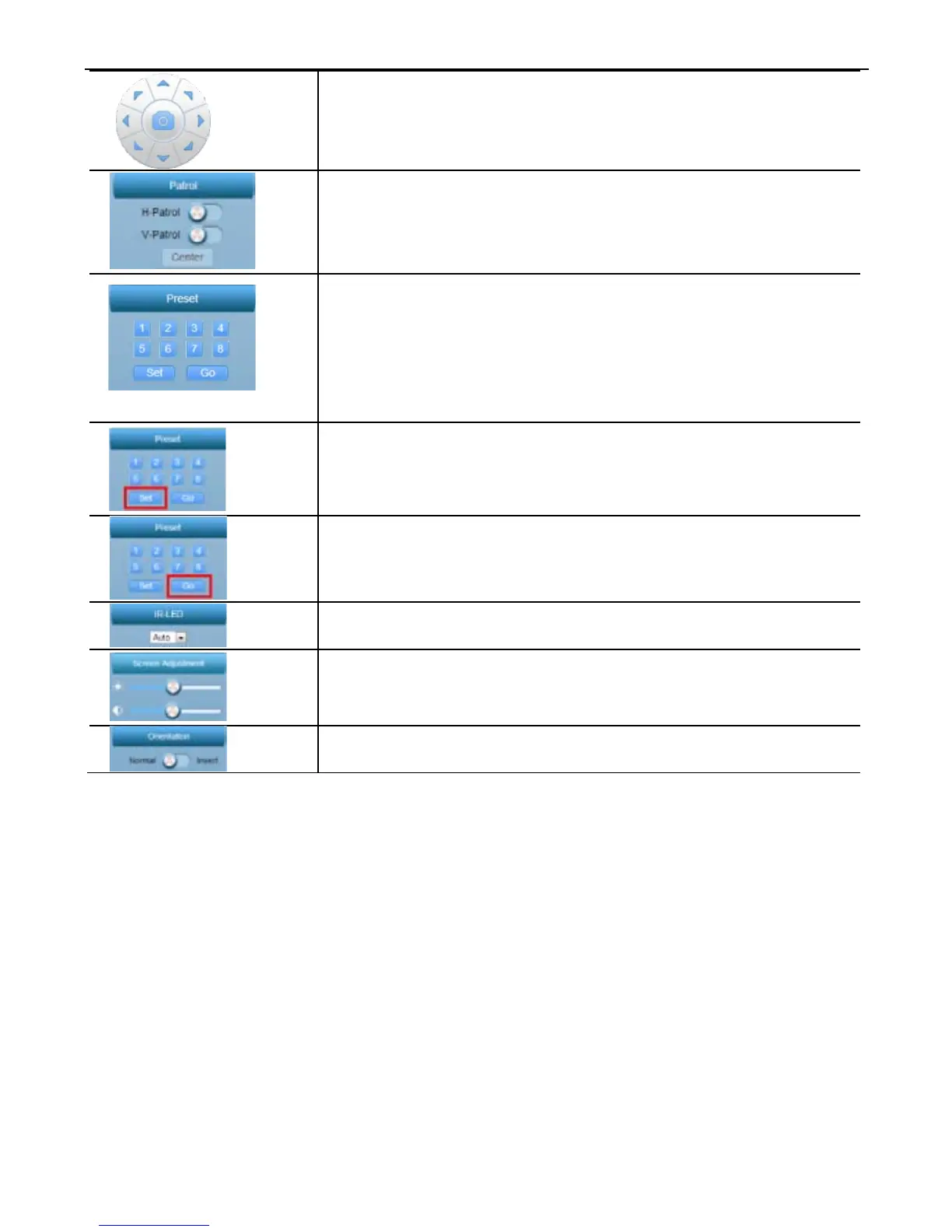
8 arrows to Pan/Tilt the camera
Center button is used for taking snapshot.
Patrol horizontally or vertically.
Go center when click “Center” button
Preset positions are IP camera's saved Pan/Tilt
positions, for users to quickly access 8 specific
positions by click a button. This application
allows users to store up to 8 preset positions.
Set preset position; (only available to Pan/Tilt
cameras)
Go to a specific preset position (only available to
Pan/Tilt cameras)
Turn on/off /IR-LED
Adjust the brightness;
Invert the video horizontally or vertically
*Noti
ce:
For
in-depth explanation on how to use this web application, please
download user manual from http://www.tenvis.com/download.



 To Next Page