TENVIS Technology Co., Ltd.
4
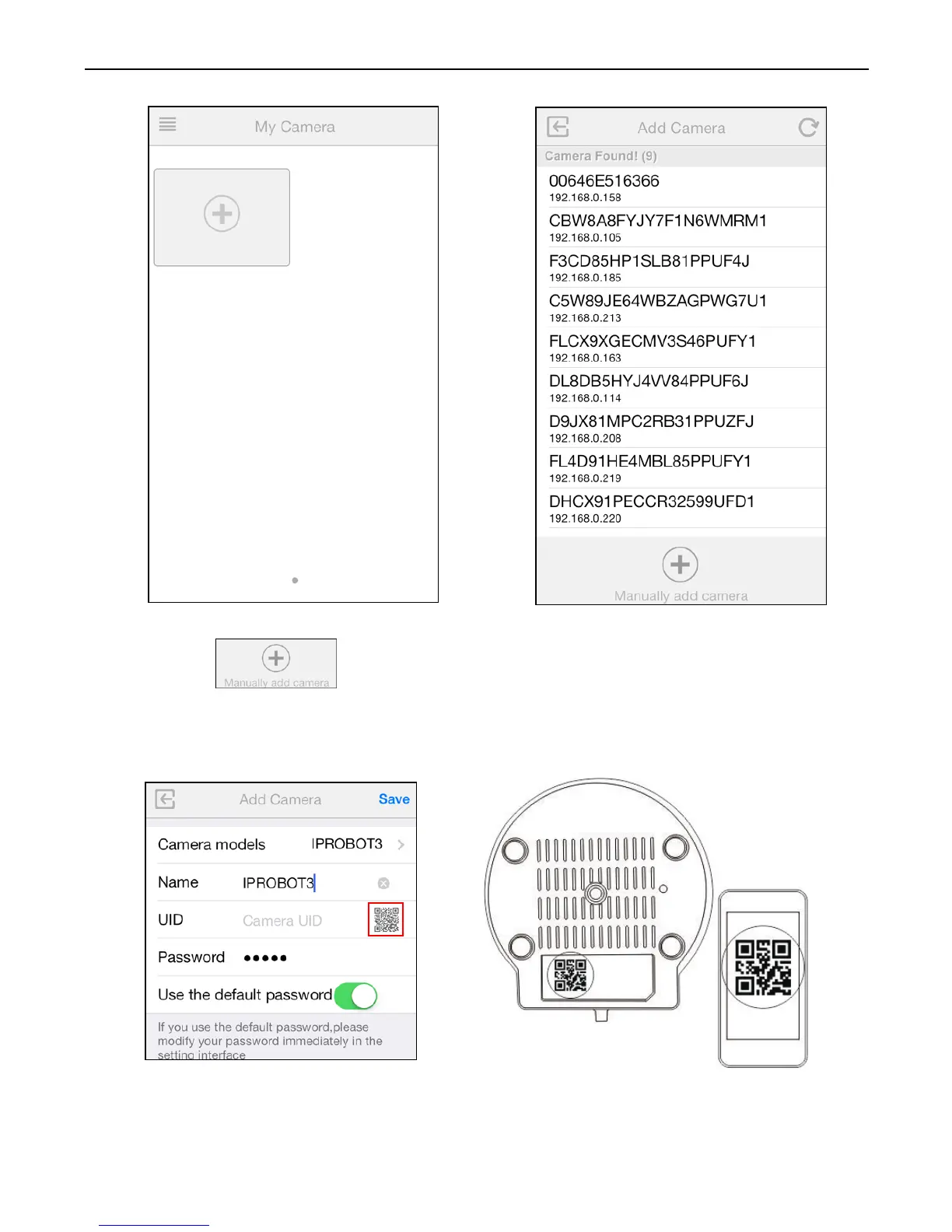
5. You can choose to add you camera manually:
Click button and select your camera model and enter
camera’s UID code (displayed at the bottom of the camera) and
password. You can scan camera’s UID from Camera's QR code by
tapping QR Code Icon to initiate the scan.
6. Enter the camera's name and password. By default the password is
admin.



 To Next Page