EasyManua.ls Logo

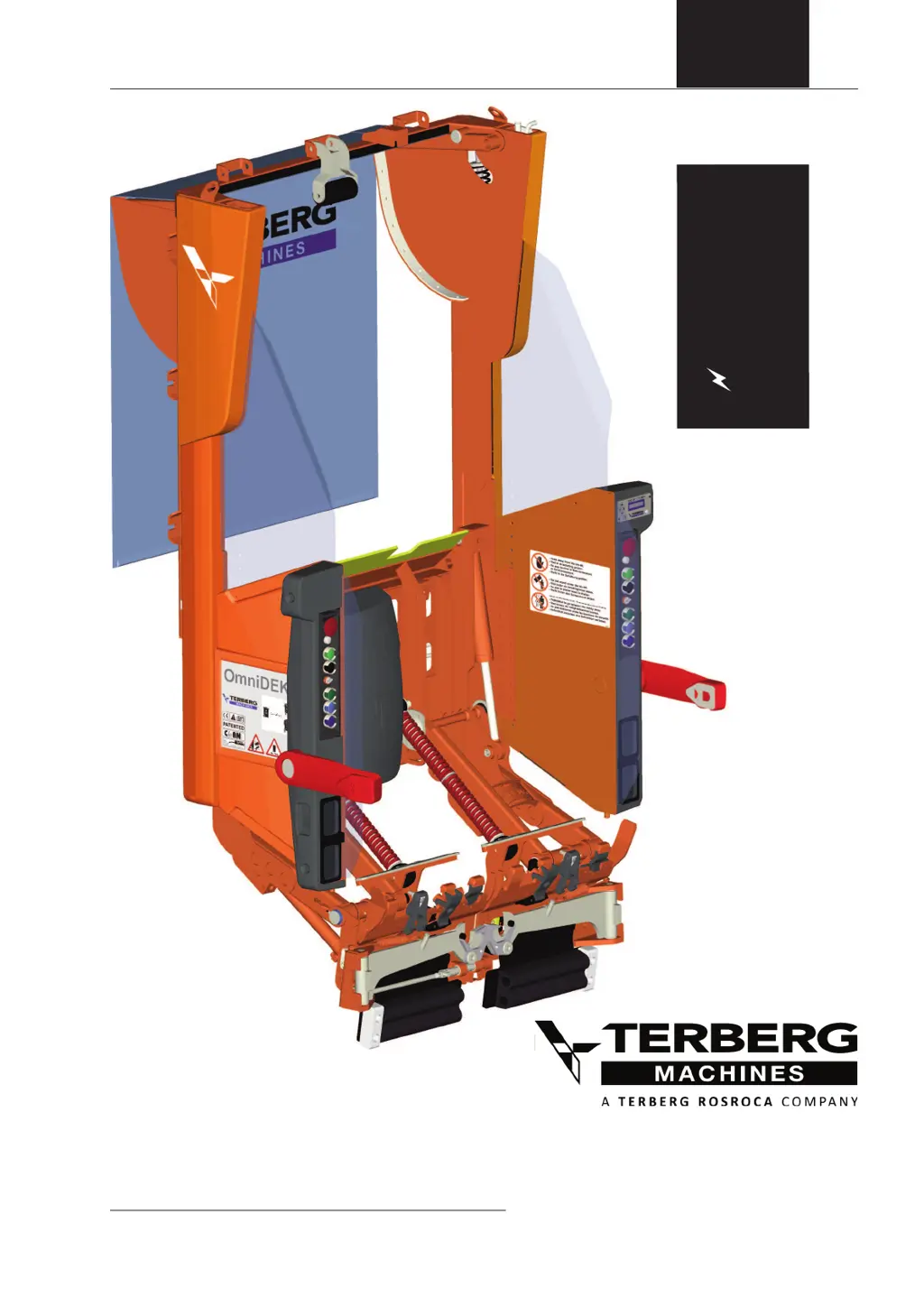
Terberg OMNIDEKA e - User Manual

Default Icon
52 pages
Print Icon
To Next Page IconTo Next Page
Loading...
A U TO M AT I C B I N L I F T S Y S T E M
37878
Baronieweg 23, 3403 NL IJsselstein
The Netherlands
Telephone: (+31) 30 2100 600
Telefax: (+31) 30 2100 610
Homepage: www.terbergmachines.nl
E-mail: info@terbergmachines.nl
Translation of the original instruction
Issue date 05-2017
The original Dutch version (article code 37877) can be obtained
from Terberg. Please send a mail to: info@terbergmachines.nl
OMNIDEKA
OMNIDEKA
e

Questions and Answers

  • S
    Sharon WilsonAug 19, 2025
    What to do if Terberg OMNIDEKA e displays ‘EMERGENCY STOP’?
    • J
      Joseph LoweryAug 19, 2025
      If the Terberg Lifting Systems displays the message 'EMERGENCY STOP', check the emergency stop buttons on the bin lift and refuse body. Also, verify that there is a +24V supply on pin 12 of the 16-pin socket box, which indicates a normal safe condition.
  • R
    Ricky PattonAug 21, 2025
    Why does my Terberg OMNIDEKA e show 'TRUCK IN REVERSE' error?
    • M
      Monique WalkerAug 21, 2025
      If the Terberg Lifting Systems displays the error message '02: TRUCK IN REVERSE', it means that the reverse gear signal is active due to the refuse body or truck chassis. To use the bin lift, put the gearbox into neutral.
  • B
    Barry MorrowAug 23, 2025
    How to fix 'ADJUST ZERO WEIGHING SYSTEM' message on Terberg OMNIDEKA e?
    • J
      Jessica TurnerAug 23, 2025
      If the Terberg Lifting Systems displays the error message '07: ADJUST ZERO WEIGHING SYSTEM', it means that there is a static zeroing request for the weighing systems. Perform a zero adjust sequence by holding down the R/H up and down button simultaneously in domestic mode for a few seconds until the bin lift moves up automatically.
  • R
    Rose KimAug 26, 2025
    What to do if Terberg OMNIDEKA e Lifting Systems displays 'HOPPER PLATE SWITCH' error?
    • T
      Tiffany MarshallAug 26, 2025
      If the Terberg Lifting Systems displays the error message '11: HOPPER PLATE SWITCH', it means the hopper plate door is open, and the bin lift is ready for hand loading of bags only. Close the hopper plate door. If the message persists, check the functionality and alignment of the hopper plate door sensor.
  • T
    Toni DavenportAug 27, 2025
    What causes 'EMERGENCY STOP' error on Terberg OMNIDEKA e?
    • W
      Willie StewartAug 27, 2025
      If the Terberg Lifting Systems displays the error message '01: EMERGENCY STOP', it indicates that the emergency stop signal is active. Check the emergency stop buttons on the bin lift and refuse body.
  • R
    racheladamsAug 30, 2025
    Why is my Terberg OMNIDEKA e losing bins/containers?
    • T
      Timothy JonesAug 30, 2025
      If the Terberg Lifting Systems bin lift is losing bins or containers, examine the bin/container locking mechanism for any refuse or obstructions. Also, check the adjustment of the bin/container lock.
  • R
    Ricky HarmonAug 31, 2025
    What does 'REVERSE L/H RAISE ERROR' mean on Terberg OMNIDEKA e?
    • S
      Stanley MartinezAug 31, 2025
      If the Terberg Lifting Systems displays the error message '03: REVERSE L/H RAISE ERROR', it means that the L/H lifting chair has not lifted up to the safe lifting height for travel in the usual time. This often happens when the bin lift isn't getting enough oil from the refuse body while in reverse, or the PTO/pump isn't on. Ensure the bin lift can get hydraulic energy during reverse.
  • M
    Melanie EvansSep 3, 2025
    What does 'ERROR CYC. START SENSOR N1 L/H' mean on Terberg Lifting Systems?
    • M
      Marilyn LinSep 3, 2025
      If the Terberg Lifting Systems displays the error message '12: ERROR CYC. START SENSOR N1 L/H', it indicates that an object is detected by the L/H start sensor (N1) for too long. This can happen if a bin isn't removed after emptying. If there's no bin, check the sensor and cable.
  • H
    Heather LewisSep 5, 2025
    How to troubleshoot 'ERROR POSITION SENSOR L/H' on Terberg Lifting Systems?
    • N
      Nathan WalkerSep 5, 2025
      If the Terberg Lifting Systems displays the error message '13: ERROR POSITION SENSOR L/H', it is a general position sensor error for the L/H lifting chair. When the bin is removed the error will be reset. Check for mechanical axial and radial play from the position sensors or adjoined bearings. Check the position sensor(s), the cables, and the analogue values (analogue input 00.0 and 00.1 always higher than 100, lower than 900). Recalibrate the position sensors.
  • J
    Jordan MurraySep 7, 2025
    What does 'ERROR LOCK PIN' mean on Terberg Lifting Systems?
    • R
      Rebecca HudsonSep 7, 2025
      If the Terberg Lifting Systems displays the error message '10: ERROR LOCK PIN', and the bin lift is in trade (4-wheel) mode with a mechanical/hydraulic lock pin, but there’s still a position difference between the L/H and R/H chair, check if the bin lift runs level without the chair locking pin. Also, check for mechanical axial and radial play from the position sensors or adjoined bearings. Finally, check/calibrate the position sensors and proportional valves.

Summary

2. Safety

2.1 General safety instructions

General rules for safe operation, maintenance, and personal protection.

2.2 Safety instructions

Specific safety rules for operation, maintenance, and repair procedures.

2.4 Safety provisions: Emergency stop button

Operation and function of the emergency stop button for immediate system shutdown.

4. Maintenance and Cleaning

4.1 Maintenance: general and daily

General maintenance rules and daily cleaning procedures for the bin lift.

4.6 Trouble shooting

Guide to diagnosing and resolving common electrical and mechanical issues.

Trouble shoot diagram, electrical

Step-by-step checks for electrical fault diagnosis.

Trouble shoot diagram, mechanical

Step-by-step checks for mechanical fault diagnosis.

Alarm message 01 to 13

Troubleshooting guide for specific alarm messages 01 through 13.

Alarm message 14 to 24

Troubleshooting guide for specific alarm messages 14 through 24.

Alarm message 25 to 32

Troubleshooting guide for specific alarm messages 25 through 32.

Alarm message 33 to 41

Troubleshooting guide for specific alarm messages 33 through 41.

Alarm message 42 to 52

Troubleshooting guide for specific alarm messages 42 through 52.

Alarm message 53 to 58

Troubleshooting guide for specific alarm messages 53 through 58.

Alarm message 59 to 68

Troubleshooting guide for specific alarm messages 59 through 68.

Terberg OMNIDEKA e Specifications

General IconGeneral
BrandTerberg
ModelOMNIDEKA e
CategoryLifting Systems
LanguageEnglish

Related product manuals