46
© 2022 Enter your company name
4.4.6.2 Message Call
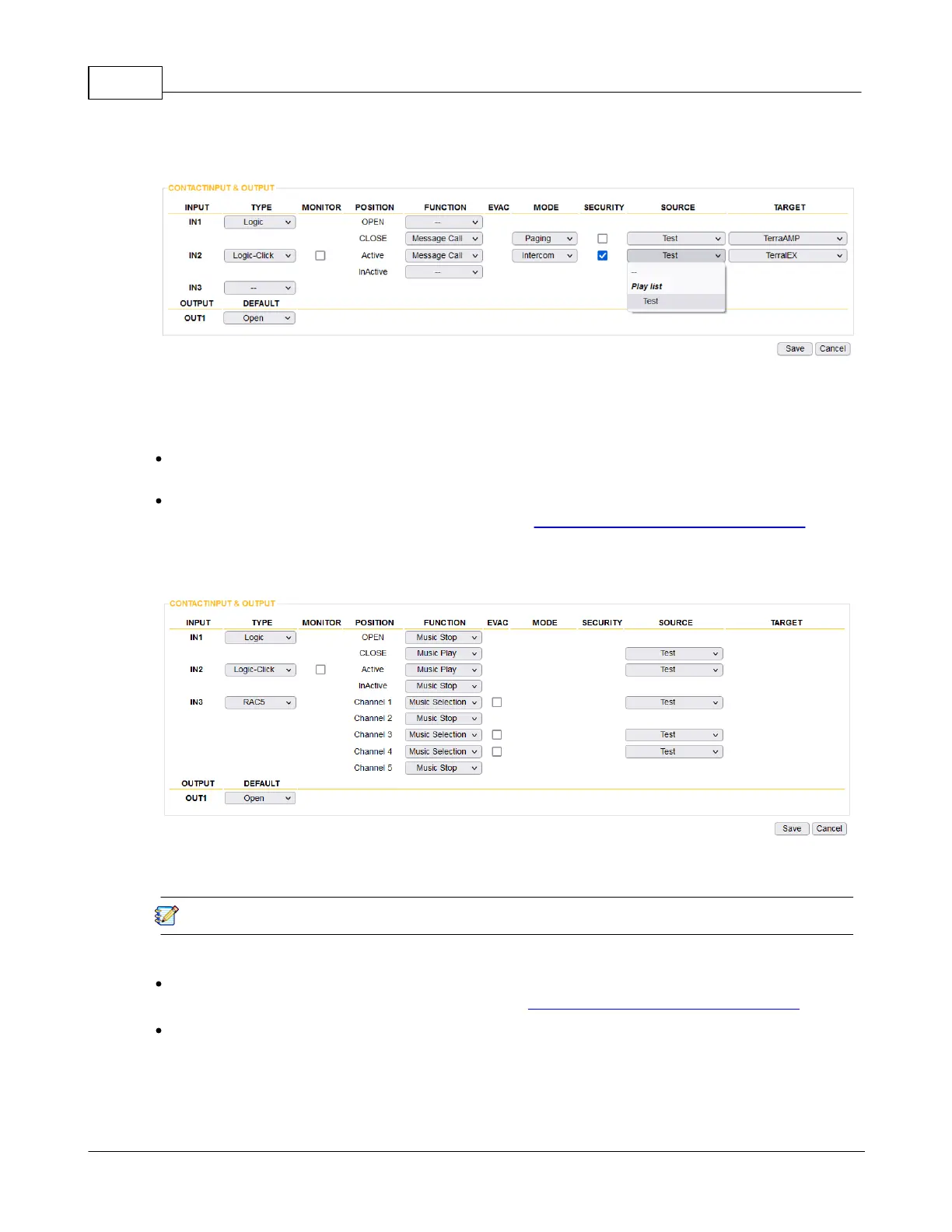
The Message Call action allows to play the messages directly to a chosen TERRACOM device target
when closing or activating the logic switch which have connected to the contact inputs of IPSM/IPBX-
2C20.
Stop the message call
Open or inactive the logic switch.
Source
Select the playlist source which user have created on Setup 1 > Media Setting > Management.
4.4.6.3 Message Play/Stop
Play the message (important broadcast content, such as fire emergency evacuation message) when
closing or activating the logic switch which have connected to the contact inputs of IPSM/IPBX-2C20.
The priority of message always higher than music.
Source
Select the playlist source which user has created on Setup 1 > Media Setting > Management.
EVAC
When the [EVAC] option of Contact IN1~3 is enabled, the TerraManager software will show the source
name on Monitor window > EVAC tab > Status grid. In addition, when the IPSM/IPBX-2C20 is
proceeding multiple EVAC paging, ONLY the latest EVAC call will be displayed on the EVAC tab of
TerraManager software.


 To Next Page