Configuration-Web Browser 65
© 2022 Enter your company name
audio signal (SIP Input/ Message Player/ MIC IN). A typical application is the paging over background
music: The device senses the presence of audio from MIC IN, and it triggers a reduction to the level of
background music signal. And, make a level gain to the paging signal. The background music restores
to the original level once the paging is over.
Active: The function of [Ducker] is activated while the level of audio signal has been passed the value
of [Threshold], and the LED lights up to remind user.
Bypass: Unconditionally let the audio signal of [Minor] group play.
Threshold (dB): The threshold of detection on audio signal. And, The level value of threshold decides
that which audio signal will play: major group or minor group or both of them and with [Attenuation
Depth] and [Speech Gain] functions.
To avoid the unexpected attenuation, don't set a threshold level too low.
Attack Time (ms): The fade-in time for main audio when the Ducker is activated.
Response Time (ms): The time between the level detection and the beginning of Ducker's activation.
The shorter the attack and response time, the faster the conversion efficiency.
Hold Time (ms): The length of audio pause that is regarded as the end of the Ducker action.
Set enough "Hold time" to avoid the unexpected background level during the speeches breaks.
Release Time (ms): The fade-out time for main audio when the Ducker is not activated.
Attenuation Depth (dB): When main audio is broadcasting and the level of second audio is to high, set
the attenuation depth for level reduction.
Speech Gain (dB): If the volume of main audio is too low, the function of [Speech Gain] is for
enhancing the level automatically.
Factory setting: Click to restore all settings to factory setting.
4.7.5 Selector
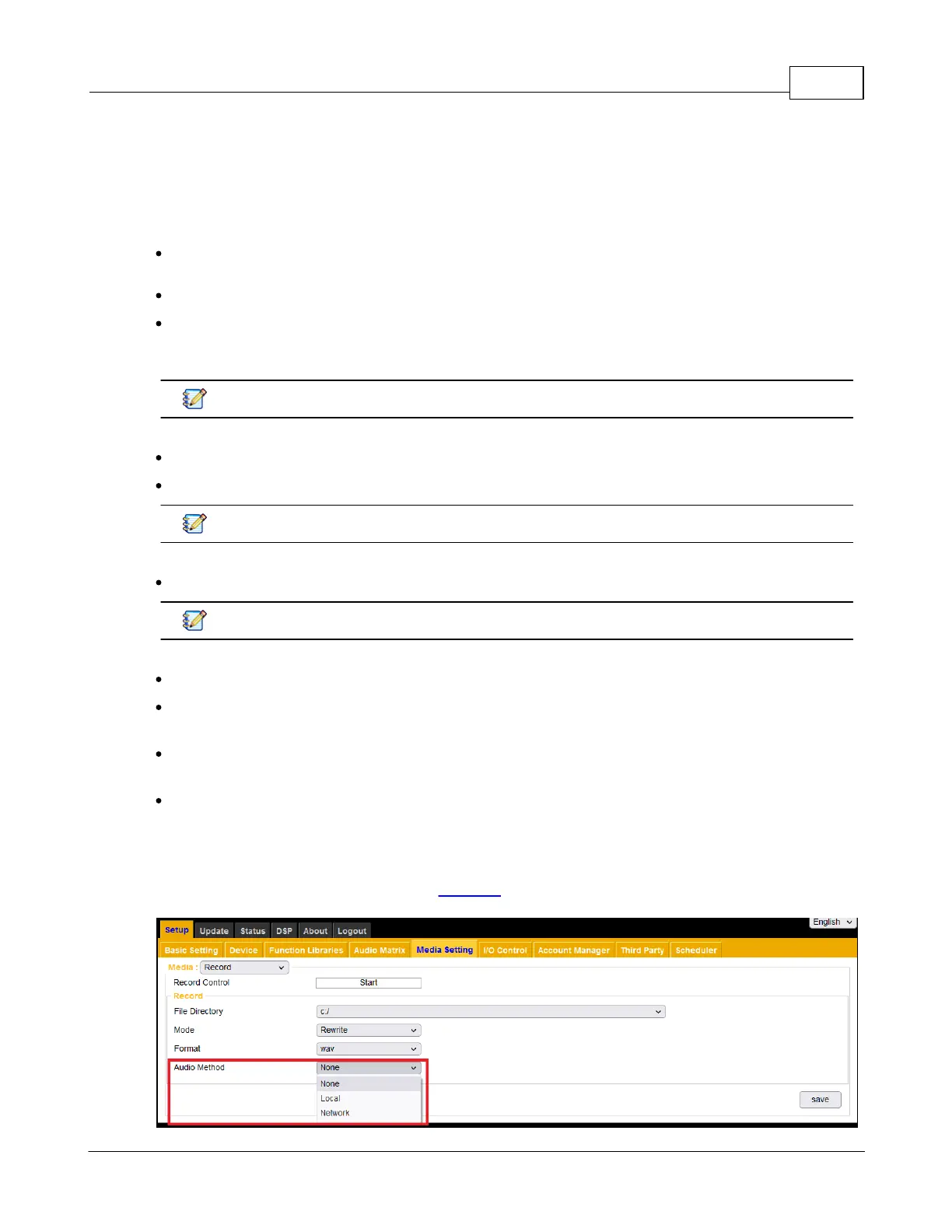
There is no setting page but to let user know the sequence and structure of sound processing. Set the
function with [Audio Method] option on the [Record] page.



 To Next Page